In this guide
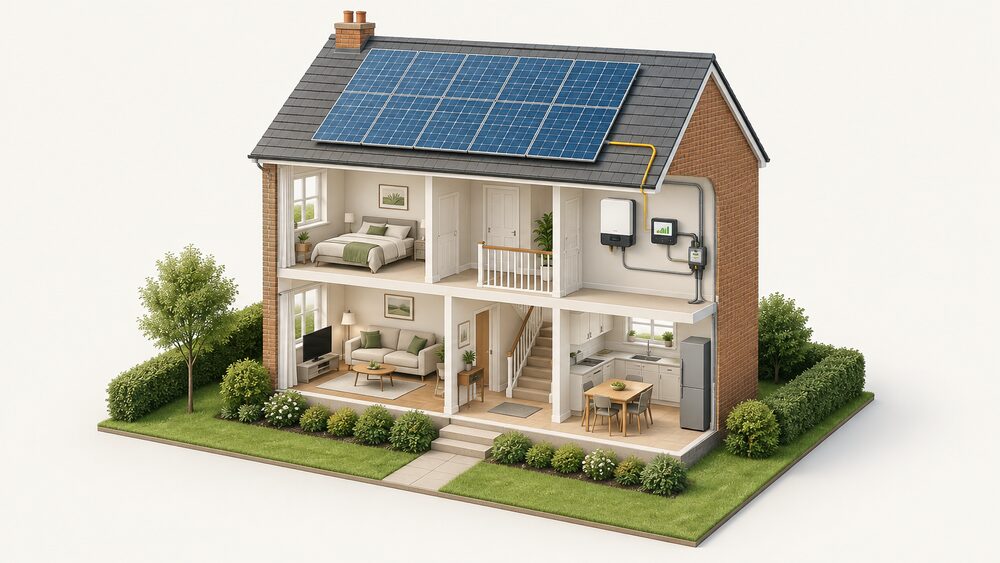
Solar panel monitoring is the measurement layer of a home PV system: the hardware and software that turn generation into a number a household can read, check and act on. In most UK homes the primary instrument is the inverter, which transforms direct current (DC) electricity generated from the solar panels into alternating current (AC) for mains appliances1. The inverter reports what it produces to a portal or app, and that record becomes the household's own account of the system.
What monitoring does not do is generate anything. It measures, and the value of the measurement depends on what is being measured and where the data lives. An inverter app shows generation. A whole-home monitor with a current transformer (CT) clamp shows generation and consumption together, which is the only way to see self-consumption as it happens. Module-level electronics show individual panels. Each layer answers a different question, and the choice between them is really a choice about which question matters.
The independence case is straightforward. A household that can read its own generation, consumption and export is not dependent on a supplier's statement or an installer's annual visit to know whether the system is working. The dependence that remains is real: most inverter portals are cloud services run by the manufacturer, most monitors need a Wi-Fi network and an app account, and the data usually sits on someone else's server unless local storage is configured. Monitoring makes a home better informed about its energy, not self-sufficient in it.
What solar panel monitoring does and why it matters
Monitoring exists to answer three questions: is the system producing what it should, where is the electricity going, and is anything failing. The first is a performance question, the second a self-consumption question, and the third a maintenance question. A generation figure alone answers only the first.
The maintenance case is well established. Independent guidance recommends getting panels checked on an annual basis to ensure there is no debris build-up on the panels themselves, and also to ensure the cables and connectors are still working as they should be5. Regular visual checks should identify any cracks, breaks, loose connections, and any cable damage caused by vermin and weathering6. Checks should cover signs of wear and tear, damage, water ingress, dirt build-up, bird droppings or lichen growth, with repairs arranged and panels cleaned if needed7. Panels are low-maintenance, but the household still needs to keep them reasonably clean and make sure that any shading is minimised, and the installer provides a maintenance guide8.
Monitoring turns those periodic checks into a continuous signal. A fall in daily generation that cannot be explained by weather is the earliest evidence of soiling, shading growth, a failing connector or a string fault. Without a record, the same fall is invisible until a bill or an annual inspection reveals it.
The wider context is that monitoring is now normal practice in the sector. Continuous metering and monitoring have proven to be a sensible option, already commonly used for large systems9. At national level, the Solar Council tracks the solar pipeline to 2030 and beyond, progress against actions and key performance indicators, and wider economic and financial factors influencing the solar sector10. The MCS Data Dashboard monitors solar PV and heat pumps, described as growing technologies across the United Kingdom11.
For a household, the practical meaning is that a monitored system has a baseline. Expected degradation can be found on the panel datasheet, searchable by make and model on the MCS certificate12, so a household can compare what the array delivers against what the manufacturer said it would deliver at that age. That comparison is the core of any warranty claim, and it depends entirely on having kept the data.
Inverter apps: real-time generation, fault alerts and cloud data
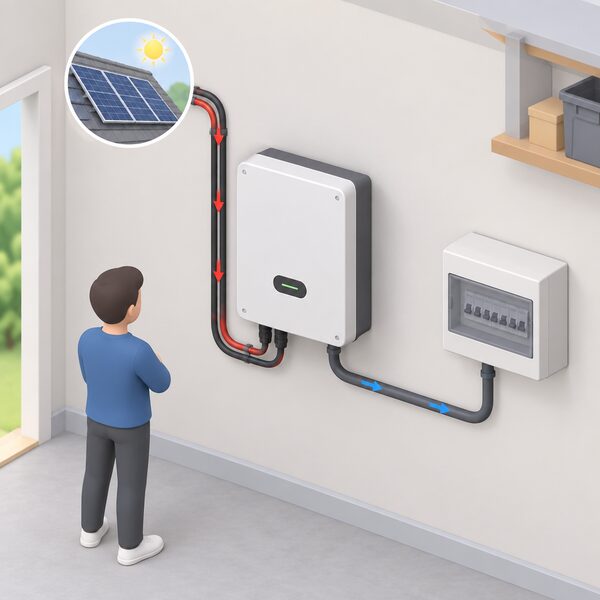
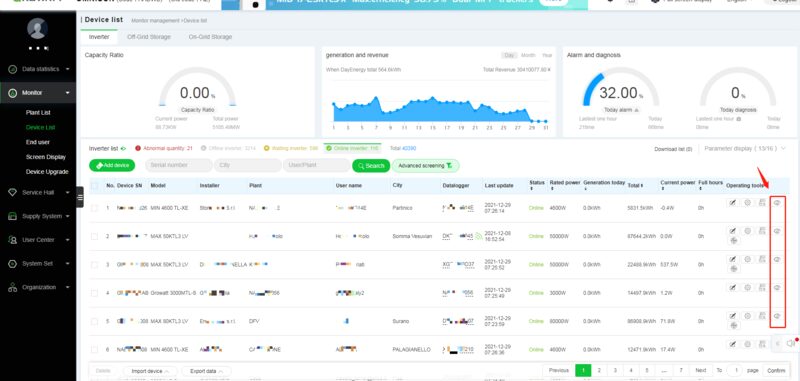
The inverter is the default monitoring device because it is already there. It converts the array's DC output to usable AC1, and in doing so it measures current and voltage continuously. That measurement is what the app displays.
The quality of the app experience varies by manufacturer and is not standardised. What a household can expect from a modern system is a live or near-live generation figure, a daily and historical chart, and some form of fault notification. Optimiser systems go further: with the latest solar panel optimisers, the household can monitor the solar setup performance via an app13, and additional app connectivity features enable users to have a virtual layout of the system to aid fault detection and remediation, remote system monitoring and automatic fault notifications14.
The dependence to be clear about is the cloud. An inverter portal is normally a manufacturer's service. The data is uploaded over the home's internet connection and stored on the maker's servers, and access depends on the maker continuing to run the platform and the household continuing to have a working connection. If the manufacturer withdraws the service or the company fails, the historical record can become inaccessible even though the hardware still works. This is the single strongest argument for local data collection, and it is why the local integration options below matter more than they first appear.
There is also a practical limit on what an inverter app can show. A string inverter reports the array as a whole. It cannot distinguish one panel from another, so a single underperforming module is invisible until it drags the string's output down enough to show in the total. Where per-panel visibility matters, the answer is module-level electronics rather than a better app.
Panel-level monitoring: what SolarEdge optimised systems add
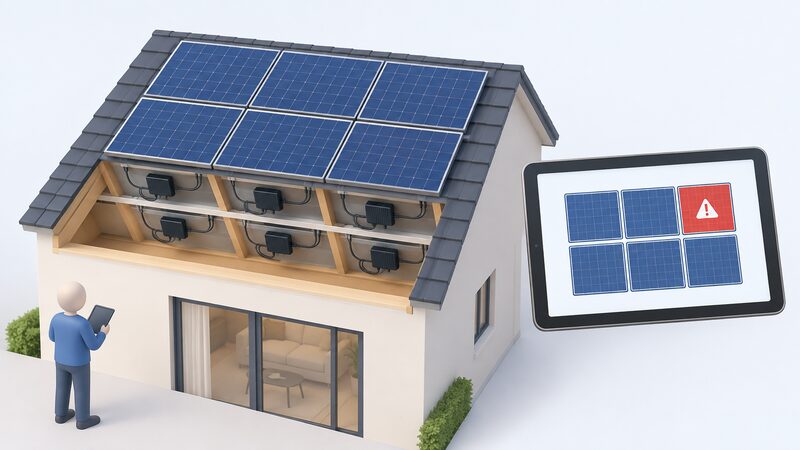
Module-level monitoring is the difference between knowing the array's total and knowing each panel's contribution. It requires electronics at the panel: power optimisers or microinverters. A plain string inverter cannot provide it.
SolarEdge's optimised approach is documented in the innovation measures approved for the Energy Company Obligation. The system consists of MCS certified Solar PV modules14, and the app connectivity features include a virtual layout of the system to aid fault detection and remediation, remote system monitoring and automatic fault notifications14. The virtual layout is the distinctive part: it maps the physical array onto the screen, so a fault is located at a position on the roof rather than reported as an anonymous string error.
Optimisers also carry safety functions. These can include panel level shutdown to isolate individual panels in case of a fault on some models13. That matters for firefighting and for maintenance, because it allows a panel to be isolated without de-energising the whole array.
The trade-off is cost and complexity. Module-level electronics add components to the roof, and each one is a potential failure point, though the monitoring they enable is precisely what makes a failure visible quickly. For a household, the decision usually turns on roof complexity: an array with multiple orientations, known shading, or panels spread across more than one roof plane benefits most from per-panel data, because a single shaded or faulty panel in a string affects everything behind it. A simple, unshaded, single-plane array gains less.
Where module-level monitoring is fitted, the household should expect the app to show per-panel output, historical performance by panel, and alerts naming the affected unit. That is a materially different level of information from a single generation total, and it changes what a household can do without calling an installer: a persistent underperformer can be identified and reported with evidence rather than described as a general feeling that the system seems low.
Whole-home energy monitors: tracking consumption alongside generation
An inverter app shows what the system makes. It does not show what the house uses, and without that second number, self-consumption is guesswork. A whole-home energy monitor closes the gap.
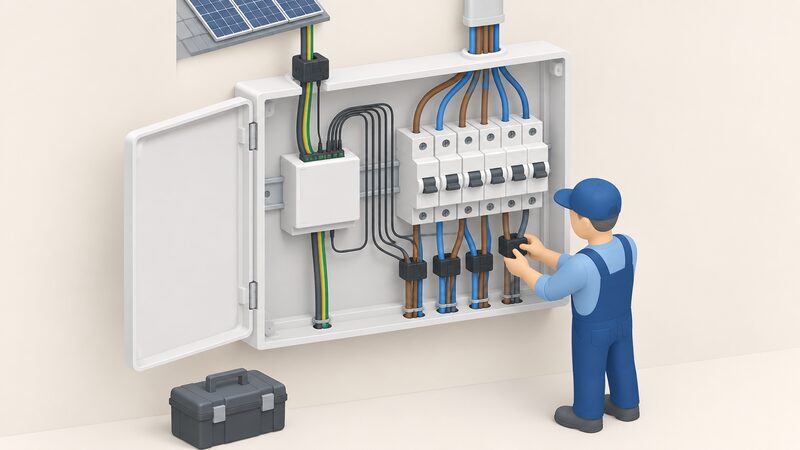
A home energy monitoring system tracks the energy usage of the entire household by connecting to the electrical panel and monitoring electricity flow15. The same maker's app provides insights into household energy consumption and generation, allowing the household to track how much solar is generated and where energy is used within the home15. Some monitors can also provide data on specific appliances15.
The distinction from a smart meter matters. A home energy monitor is usually bought separately and mainly tracks electricity use in your home16. Some third-party home energy monitors may offer more detailed electricity insights, depending on the system16. Energy monitors, including brands such as Smappee and Owl, allow you to see your electricity use in near real-time17. The smart meter's in-home display is a different instrument with a different data path, and its historical retention is limited: historical energy consumption data for up to 13 months for direct debit or credit customers2.
Two cautions belong here. First, a monitor measures rather than saves: simply buying and plugging in an energy monitor won't automatically reduce your bills19. Second, scope is limited: you can only get energy monitors for electricity, not for gas19. A household wanting to understand gas use will not get it from this class of device.
The independence value is that consumption data collected in the home is the household's own. It supports decisions about when to run appliances, whether a battery would earn its place, and whether a diverter or immersion controller would absorb surplus. The National Energy Action project on increasing self-consumption of solar PV aimed to install a series of small measures which could complement solar PV systems20, and monitoring is the measurement layer that tells a household whether such measures are working.
Meross EM16P and EM06P: circuits, accuracy and data export
Meross sells two solar-capable monitors in the UK, and their published specifications show what the category offers. Both are maker claims about the maker's own products.
The EM16P supports solar PV monitoring and works with automations in the app or Home Assistant to easily achieve zero feed-in3. It supports monitoring of up to 18 circuits3, supports consumption and feed-in monitoring, and provides monthly, weekly and daily energy statistics3. It is quoted with an error margin within plus or minus 2%3, provides 24/7 insights into your home's electricity usage3, and is ETL certified and compliant with the UL 61010 testing standard3. Data can be exported in daily, hourly, or minute-level formats3, with free cloud storage supporting up to 5 years of exportable historical data at daily level3. It natively supports Home Assistant with no flashing required, while still keeping the full warranty3, and it requires no battery3. System requirements are a smartphone running iOS 13 or later or Android 8.0 or later and an existing 2.4 GHz Wi-Fi network3. Three-phase power is supported3, and the Merge Channel feature makes viewing total home energy usage easier3. The maker lists it as in stock, ready to ship3, with a customer rating of 5.0 from 5 total reviews3.
The EM06P is the six-channel unit. It supports monitoring of main circuits, EV chargers, solar panels, PV systems, and other household appliances21, with 6-channel monitoring up to 120A per channel, which the maker says can monitor twice as many circuits as traditional 3-channel devices21. The app provides minute-, hourly-, and daily-level data21, all consumption data can be exported as CSV files for detailed analysis21, and daily data is stored for up to 5 years21. The app also supports channel merging, CT calibration, and power factor (PF) measurement21. It enables automatic utilisation of excess solar energy (zero export), increasing self-consumption21, and it has native Home Assistant integration allowing data to be stored locally21. Power consumption thresholds can be set for each circuit via the app, with instant notifications when limits are exceeded21.
| Feature | EM16P | EM06P |
|---|---|---|
| Circuits monitored | Up to 183 | 6, up to 120A per channel21 |
| Data resolution | Daily, hourly, minute-level export3 | Minute, hourly, daily21 |
| Cloud retention | Up to 5 years, daily level3 | Daily data up to 5 years21 |
| Export format | Daily, hourly, minute-level3 | CSV21 |
| Accuracy | Within plus or minus 2%3 | Not stated |
| Home Assistant | Native, no flashing, warranty kept3 | Native, local storage21 |
| Battery required | No3 | Not stated |
| Certification | ETL, UL 610103 | Not stated |
Prices for both units are installer-quoted or listed by the retailer at the time of purchase; no published price is given here. Stock levels change, and the EM06P was listed with only 14 items left in stock at the time of writing21.
Zero export and self-consumption: using monitoring to cut feed-in
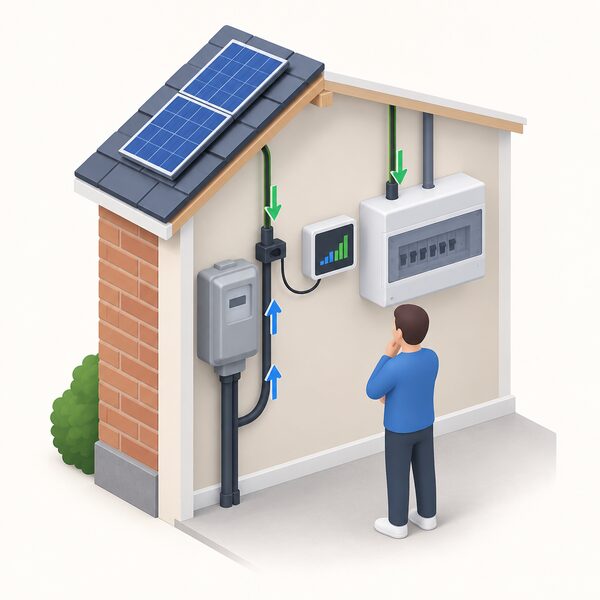
Self-consumption is defined as the amount of solar electricity generated by a domestic solar PV system which is subsequently consumed within the property and not exported to the distribution network22. The MCS method for estimating it applies to domestic buildings22. That definition is the whole point of zero export: maximising the share of generation used on site rather than sent out.
The financial logic runs alongside it. Combined with schemes such as the Smart Export Guarantee (SEG), solar panels can help offset energy costs over the long term while reducing dependence on the grid23. An export tariff allows a household to sell any extra electricity generated with solar panels24. Surplus can also be sold back to the grid25, or exported back to the National Grid26. Where a household is paid for export, zero export is not automatically the right goal; where it is not, or where the export rate is low relative to the import price, using surplus on site is the more valuable outcome.
Monitoring is what makes either strategy controllable. The EM16P supports solar PV monitoring and works with automations in the app or Home Assistant to easily achieve zero feed-in3, and the EM06P enables automatic utilisation of excess solar energy (zero export), increasing self-consumption21. In practice this means the monitor measures the direction and size of flow at the supply point, and an automation responds by switching a load on when export is detected.
The limits are worth stating. Zero export achieved by automation depends on having a controllable load large enough to absorb the surplus, and on the monitor and the switching device remaining connected. It is a control strategy, not a physical guarantee: the grid connection still exists, and the household remains dependent on it for everything the solar cannot cover. What monitoring changes is that the household can see, hour by hour, how much of its generation it is actually using, which is the number that determines whether a battery, a diverter or a change of habits would help.
Modbus and local integration: connecting monitors to Home Assistant
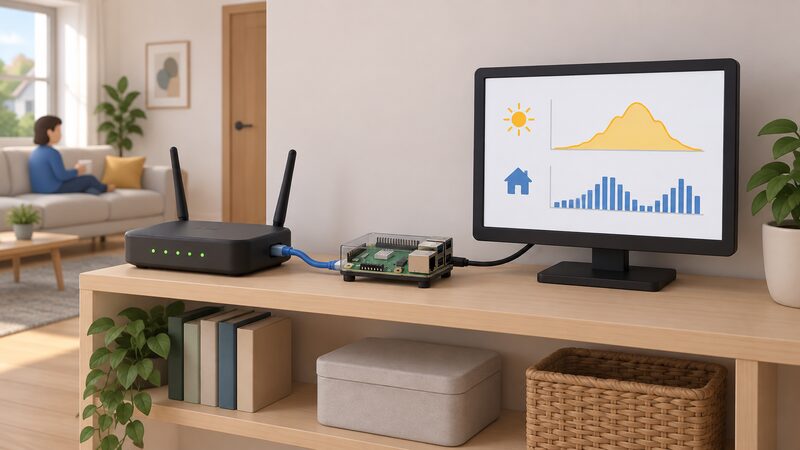
Local integration is the answer to cloud dependence. Instead of relying on a manufacturer's portal, the household collects the data itself and keeps it.
Home Assistant is the common platform for this in the UK. The EM16P natively supports Home Assistant with no flashing required, while still keeping the full warranty3, and the EM06P has native Home Assistant integration allowing data to be stored locally to ensure privacy21. Native support matters because it avoids the warranty risk that comes with reflashing firmware, and because it removes a step that many households would not attempt.
The wider integration picture includes the inverter. Inverters and monitoring hardware increasingly expose data over local protocols, and the practical benefit is that generation, consumption and export can be brought into one place rather than split across two or three manufacturer apps. A household running Home Assistant can build its own history, set its own alerts, and keep the record when a manufacturer changes or withdraws a service.
Two conditions apply. First, local integration still needs the hardware to be reachable on the home network, which for the Meross units means an existing 2.4 GHz Wi-Fi network3. Second, local storage shifts responsibility to the household: backups, storage capacity and the security of the local system become the household's concern rather than the manufacturer's.
There is a Northern Ireland dimension to the wider electrical context. Installing solar panels or wind turbines, or adding a new battery, is a different process from the EV charger and heat pump connection route, directed to a separate page27. Households there should follow the solar-specific process rather than the EV and heat pump one. For the connection rules generally, see connecting solar to the grid and, where export is limited, export limitation and G100.
Data retention and export: how long your history is kept and how to get it
Retention differs sharply between instruments, and the difference determines what a household can prove later.
The smart meter route is the most limited. Historical energy consumption data is held for up to 13 months for direct debit or credit customers2. That is enough for a year-on-year comparison but not for a warranty claim over a panel's working life.
Maker platforms vary. The EM16P offers free cloud storage supporting up to 5 years of exportable historical data at daily level3, and the EM06P stores daily data for up to 5 years21. Export formats differ too: the EM16P exports at daily, hourly or minute level3, while the EM06P states that all consumption data can be exported as CSV files for detailed analysis21. CSV export is the format that matters for a household wanting to keep its own record, because it can be opened in a spreadsheet and stored independently of the platform.
The reason retention matters is the timescale of the hardware. A solar system can be expected to last 25 years28, and most panels last 25 to 30 years29. Solar panels usually come with a 25-year performance warranty and a five to 10-year product warranty4. A performance warranty claim at year 15 needs generation data from year 15, and a platform that keeps five years of daily data will not have it unless the household has been exporting and archiving.
Battery storage adds a second replacement cycle to plan for. Solar PV panels can last 25 years or more, so the cost of replacing the battery at least once should be factored into total costs30. Monitoring is how a household sees the battery's declining throughput before it fails, rather than discovering it in a winter outage.
The practical routine is unglamorous: export the data periodically, keep it somewhere the household controls, and record the dates. A household that does this holds an independent record of its system's performance, which is exactly what a warranty discussion requires.
Choosing between an inverter app and a separate monitor
The choice follows from the question the household wants answered, not from which product is better.
An inverter app answers the generation question and comes with the system. It is the cheapest route because the hardware is already installed, and for a simple array with no shading and no battery it may be sufficient. Its weaknesses are the cloud dependency, the array-level view, and the absence of consumption data.
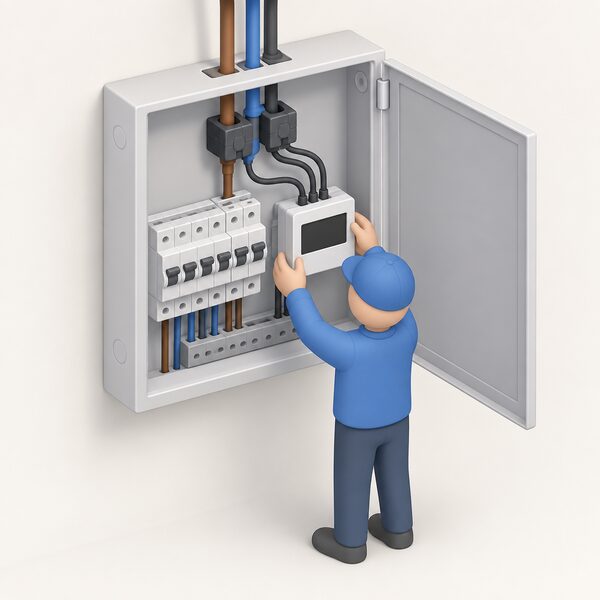
A separate monitor answers the consumption and self-consumption questions. It tracks the energy usage of the entire household by connecting to the electrical panel and monitoring electricity flow15, and it can separate circuits so that solar generation, EV charging and household loads are visible individually21. It also brings local integration options that inverter portals often lack3. The costs to weigh are the purchase price, the space in the consumer unit, and the possibility that some wireless energy monitoring devices may also require subscription apps or additional accessories depending on the manufacturer16.
Module-level monitoring is a third option, and it is a decision made at installation rather than afterwards. Optimisers and microinverters provide per-panel data and, on some models, panel level shutdown13. Retrofitting them to an existing string array is a significant intervention, so the choice is best made when the system is specified.
A household buying a house with an existing system faces a different question. The monitoring may be inherited, the app account may still be registered to the previous owner, and the historical record may be inaccessible. Independent guidance on buying a house with solar panels covers the checks that matter at that point31. For free solar PV systems, the position is more complicated again: whether the consumer will receive the 'export premium' is one of the terms to establish32, and monitoring is how a household verifies what the system is actually producing under such an arrangement.
The honest summary is that monitoring is a measurement decision with a long tail. The inverter app is the default; a separate monitor adds consumption and local control; module-level electronics add per-panel visibility. None of them reduces dependence on the grid, and all of them increase what the household knows about its own generation. For the wider picture of what solar does and does not do for a home's energy independence, see solar panels and household energy independence, and for the system as a whole, the full guide to solar PV for UK homes.
Sources32 cited
- How do solar panels work, Smart Energy GB, 2026
- Smart meter FAQs, Smart Energy GB, 2025-08-08
- Smart Energy Monitor EM16P, Meross, 2026-09-20
- Buying a house with solar panels, Energy Saving Trust, 2026-08-13
- Do solar panels work in winter, Uswitch, 2026-09-15
- Solar panels safety advice, Electrical Safety First, 2026-09-17
- Solar panel cleaning and maintenance, Energy Saving Trust, 2026-08-25
- Solar photovoltaic PV, MCS Certified, 2026-07-30
- Technical Study Report on Measuring, Remote Monitoring and Remote Controlling for Solar Thermal Systems, Solar Heat Europe, 2015
- UK Solar Roadmap, Department for Energy Security and Net Zero, 2025-06
- MCS Data Dashboard, MCS Certified, 2026-05-21
- Solar panel problems and how to solve them, Which?, 2026-03-26
- Solar panel optimiser: is it worth it, E.ON Next, 2026-09-17
- ECO4 Innovation Approved Innovation Measures v1.6, Ofgem, 2024-01
- Monitoring your energy, myenergi, 2026-09-17
- Smart meters vs home energy monitors, Smart Energy GB, 2026-08-17
- Do I already have a smart meter, Smart Energy GB, 2026-03-16
- The in-home display, Smart Energy GB, 2026-08-19
- Are energy monitors the best way to measure your power usage, Which?, 2026-03-31
- Increasing self-consumption of solar PV: monitors and solar immersion controllers, National Energy Action, 2023-06-09
- Smart Energy Monitor EM06P, Meross, 2026-09-20
- MCS 032 2025 V1.0, MCS Certified, 2025-01-01
- Energy efficient home improvements, The CPA, 2026-05-07
- House of the future, Energy Saving Trust, 2026-07-15
- How do I retrofit my home: solar panels, Oxfordshire County Council, 2026-09-17
- Solar panels planning guidance, East Herts Council, 2026-09-17
- EV charger and heat pump connections, NIE Networks, 2026-09-19
- Solar power facts, Energy Saving Trust, 2026-08-13
- Mythbusting our most frequently asked questions, Low Carbon Hub, 2025-12-10
- Solar panel battery storage, Which?, 2026-05-14
- Buying advice for solar panels, Which?, 2026-08-12
- Information regarding free solar PV systems, RECC, 2026-09-17
 Solar and Battery MonitoringWhat does your solar and battery app actually show you, and can you trust it?
 Solar PV Deployment StatisticsHow much solar power does the UK actually have, and how much of it sits on people's roofs?
 The Full Solar Panels GuideHow much do solar panels cost, and what could they save you each year?
 Baseline Your Energy UseBefore spending money on a heat pump, solar panels or a battery, you need to know what your home actually uses now.
 The Full Statistics GuideHow many homes in the UK have solar panels, heat pumps or batteries?
 Data and Energy IndependenceHow many UK homes actually make their own power, and is that number really growing?