In this guide
A home energy monitor reads electricity in one of two ways. It either clamps a current transformer around a live conductor and measures the current flowing through it, or it plugs into a port on the meter and reads the meter's own measurement as data. The first approach is the CT clamp energy monitor, a non-contact measurement tool that clamps onto the current conductor without breaking the circuit1. The second is the P1 module, which the maker describes as connecting directly to your smart meter and giving a clear, real-time view of consumption through an app2.
The distinction matters for what a household can measure and what it depends on. A clamp monitor is bought separately and mainly tracks electricity use, not gas3. It does not send readings to a supplier and does not replace a smart meter3. A P1 module depends on the meter having the right port, and on the maker's app and cloud service continuing to work.
This page covers the measurement hardware itself: what a current transformer does, where it sits, how single and three-phase arrangements differ, what the standards require, and how a P1 module compares as a plug-and-play alternative. It also sets out the limits of each, because the choice between them is a choice about which dependency a household accepts.
CT clamps and P1 modules: the two ways a monitor reads your home's energy
The two methods differ in where the measurement happens. A current transformer measures the current in a cable. A P1 module reads a value the meter has already calculated. Everything else follows from that.
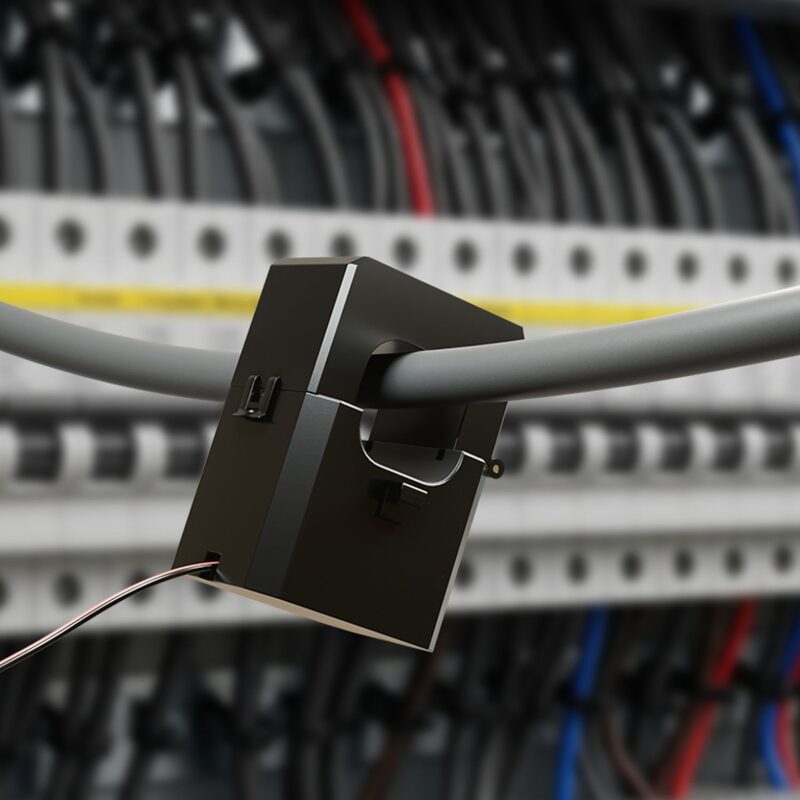
A current transformer is a non-contact measurement tool that clamps onto the current conductor1. It is used in power system monitoring, industrial automation and energy management, and is described as widely applicable across various current ranges1. Because it does not interrupt the conductor, fitting one does not require the circuit to be broken, which is why the maker calls the installation non-invasive1.
A P1 module takes the opposite route. It connects directly to a smart meter and gives a real-time view of energy consumption through an app, with no installation required2. The maker lists real-time grid monitoring and smart energy management as its function, and real-time grid import and export monitoring as a feature6. It is described as plug-and-play6.
The practical consequence is a difference in scope. A clamp can be placed on a single circuit, so a monitor with several clamps can show how individual systems, appliances and loads consume power and where improvement is possible2. A P1 module reads the whole supply as the meter sees it, which is the total but not the breakdown.
There is also a difference in what each can be trusted to do. A home energy monitor can help track electricity use, but it does not replace a smart meter because it cannot automatically send meter readings to a supplier3. A P1 module inherits the meter's data rather than producing its own, so it is only as good as the meter and the port.
For a household, the choice is between measuring the cable and reading the meter. The first gives circuit-level detail and independence from the meter's data interface. The second gives a clean whole-house figure with no clamp to fit, at the cost of depending on the meter's port, the maker's app and a network connection.
What a CT clamp measures and where it sits in the consumer unit
A current transformer measures alternating current by magnetic induction. It does not touch the conductor electrically; it surrounds it. The maker describes the device as a non-contact measurement tool that clamps onto the current conductor, delivering accurate current measurement results and high-precision real-time monitoring, and supporting remote surveillance1.
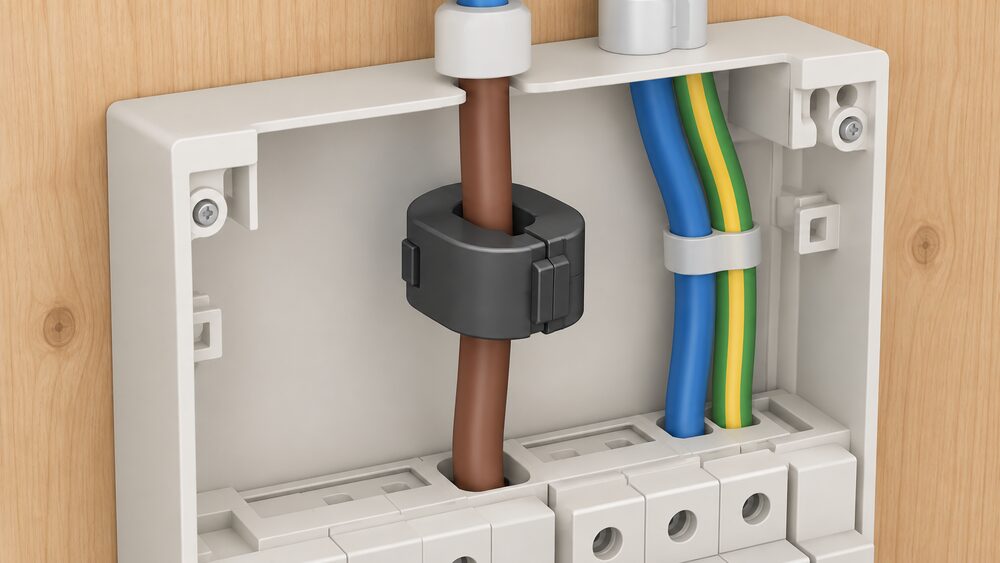
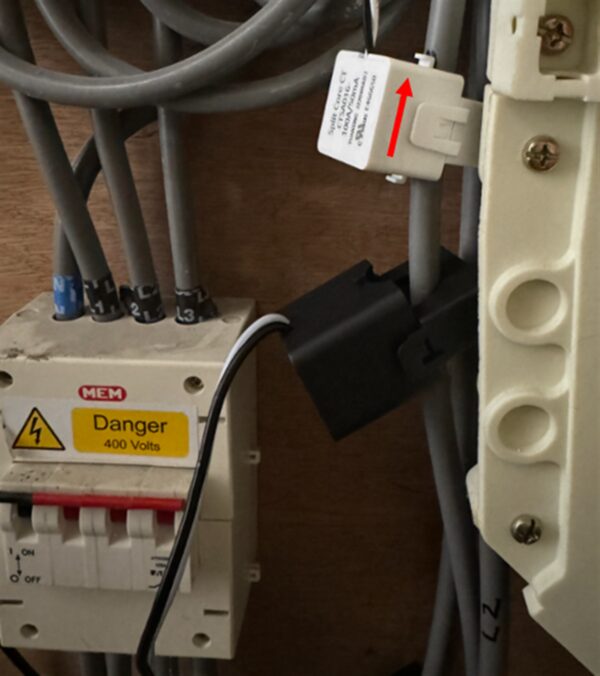
In a UK home the conductor it surrounds is normally a live tail or a circuit conductor inside the consumer unit. The electricity meter, consumer unit and trip switches are mounted on a wooden backboard7. That backboard is where the metering and the protective devices sit, and it is the usual location for a clamp, because the conductors there are accessible and the enclosure is already designed to house electrical equipment.
A clamp on the main incoming tail measures the whole house. A clamp on a single outgoing circuit measures only that circuit. The distinction is the same one that separates whole-house monitoring from circuit-level monitoring, and it determines how many clamps a system needs.
Current transformers are not only a domestic monitoring device. Electricity North West states that CT metering is generally utilised for properties with three phase supplies and power usage greater than 69kW5. That is the utility-scale end of the same technology: the same principle, applied where the currents are far too large for a direct-connected meter.
For a household, the clamp is the part that makes monitoring possible without touching the meter's data. It is also the part that requires access to the conductors, which is electrical work. The measurement itself is non-contact, but fitting a clamp inside a consumer unit is not a plug-in task.
The Smappee P1 module: a plug-and-play alternative to clamps
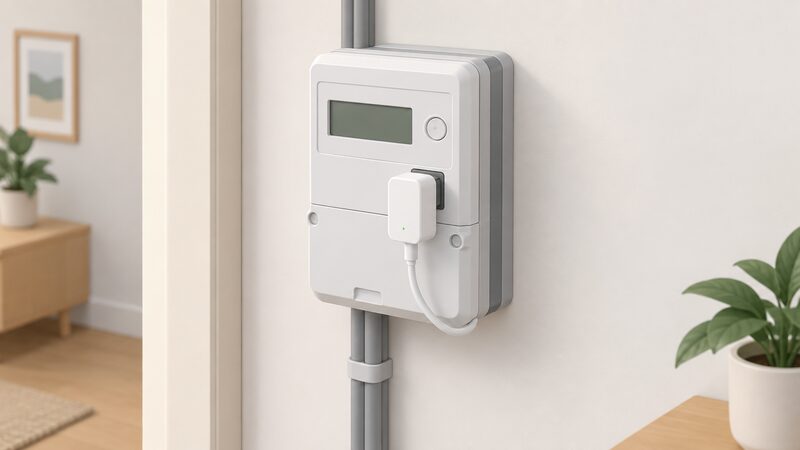
The Smappee P1 module is the clearest example in this category. It connects directly to a smart meter and gives a clear, real-time view of energy consumption through the Smappee app, with no installation required2. The maker lists real-time grid monitoring and smart energy management as its function, and real-time grid import and export monitoring as a feature6. Installation is described as easy and plug-and-play, and setup requires the Smappee App6.
The module is part of a wider platform. Smappee brings together energy monitoring and metering, energy management and optimisation, and EV charging and charging services within one consistent platform8. Through APIs and standard protocols, energy and charging data can connect to external platforms8. Through the app and dashboard, a system can be monitored, managed and optimised in real time at home, at work or across multiple sites8.
The maker also offers a clamp-based product for circuit-level detail. Smart Kit measures energy at circuit level, revealing how systems, appliances and loads consume power and where improvement is possible2. That is the same circuit-level function a multi-clamp monitor provides, and it sits alongside the P1 module rather than replacing it.
For a household, the P1 module's appeal is that it avoids work inside the consumer unit entirely. Its dependence is equally clear: it needs a compatible meter port, the maker's app, and a Wi-Fi 2.4 GHz connection4. Where those exist, the module gives whole-house import and export figures with no clamp. Where they do not, the clamp route remains.
Specifications: dimensions, weight and operating limits
The P1 module is small enough to sit inside a meter cupboard. The maker gives its physical dimensions as 55 mm × 55 mm × 26.6 mm and its mass as 50 g4. Operating humidity is 0 % to 95 %, non-condensing, and operating altitude is 0 to 2000 m4. Communications use Wi-Fi 2.4 GHz4.
| Specification | Smappee P1 module |
|---|---|
| Dimensions | 55 mm × 55 mm × 26.6 mm4 |
| Weight | 50 g4 |
| Operating temperature | -10 °C to 60 °C4 |
| Storage temperature | -20 °C to 90 °C4 |
| Operating humidity | 0 % to 95 %, non-condensing4 |
| Operating altitude | 0 to 2000 m4 |
| Communications | Wi-Fi 2.4 GHz4 |
| Power supply | P1 port or optional 12 V power adapter4 |
| Ports | RJ12 for P1, RJ10 for 5 V or 12 V power supply4 |
| Meter compatibility | DSMR 4x and 5x4 |
| Certifications | CE, EMC, IEC 61326-1, EN 300 3284 |
The operating range is the figure that decides where the module can live. At -10 °C to 60 °C it suits an indoor meter cupboard, including an unheated one, but not an exposed outdoor position4. The storage range of -20 °C to 90 °C is wider, which matters for transport rather than operation4.
For comparison, the maker's CT Hub, a clamp-based device, is rated from -25 °C to 75 °C9. That is a wider operating window than the P1 module's, which is consistent with hardware designed to sit near conductors in less sheltered positions. The two products are built for different places.
For a household, the specification that matters most is not the size but the temperature and the port. A module rated to 60 °C is comfortable in a cupboard; one rated to 75 °C is comfortable in more places. Neither figure is a reason to choose one approach over the other on its own, but both set the boundary of where the device can be installed.
Certifications: CE, EMC, IEC 61326-1 and EN 300 328
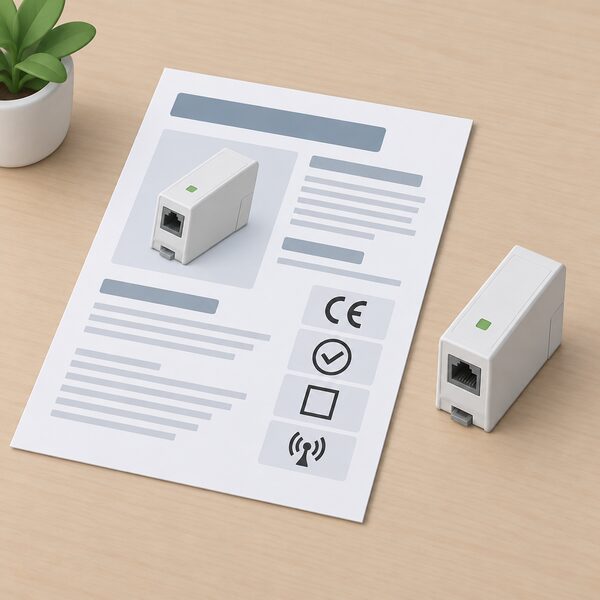
The maker's datasheet lists four marks and standards for the P1 module: CE, EMC, IEC 61326-1 and EN 300 3284. Each covers a different concern.
CE is the marking that indicates conformity with the applicable European requirements. EMC stands for electromagnetic compatibility: the requirement that a device neither emits interference that disrupts other equipment nor is disrupted by it. IEC 61326-1 is the electromagnetic compatibility standard for electrical equipment for measurement, control and laboratory use, which is the category a measuring device falls into. EN 300 328 is the harmonised standard for wideband transmission in the 2.4 GHz band, matching the module's stated Wi-Fi 2.4 GHz communications4.
The maker's CT Hub carries a safety compliance reference to IEC 61010-1:2010/COR1:20119. That is the safety standard for measurement, control and laboratory equipment, and it is the kind of reference a device connected near mains conductors is expected to carry. The P1 module's listed standards are about electromagnetic behaviour and radio, not about contact with mains, which reflects that it does not connect to a conductor.
"CE
For a household, the certification list is a statement about what the device has been tested against, not a guarantee of fitness for a particular installation. A device that carries EMC and radio standards but no mains-safety standard is telling you where it is designed to sit: at the meter's data port, not around a live cable.
Compatibility: DSMR 4x and 5x digital meters with a P1 port
The P1 module's compatibility statement is specific. The maker says it is compatible with digital meters featuring a P1 port6, and the datasheet names the DSMR 4x and 5x meter standard4. DSMR is the Dutch meter specification that defines the P1 port and its data format, and the 4x and 5x generations are the versions the module supports.
The maker's ordering documentation lists the P1 module as both digital meter compatible and analog meter compatible10. The product page states compatibility with digital meters featuring a P1 port6. Those statements sit alongside each other in the maker's material, and the datasheet's DSMR 4x and 5x reference is the more precise of them.
This is the point at which a UK household needs to check rather than assume. The P1 port is a feature of meters built to the DSMR specification, which is used in the Netherlands and neighbouring markets. A UK smart meter does not necessarily expose a P1 port, and the module's stated compatibility is with meters that do. Where a meter has the port, the module reads it; where it does not, the module has nothing to connect to.
For a household, compatibility is the first question and the one that decides everything else. A P1 module is not a universal device that reads any meter. It reads a specific port on a specific family of meters, and the maker's own documentation names that family.
Installation: no wiring, no clamps, just the P1 port
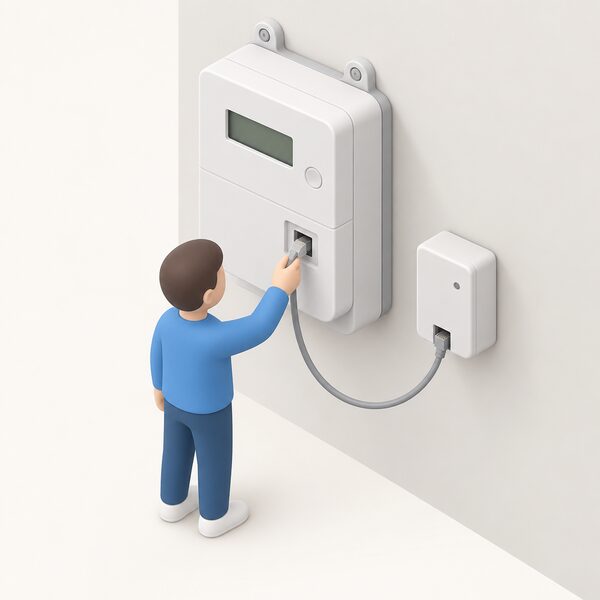
Installation of the P1 module is described by the maker as easy and plug-and-play, with no installation required, and setup requires the Smappee App6. The module connects directly to the smart meter2. There is no clamp to fit and no conductor to surround.
That is a genuine difference from a clamp monitor. Fitting a current transformer means working inside the consumer unit, around live conductors, which is electrical work. The P1 module avoids that entirely: the connection is to a data port, and the physical act is plugging in a cable.
The box contents reflect the same simplicity. The maker lists a wall mounting plate, an RJ12 cable and a power cable running RJ10 to USB-A4. The RJ12 cable is the P1 connection; the RJ10 to USB-A cable is the power path where the port does not supply it.
For a household, the installation story is the module's strongest point and its clearest dependency. Nothing needs to be wired, but the device is not usable without the app, and it is not usable without the port. The simplicity is real, and it is conditional.
Power supply and connections: RJ12, RJ10 and the optional 12 V adapter
The P1 module is powered via the P1 port or via an optional 12 V power adapter4. Its physical ports are RJ12 for the P1 connection and RJ10 for a 5 V or 12 V power supply4. The included power cable runs RJ10 to USB-A4.
That arrangement gives two power paths. Where the meter's P1 port supplies enough power, the module runs from the port and no separate supply is needed. Where it does not, the optional 12 V adapter or a USB supply provides power through the RJ10 port. The maker lists the adapter as optional, which indicates the port is expected to be sufficient in normal use.
The connector types are worth noting because they are not interchangeable. RJ12 carries the P1 data connection; RJ10 carries power. A household fitting the module needs both cables in the right ports, and the included RJ12 and RJ10 to USB-A cables cover the standard case.
For comparison, a clamp-based monitoring device may be powered differently. The OpenEnergyMonitor emonTx3 transmits data via RFM69 433 MHz radio when powered via an AC adapter, and powering via the AC adapter is only suitable for standard CT monitoring and up to four DS18B20 temperature sensors11. That is a different power architecture for a different measurement method.
For a household, the power question is simple: the P1 module takes power from the port where it can, and from a separate supply where it cannot. The optional adapter is the fallback, and the included USB-A cable is what makes that fallback easy to arrange.
Data access: Smappee App, Dashboard and API
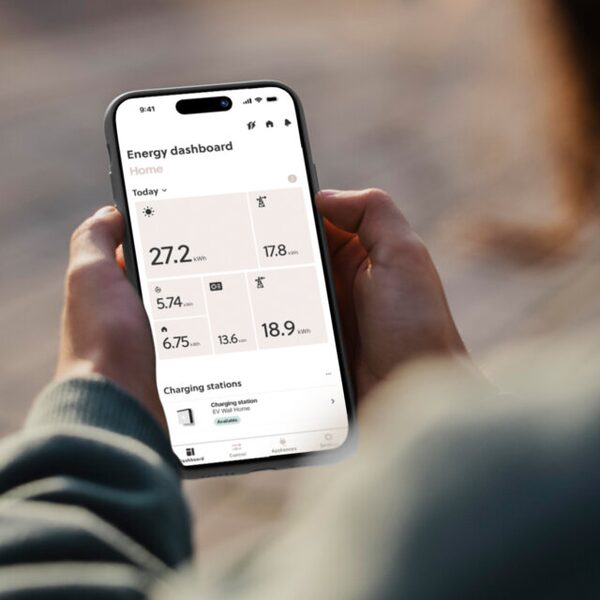
All data from the P1 module is accessible via the Smappee App, Dashboard and API4. The maker describes the app as providing intuitive tools to start and manage charging, access public charging, monitor usage in real time and track costs and performance8. The platform connects to external systems through APIs and standard protocols8.
The Infinity product line offers real-time and historical insights through the Smappee App and Dashboard2. The EV Wall Home charger includes real-time and historical energy data on grid, solar and always-on consumption via the app, alongside autonomous overload protection, solar and self-consumption optimisation, smart charging schedules and over-the-air updates12. The platform's scope is energy monitoring and metering, energy management and optimisation, and EV charging and charging services within one consistent platform8.
The API is the part that matters for independence. A local API or a documented interface allows a household to pull its own data into its own system rather than relying solely on the maker's app. The maker states that data is accessible via the API4, and that external platforms can connect through APIs and standard protocols8.
For a household, the data path is where the dependence sits. The measurement is local, at the meter. The storage, the app and the API are the maker's. A household that wants its energy data to remain in the home needs a local route, not only an app.
Where the P1 module falls short: solar surplus and regional availability
The P1 module's limits are specific and worth stating plainly.
- Solar surplus needs a subscription. The maker states that the solar surplus feature requires an additional subscription6. The module monitors grid import and export in real time6, but acting on surplus is a paid feature rather than part of the base device.
- Compatibility is narrow. The datasheet names DSMR 4x and 5x4, and the product page states compatibility with digital meters featuring a P1 port6. A meter without that port cannot be read by the module.
- Setup depends on the app. The maker states that setup requires the Smappee App6, so commissioning is not possible without it.
- Communications depend on Wi-Fi. The module uses Wi-Fi 2.4 GHz4, so it needs a network in range of the meter position.
- The operating range is narrower than a clamp device's. The P1 module is rated -10 °C to 60 °C4; the maker's CT Hub is rated -25 °C to 75 °C9.
On solar, the wider context is that a plug-in solar device is limited to a maximum output of around 800W, which is enough for everyday appliances but leaves higher-use appliances needing grid electricity13. A monitoring module reports what the meter sees; it does not change the physics of a small generator. The maker's own solar integration listing for the P1 module10 describes a monitoring function, and the surplus feature that acts on generation is the subscription item6.
For a household, the shortfalls are about conditions rather than performance. The module does what it says where a compatible meter, a Wi-Fi network and the app are all present. Where any of those is missing, the clamp route is the one that still works, because it measures the cable rather than reading the meter.
Sources13 cited
- Smart meters vs home energy monitors, Smart Energy GB, 2026-08-17
- Smappee energy management and metering, Smappee, 2026-09-17
- Are energy monitors the best way to measure your power usage, Which?, 2026-03-31
- Smappee P1 module technical specifications, Smappee, 2026-09-17
- CT metering and EV charge point connections, Electricity North West, 2026-09-19
- Smappee P1 module quick install guide, Smappee, 2026-09-17
- Meter services: the backboard of my electricity meter, NIE Networks, 2026-09-20
- Smappee platform and software, Smappee, 2026-09-17
- Smappee CT Hub technical specifications, Smappee, 2026-09-17
- Smappee AC line: what to order, residential, Smappee, 2026-09-17
- emonTx3 technical documentation, OpenEnergyMonitor, 2026-09-17
- Smappee EV Wall Home technical specifications, Smappee, 2026-09-17
- Plug-in solar panels, Energy Saving Trust, 2026-09-17
 Home Energy MonitorsWhich home energy monitor suits your house, and what will it actually show you?
 Take Control of Your EnergyHow do you read your own energy use and keep hold of your meter readings?
 Who Owns Your Home Energy DataYour smart meter records how much gas and electricity you use, and that information belongs to you, not your supplier.
 How a Smart Meter WorksHow a British smart meter measures gas and electricity, how the in-home display and the DCC's secure network fit together, what data leaves the house, what it costs, and where smart mode goes wrong.
 HEMS and Monitoring CostsWhat does a home energy monitor cost to buy and run?
 Smart Plugs and MonitoringWhich appliances are worth putting a smart plug on, and will it really show you what each one costs to run?