In this guide
A home energy monitor is a device you buy yourself that measures electricity in your own home, usually at the consumer unit or at a plug, rather than through the meter. It is not a smart meter and does not replace one. Smart Energy GB puts the distinction plainly: a home energy monitor "is usually bought separately and mainly tracks electricity use in your home", while a smart meter is installed by your supplier and sends readings automatically1.
That difference matters for what the device can do. A monitor gives you near real-time electricity data, often at circuit level, and keeps that data in your own app or display. It cannot send meter readings to your supplier, and it generally cannot see gas. Which is why the choice is not between a monitor and a smart meter, but between the different kinds of monitor and what each can resolve in a particular home.
This page covers the three approaches: single-point clamp monitors, multi-circuit systems such as the Meross EM16P, and whole-house devices that connect at the meter or consumer unit. It sets out installation, accuracy limits, solar monitoring, costs and subscriptions, and what owning one means for a household's energy independence.
What a home energy monitor does, and what it does not
A monitor's core job is to show electricity use in near real time. Energy monitors, including brands such as Smappee and Owl, "allow you to see your electricity use in near real-time"4. That is the whole function: measurement and display. Some third-party home energy monitors may offer more detailed electricity insights, depending on the system, but the underlying measurement is electrical current in the home's own wiring1.
What it does not do is as important. A home energy monitor "does not replace a smart meter because it cannot automatically send meter readings to your energy supplier"1. Smart meters do the opposite: a smart meter automatically sends your electricity and gas meter readings to your supplier, and the meter's in-home display shows you how much energy you are using during the day5. The two devices sit on different sides of the meter, and only one of them talks to the supplier.
There is also a savings claim to treat carefully. Simply buying and plugging in an energy monitor will not automatically reduce your bills2. The same caution applies to smart meters themselves: smart meters will not automatically save you money, but the in-home display helps you keep track of how much energy you are using6. A monitor is a measuring instrument, not a tariff or a control system.
Clamp-on, circuit-level and whole-house monitoring: which approach suits which home
The three approaches differ in where they measure and how much they can separate out.
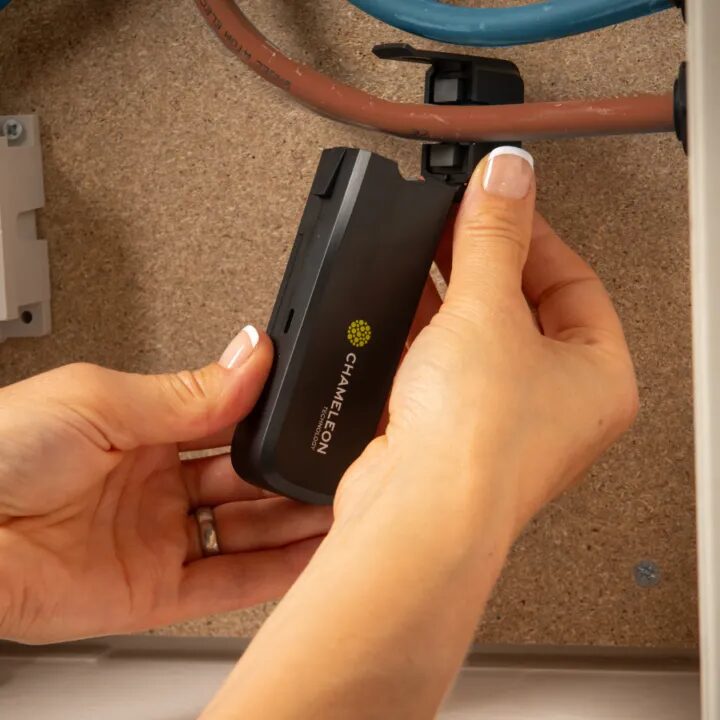
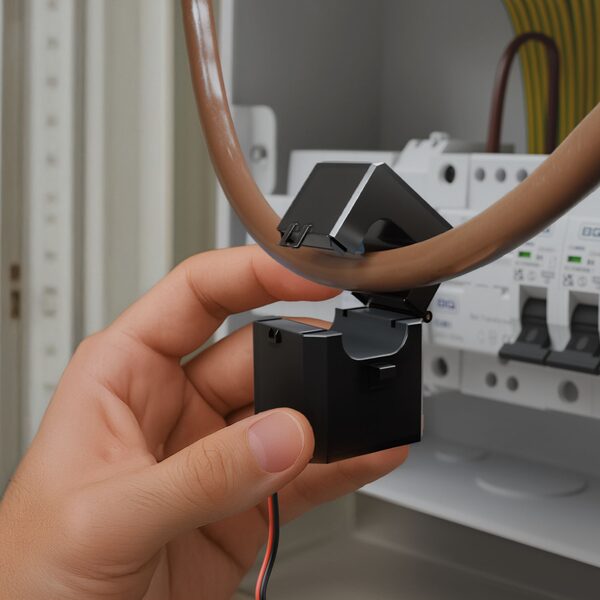
A single-point clamp monitor puts one current transformer around the incoming live cable. It sees total household electricity and nothing more. It is the cheapest and simplest form, and it answers the question "how much is the house drawing right now".
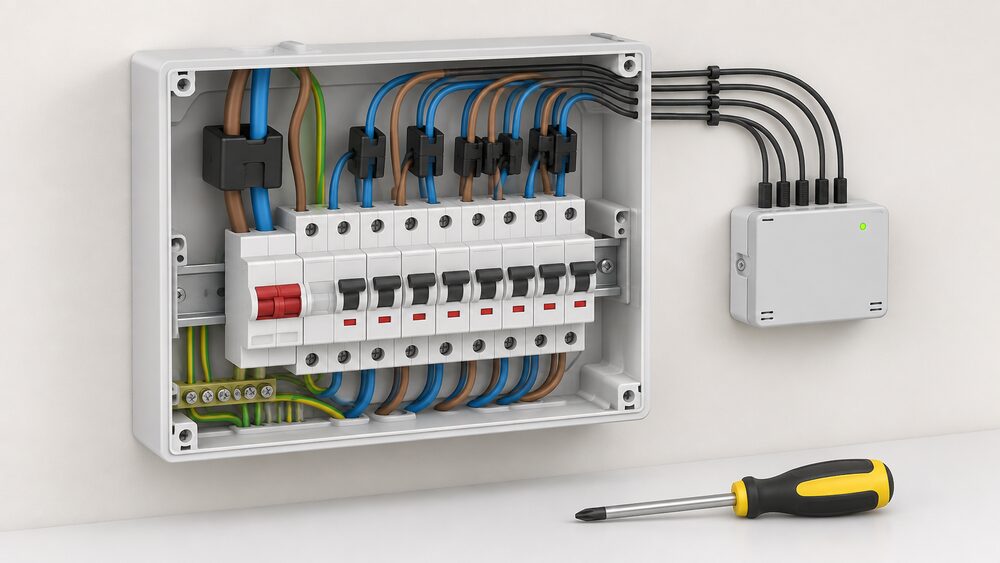
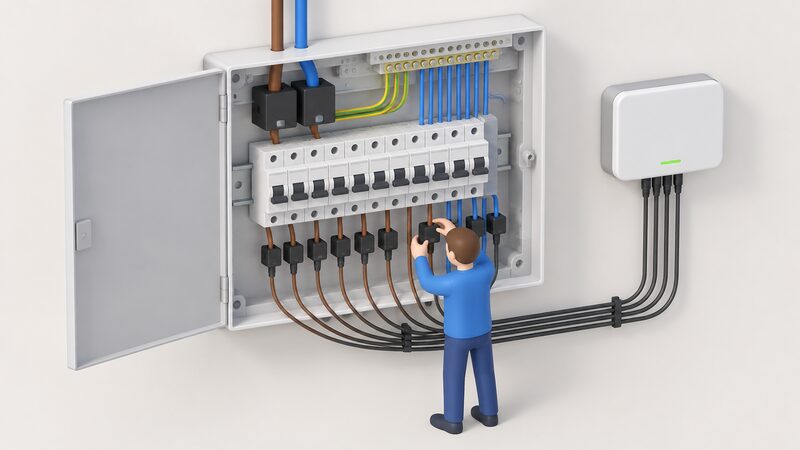
A circuit-level monitor puts a current transformer on each circuit in the consumer unit, so lighting, sockets, kitchen, immersion and shower can be read separately. This is where the detail lives, and it is the approach the Meross EM16P takes, with support for up to 18 circuits3.
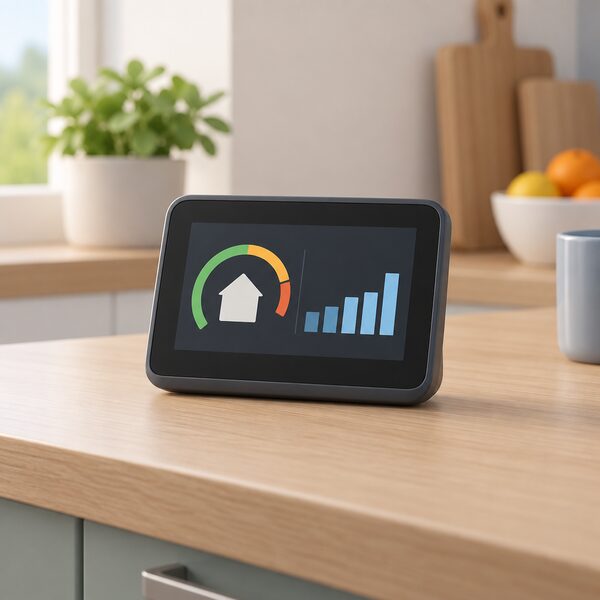
A whole-house device connected at the meter or consumer unit sits closer to the supply. Smart meters themselves are connected to the mains electricity supply and/or gas pipe going into your home, and are accompanied by an in-home display, a portable touchscreen device that shows near real-time energy usage data8. A standalone whole-house monitor does the same job without the supplier link.
Which suits which home depends on the question being asked. A flat with a handful of circuits gains little from 18 channels. A larger house with an immersion heater, outbuildings, a heat pump or solar generation gains a great deal, because the interesting consumption is spread across circuits that a single clamp cannot separate.
Whole-house monitors: what connects to the meter or consumer unit
Whole-house monitoring measures the total supply. The reference point is the smart meter, which is connected to the mains electricity supply and/or gas pipe going into your home4. A smart meter tracks how much power an entire home uses per day, week, month, or year, shows it on the in-home display, and sends readings automatically to the energy supplier2. A standalone whole-house monitor replicates the measurement without the supplier link.
The display side has broadened. Smart meters can present data via an In-Home Display, an Accessible In-Home Display, a mobile app, other linked devices, or a combination of those methods10. An in-home display is a portable touchscreen device showing near real-time energy usage data8, and it shows you how much energy you are using during the day5. With near real-time data, you see how much energy you are using11.
For a household, the practical difference between a whole-house monitor and a smart meter display is ownership and obligation. A smart meter and accompanying in-home display will allow you to do more than an energy monitor would, and can be installed by your energy supplier at no extra cost4. But the monitoring benefit is not guaranteed indefinitely: consumers are only guaranteed to receive the benefits available from being able to monitor their energy usage via an in-home display for a year, after which the supplier has no obligation to replace it12. A privately owned monitor has no such cliff edge, but it is bought and maintained at the household's own cost.
Circuit-level monitors: up to 18 circuits with the Meross EM16P
The Meross Smart Energy Monitor EM16P is the clearest example of circuit-level monitoring in the UK market. The maker states it supports monitoring of up to 18 circuits, providing 24/7 insights into your home's electricity usage3. It supports consumption and feed-in monitoring and provides monthly, weekly and daily energy statistics3.
The package contents show how the channel count is built: 1 Smart Energy Monitor, 1 Wi-Fi Antenna Assembly, 2 x 200A Current Transformers, 16 x 60A Current Transformers, 2 x 3.5mm Insulation Plug, 16 x 2.5mm Insulation Plug, 3 x Wire Nut, 3 x Extra Wire, 1 x Power Harness, 1 x Circuit Label and 1 x User Manual3. The two 200A transformers are the high-current channels; the sixteen 60A units cover ordinary circuits.
| Feature | Meross Smart Energy Monitor EM16P |
|---|---|
| Circuits monitored | Up to 183 |
| Current transformers supplied | 2 x 200A, 16 x 60A3 |
| Three-phase power | Supported3 |
| Monitoring modes | Consumption and feed-in, with monthly, weekly and daily statistics3 |
| Stated accuracy | Error margin within plus or minus 2%3 |
| Home Assistant | Native support, no flashing required, warranty retained3 |
| Data export | Daily, hourly or minute-level formats3 |
| Battery required | No3 |
| Stock status | In stock, ready to ship3 |
The Merge Channel feature is designed to simplify the total view: with it, viewing total home energy usage becomes easier3. The maker's own product page carries a customer rating of 5.0 from 5 total reviews, which is a small sample and should be read as such3.
For a household, 18 channels is enough to separate the loads that matter: heating, hot water, kitchen, lighting, outbuildings and a solar feed. That separation is what turns a single "the house is using 400W" reading into an answer about which circuit is responsible.
Accuracy, data retention and export: what to check before buying
Accuracy claims need reading closely. The Meross EM16P maker states an error margin within plus or minus 2%3. That is a maker's figure for its own product, and it depends on correct fitting: a current transformer that is not fully closed around the conductor, or fitted on the wrong cable, will not deliver it.
The comparison point is the smart meter display. In-home displays are designed to provide a close real-time estimate of energy usage and costs based on the information received from your smart meter1. Note the word estimate. The display is a convenience layer over the meter's measurement, not a calibrated instrument in its own right.
Data retention and export are where monitors separate from supplier displays. The Meross EM16P maker states that data can be exported in daily, hourly, or minute-level formats3. Minute-level export is what allows a household to see short cycling loads, such as a heat pump or an oven, that daily totals hide. A device that only shows a live number and a daily total cannot do that analysis.
For a household, the checklist before buying is: what resolution does the data have, can it be exported, does the export survive if the maker's cloud service changes, and does the device keep working if the app is withdrawn. Those questions matter more than the headline accuracy figure, because a monitor that cannot give you your own data is a display, not a record.
Solar PV and feed-in monitoring
Solar changes what a monitor is for. Instead of only asking how much the house is drawing, the household wants to know when generation exceeds demand, because that is the moment surplus appears. Official guidance describes the arrangement simply: sell any surplus energy you don't use back to the grid15.
The Meross EM16P maker states that the device supports solar PV monitoring and works with automations in the app or Home Assistant to easily achieve zero feed-in3. Zero feed-in means using generation at home rather than exporting it. The monitor's role is to make the surplus visible in time for something to be done about it.
There is a limit to what supplier equipment will show. Smart meter monitors typically will not show how much electricity you generate, as they are only designed to show your energy consumption16. A household with solar that wants generation data therefore needs either the inverter's own monitoring or a monitor with feed-in channels.
Installation: plug-and-play versus an electrician
There are two distinct installation routes, and they carry different rules.
Plug-in monitors need no wiring. You plug the monitor into the wall socket and the appliance into the monitor; for multiple devices, plug them into an extension lead and plug the lead into the monitor2. You can hook up and measure usage for almost anything that uses electricity, as long as it has a three-pronged UK plug2. The practical method is to leave a device plugged in for just a few days to assess its typical usage, then switch the monitor to another device; there is no need for one monitor per device2.
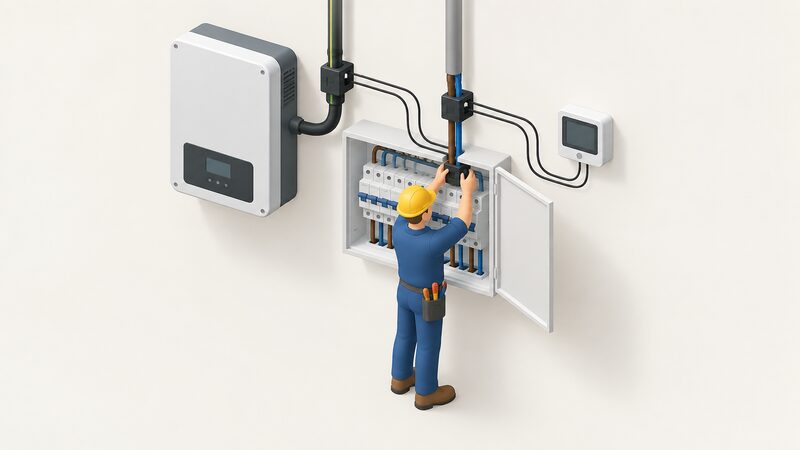
Clamp and circuit-level monitors sit inside or beside the consumer unit. Home energy monitors are usually bought privately at your own cost, and some may need to be set up by an electrician1. Where fixed wiring is involved, it is recommended to hire an installer who is registered with a competent person scheme, who can self-certify that the work meets the required standards18.
The distinction is not bureaucratic. A plug-in monitor measures one appliance at a socket. A clamp monitor measures a circuit or the whole supply, and fitting it means working around live conductors. The safety rule is explicit: testing and modifications of the building's electrical system shall only be performed by professional electricians17.
Costs, subscriptions and what owning a monitor means for energy independence
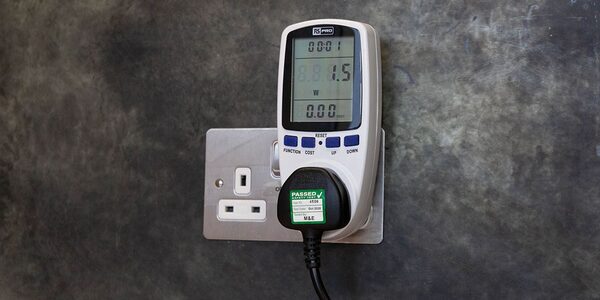
Prices span a wide range. Cheap plug-in energy monitors sell for less than £10, though it is worth checking that they have all the features needed2. It could be worth paying a little more to get a model with proper calibration that gives consistent readings, a built-in display, and the ability to input your energy unit price directly into the monitor2. For clamp and circuit-level systems, prices are installer-quoted and depend on channel count and fitting.
Subscriptions are a real consideration. Some wireless energy monitoring devices may also require subscription apps or additional accessories depending on the manufacturer1. That is the dependence to check before buying: a monitor whose history lives only in a paid cloud account is a different proposition from one that exports its own data.
The comparison with supplier equipment is stark on cost. A smart meter and accompanying in-home display can be installed by your energy supplier at no extra cost4, and energy providers install a smart meter at no extra cost to consumer homes20. Energy monitors, by contrast, are usually bought privately at your own cost, and you may have to pay for the device and the installation1. An in-home display is not compulsory either: you don't have to have one, but it is the easiest way to see what energy you are using and what it is costing you19.
On independence, the position is mixed and worth stating plainly. A monitor gives a household its own measurement of its own circuits, at a resolution a supplier display does not offer, and it does not depend on a smart meter, a supplier or a communications network. What remains is the device maker: the app, the cloud account, the firmware and the company behind them. A monitor that exports minute-level data locally is more independent than one that does not. A monitor that requires a subscription to see history is less so. The measurement is yours; the platform may not be.
Sources20 cited
- Smart meters vs home energy monitors, Smart Energy GB, 2026-08-17
- Are energy monitors the best way to measure your power usage?, Which?, 2026-03-31
- Meross Smart Energy Monitor EM16P, Meross, 2026-09-20
- Do I already have one?, Smart Energy GB, 2026-03-16
- Get help with your smart meter, Ofgem, 2026-09-17
- Smart metres, Energy Systems Catapult, 2025-08-19
- How do you know if you have a smart meter?, Smart DCC, 2026
- Smart meters and decarbonisation, Smart DCC, 2026
- Active Building Centre resident engagement case study, Welsh Government, 2024-03
- Smart meters: your rights and expectations, GOV.UK, 2025-08-08
- How do smart meters save energy?, Smart DCC, 2026
- Public Accounts Committee report on the smart meter programme, UK Parliament, 2023-10-20
- Delayed smart meter programme fails to hit targets, UK Parliament, 2023-10-20
- Home Energy Model: heat pump methodology, GOV.UK, 2026-01
- Solar panels, Oxfordshire County Council, 2026-09-17
- Smart meter problems and solutions, Which?, 2026-08-24
- Plug-in solar interim product specification, GOV.UK, 2026-06
- Do I need building regulations approval for electrical installation?, Planning Portal, 2026
- Smart meters, MCS Certified, 2026-03-16
- Smart meter installation, Smart Energy GB, 2026-07-24
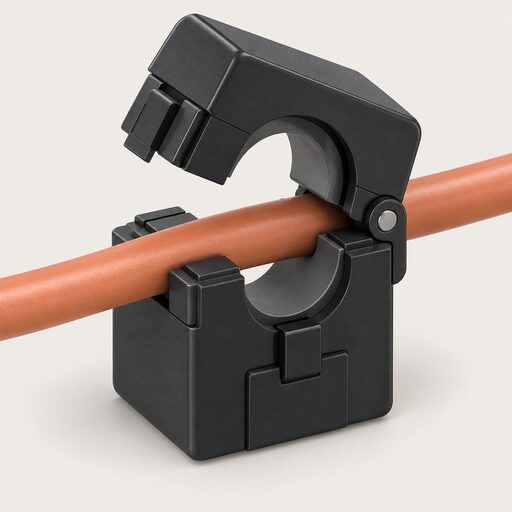 Current Transformers and SensorsA clamp monitor measures the current in your cables, while a P1 module reads your smart meter instead.
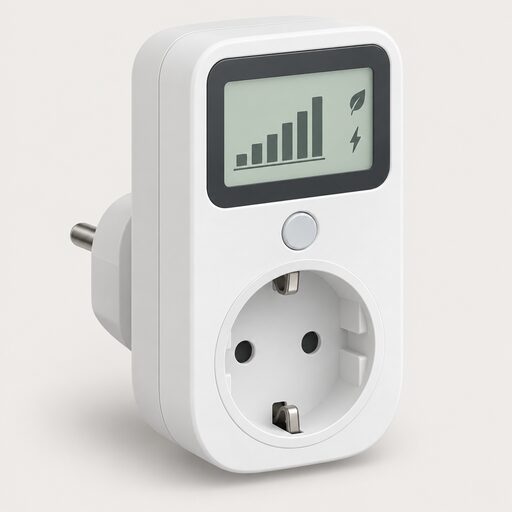 HEMS and Monitoring CostsWhat does a home energy monitor cost to buy and run?
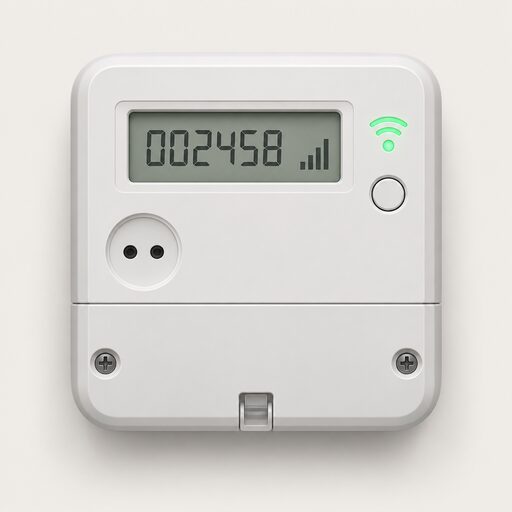 The Full Smart Meters GuideDo smart meters really save you money, and how do you use one to cut your bills?
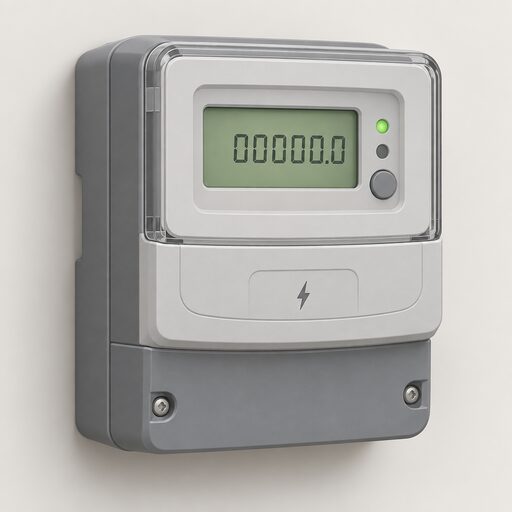 Take Control of Your EnergyHow do you read your own energy use and keep hold of your meter readings?
 Home Energy AssessmentsWhich home energy check do you actually need?
 Smart Plugs and MonitoringWhich appliances are worth putting a smart plug on, and will it really show you what each one costs to run?