In this guide
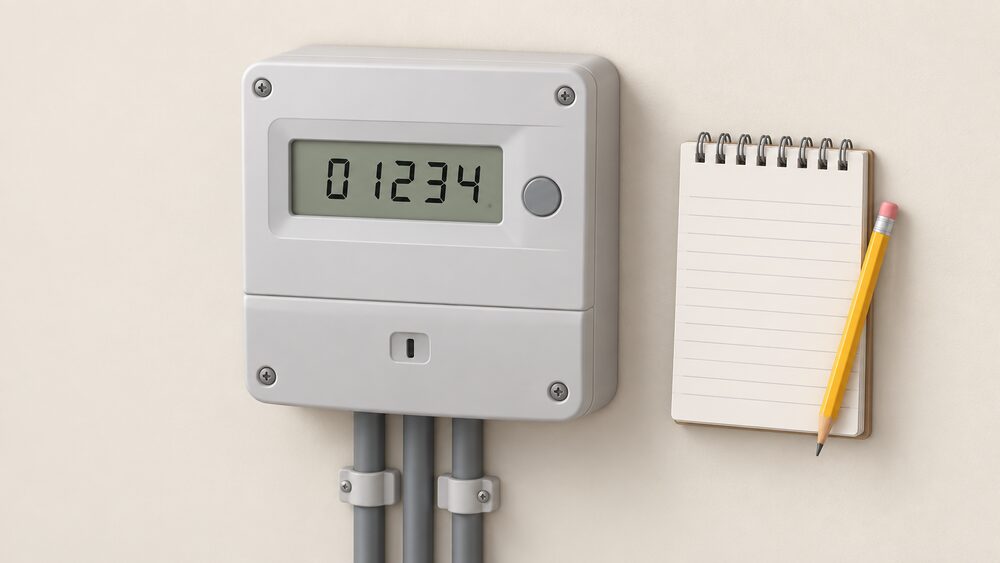
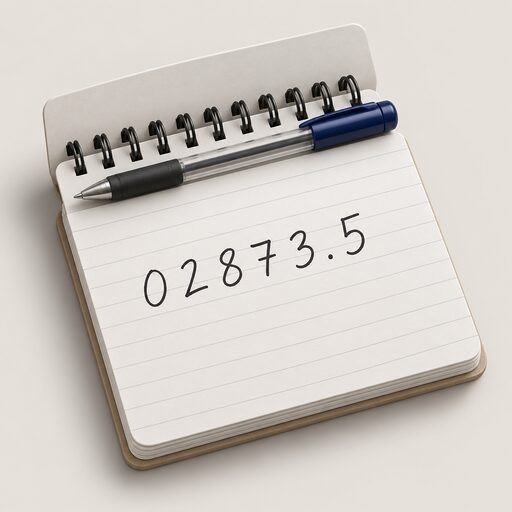
A meter reading is submitted through whichever route the supplier offers, and most offer several: the website by logging into an account, a mobile app, by phone, by online chat, by email and by text1. The reading itself is the run of digits on the meter face or screen before the decimal point, read left to right, with red digits and anything after the decimal ignored2. The figure is entered against the right meter and, on a two-rate meter, against the right rate.
Timing matters more than most people expect. Most suppliers require at least one meter reading per year, but the working rule is a reading at least once a month, ideally on the same day of the month so each bill covers a comparable period1. A reading that lands shortly before a bill is produced is the one that turns an estimate into an actual charge; a reading that arrives afterwards moves the correction onto the next bill instead.
A smart meter working in smart mode removes the task altogether. It automatically sends electricity and gas readings to the supplier3, at least once a month as a minimum, with daily or half-hourly collection as options4. Manual readings remain necessary when the meter is not in smart mode, when switching supplier, after a move, or when the supplier asks for one to confirm recent usage5.
The methods suppliers accept
The menu is broadly standard across the market. A customer can generally choose between the supplier's website by logging into an account, its mobile app, the phone, online chat, email and text1. Individual suppliers arrange these differently. Octopus offers a monthly meter reading reminder that takes a reading without an account log-in, an online route, a mobile app that scans the figures from the meter using the phone camera, and email1. OVO lists a camera scan through its app, manual entry in the app, the online account, online webchat and a phone line on 0330 175 96761.
Camera scanning is convenient but is still a manual reading: the photograph is of the same digits a person would copy down, and a misaligned or dirty display can produce a wrong figure. Whichever route is used, keeping a note of the figure and the date it was sent is what allows a later bill to be checked.
Where a household cannot read its own meter, the supplier route changes. Most energy suppliers will send a meter reader to the home on a regular basis if they are made aware of the circumstances, which matters for customers with sight loss7. Ofgem's expectation for the Priority Services Register is set out plainly:
"Suppliers should offer appropriate mechanisms to enable a customer's meter t o be read, and at intervals that are approp"
A supplier may also send someone to the property if no reading has been submitted for a long time, or if the household cannot take its own readings, and may visit to check that everything is working1. If a meter is suspected of running fast or slow, a supplier might install a second meter for a couple of weeks to compare the readings, sometimes called a check meter9. More on that in reporting a faulty or inaccurate meter.
When a smart meter sends readings for you
A smart meter automatically sends electricity and gas readings to the supplier3, using a secure data network managed by the Data Communications Company rather than the household's own broadband10. Government guidance states that readings should be sent automatically by the smart meter to the energy supplier11. The practical consequence is that the household does not need to submit meter readings itself and gets bills based on accurate meter readings and not estimates3.
Frequency is a household choice within limits. Monthly is the minimum, with daily and half-hourly as options12. Where no preference is expressed, a supplier can collect a daily meter reading12. Automatic reads may be monthly, weekly, daily or even half-hourly13, and Smart Energy GB describes readings as sent at least once per month10. Half-hourly data is what makes time-of-use and dual-rate tariffs workable, and a smart meter gives access to more flexible tariffs, including dual-rate tariffs3.
The dependence does not disappear, it changes shape. The meter reports to the supplier over a network the household neither owns nor controls, and except by switching, a household does not control the tariff the supplier sets, though it can change how much energy it uses14. Smart meters can also fail: a meter may stop recording the energy used, or may no longer send readings to the supplier3. When that happens the manual reading becomes the fallback again, and the ability to read the meter face by hand is the household's own check on what it is being billed.
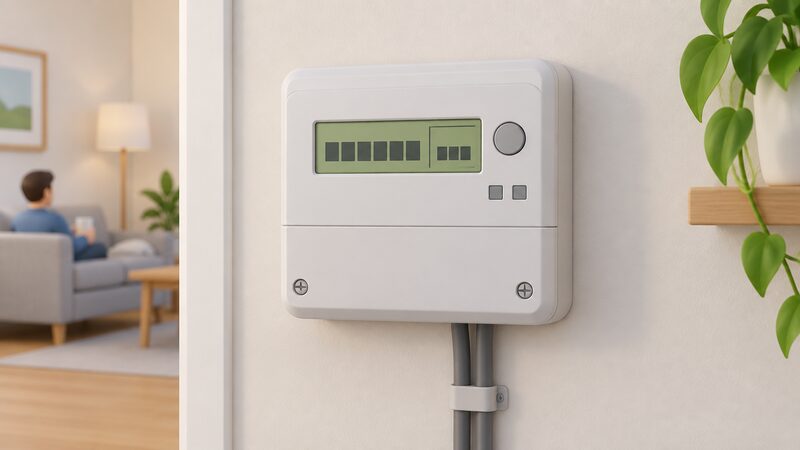
Reading an electricity meter: press 9 or A until the screen shows IMP or IMPORT
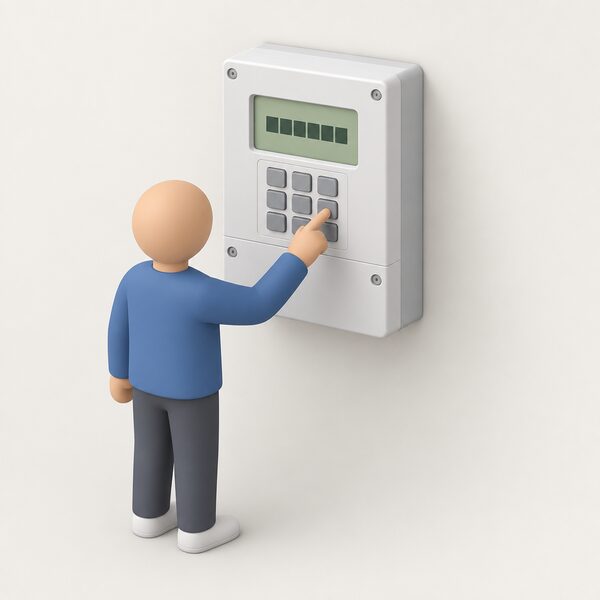
On an electricity smart meter, the correct screen flashes or includes the word IMP or IMPORT, with a number followed by kWh6. How you reach it depends on the buttons2:
| Meter layout | What to press | What to look for |
|---|---|---|
| Keypad | Press 9 | IMP KWH, then numbers followed by KWH2 |
| A and B buttons under the screen | Press A, then A again | TOTAL ACT IMPORT and numbers followed by KWH2 |
| Three buttons to the right | Press the middle button | The number below IMP2 |
| Two buttons right, one marked reconnect | Press display or display select repeatedly | Numbers followed by KWH2 |
| Green A right of screen, white B below | Press B to light the screen, wait for meter boost, press A to select no | The reading followed by KWH2 |
In Northern Ireland, keypad meters are read by pressing 9 on the meter or the keypad unit to display the reading15. Homes with generation have an import and export meter. On one common type the default display shows a small 0 followed by five numbers, which is the import reading, while pressing the blue button repeatedly brings up a small 5 followed by five numbers, the export reading16. On a keypad import and export meter, pressing 9 three times shows IMP Units for total import, and the figure after Exp Units is the export reading16. Where a meter alternates between displays by itself, showing each reading for about ten seconds, the buttons should be left alone while it cycles16.
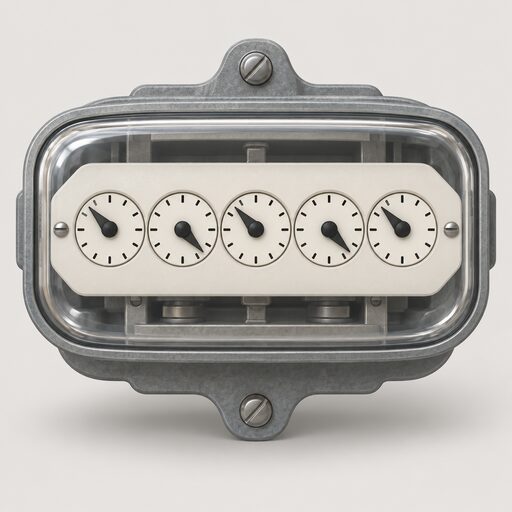
Traditional meters are read from the digits or the dials. A standard digital meter gives five black numbers read left to right, with red numbers ignored17. On a dial meter, read the first five dials from left to right, ignore any red dials or dials marked 1/10, take the lower number where a pointer sits between two figures, and write 9 where it sits between 9 and 0; where a pointer is directly over a number, underline it and reduce it by one if the next dial is between 9 and 018. Detail for each type is in how to read an electricity meter.
Reading a gas meter: VOLUME or METER INDEX and a number in M3
On a gas smart meter the screen flashes or shows the word VOLUME or METER INDEX, with a number followed by M36. Most gas smart meters in Great Britain show the reading as numbers followed by m319. The routes differ by model: on a meter with A and B buttons, press A until METER INDEX appears and read the numbers next to m3; on a keypad meter, press 9, wait for VOLUME to change to numbers followed by M3; on a meter with one button either side of the screen, press either and wait for 01 with numbers followed by M319.
Traditional gas meters split into two families. Most are metric, showing readings in cubic metres and having five numbers to read; imperial gas meters, meaning dial meters and some analogue ones, show cubic feet and have four numbers20. Other guidance puts the same point as the first four or five numbers depending on the meter21. On a gas dial meter, read the first four dials from left to right, ignoring the large dials or red dials, and write down the number the pointer is directly over18. Digital metric gas meters are read as the five numbers from left to right including the zeros, excluding red numbers and anything after the decimal point22.
Units matter at the bill stage rather than the submission stage: the supplier converts the volume to kWh. Where an annual reading is in cubic feet, one conversion figure given is to multiply by 2.83 to convert to metres23. The method is set out in converting gas meter units to kWh. The gas supply is identified by a Meter Point Reference Number, or M number, shown on the gas bill and the meter24, and that number is what ties a reading to the right property.
Which digits to write down and which to ignore
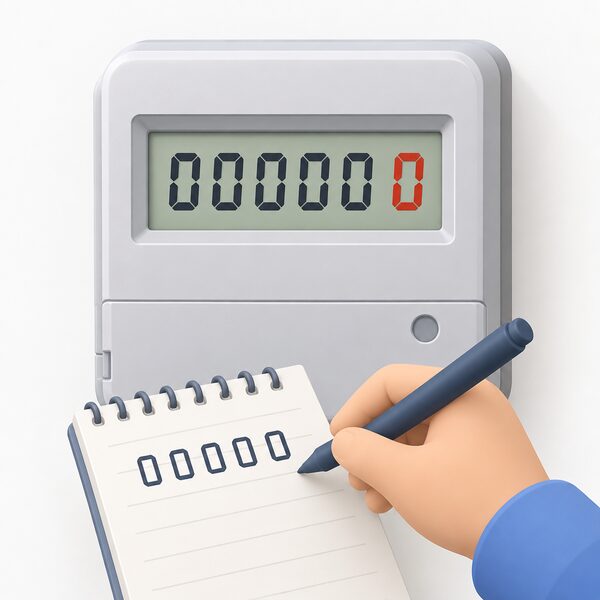
The rule that covers almost every meter is the same: write the numbers left to right, ignore zeros at the beginning, ignore numbers after the decimal point, and on an electricity meter look for numbers followed by kWh2. On a digital metric meter, only the numbers before the decimal point are needed and everything else is ignored25. On a digital imperial meter, write down the first four numbers and ignore the numbers in red25. On a two-rate digital meter, note the numbers before the red number and ignore the red number25.
Colour and fractions are the usual traps. Red digits, and digits marked 1/10 or 1/100, record fractions of a unit and are not part of the reading26. One guide puts it as the first five numbers with red numbers after the decimal point or comma ignored6; another as the first five figures, ignoring the last figure if it begins with 0.117. On dial meters, dials without numbers or hands are disregarded entirely21.
These are the readings most often rejected as implausible. A figure that includes the red digit is ten times too large and will usually fail a supplier's validation check, as will a reading lower than the last one submitted, which a meter that only counts upwards should never produce. Where a reading is refused, the practical response is to re-read the meter face, check that the figure has been entered against the right fuel and the right rate, and resubmit. Persistent rejection, or a reading that does not match consumption, is a meter question rather than a billing one.
Day, night and Economy 7: why some meters show more than one reading
Some electricity smart meters show separate readings for day and night tariffs, Economy 7 pricing, and peak and off-peak usage2. An Economy 7 meter is a two-tier rate system: usage during the day and the night is charged at different rates, with the night rate less expensive27. That means two readings, not one21.
Labelling varies, which is where readings get transposed:
- Two sets of numbers, one marked low, meaning night, and one marked normal, meaning day28
- Rate 1 and Rate 2, or R1 and R2, on some digital meters6
- A single number marked day rate alongside a red button pressed to show the night rate28
- On digital and prepayment Economy 7 meters, each reading reached by pressing a button21
The convention is that the daytime or on-peak reading is the top one, marked normal or day, or the default display, and the night or off-peak reading is the bottom one, marked low or night21. Smart Energy GB describes the two sets as typically marked low and normal29. On an Economy 7 smart meter with a keypad, pressing 6 until IMP R01 appears followed by eight digits usually gives the night or off-peak reading22. The presence of two meter readings, a low or off-peak rate and a normal, high or on-peak rate, or a button to press to see each rate on an electronic meter, is how a household identifies that it is on Economy 7 at all30. A single-rate meter, by contrast, prompts for one reading only, flat rate all day26. Whether the arrangement pays is covered in Economy 7 and night-time use.
Where manual readings are still needed
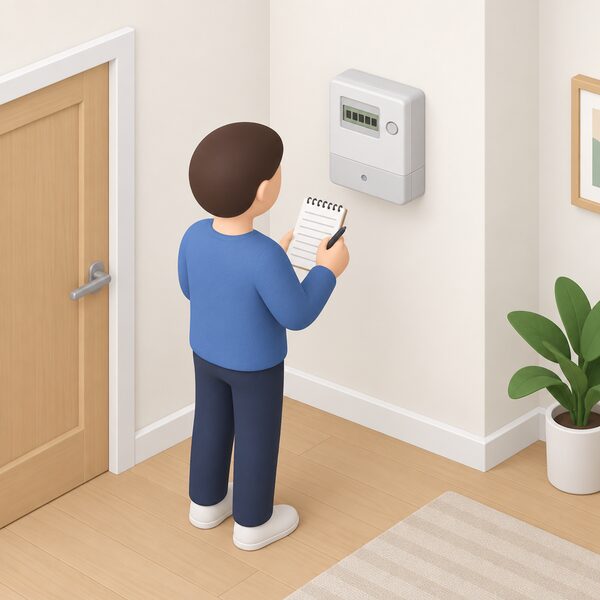
Even with a smart meter installed, readings can still be provided manually if the supplier requests them2. The situations that call for one are reasonably predictable2:
- Switching supplier.
- Moving home.
- The meter temporarily losing its connection.
- Wanting to monitor energy use more closely.
- Meter settings having been changed.
- A switch made with a first-generation SMETS1 meter.
- The supplier asking to confirm recent usage.
StepChange lists the same exceptions as switching, moving, and the supplier being unable to take automated reads5. The SMETS1 case is the most common: those meters could temporarily go dumb and lose their ability to send automatic meter readings after a switch31, in which case readings may need sending to get an accurate bill following the switch32, and possibly to both the old and the new supplier33. Trading standards guidance notes that a new supplier might not offer all smart meter services, such as remote meter readings, and the meter may need replacing34. Ofgem makes the same point where a supplier goes out of business: the meter may not work in smart mode with the new supplier, and readings may need to be taken manually and submitted instead, though it may work in smart mode again if tariffs or suppliers change35. In that situation a reading should be taken as soon as possible and a record kept, so the new supplier bills correctly35. The steps are set out in switching energy supplier and meter readings when moving home.
Where a meter cannot communicate over its designated wireless network, a supplier may ask for a temporary manual reading so that bills remain accurate until the problem is resolved36. A household without a smart meter still needs to submit manual readings to avoid an estimated bill10. Requesting a refund of credit also requires an up-to-date reading so the supplier can calculate the actual credit due37.
What happens after you submit: estimated bills and how they are corrected
A submitted reading replaces an estimate with an actual charge. Bills carry a code for which is which: an estimated read generally says estimated or e next to the reading, while a c or an a indicates a customer-supplied or actual reading38. On a standard meter, not sending readings most likely produces an estimated bill, meaning over-paying or under-paying25. Taking a reading regularly and sending it to the supplier is the stated way to avoid being overcharged37.
Estimates persist for a while after a smart meter goes in. The first bill received after installation may still be estimated, and continuing estimated bills after that are a reason to contact the supplier36. Once the meter is working, readings are sent automatically and bills are accurate rather than estimated39, with the supplier billing only for energy used40.
Inaccessible meters are handled by the supplier rather than the household. Where a meter is awkward to reach, or the householder has sight problems, the supplier should arrange for someone to read it21, and may be able to give extra help to read or move the meter18. Moving a meter is covered in moving or replacing a meter, and disputed bills in making an energy complaint.
One timing point worth noting comes from Ofgem's metering guidance for a scheme with fixed reading dates: the submission window is a four-week period, from one week before the meter reading date and up to three weeks after, and if a reading is missed and submitted three months later, payment for the previous six months is made in one payment41. The principle generalises: a late reading does not lose the energy recorded, it delays the correction.
The DCC network, and why no Wi-Fi is involved
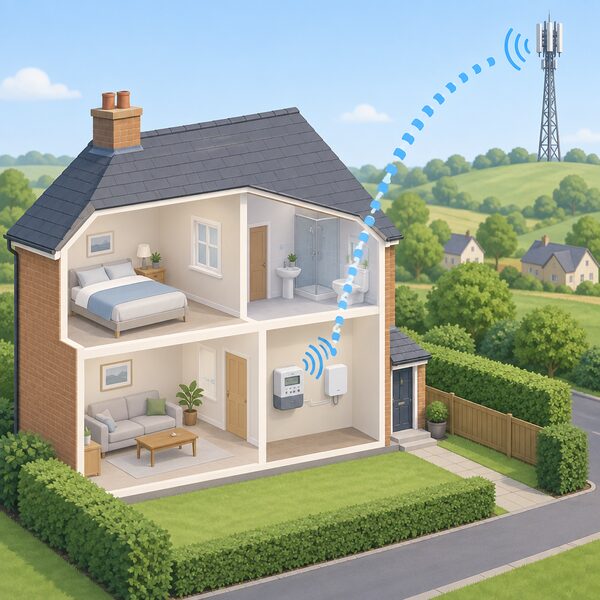
Sending a smart meter reading does not require an internet connection, because smart meters work using the DCC's secure, standalone network13. Readings are transmitted from the home to a wide area network made up of mobile phone or radio masts42. No home Wi-Fi, broadband, router or internet package is needed for a smart meter to send readings4. The network is solely for smart meters and does not use the internet36, and it was designed with cyber security experts including the government and GCHQ, using a closed, dedicated communications system36. The DCC states that 1500000 meters sit on its network43.
For a household thinking about energy independence, this cuts both ways. The reading route is independent of the home's own broadband, so a router failure or a dropped line does not stop billing data flowing, and it does not consume the household's data allowance. But the data path is owned and operated by a central body and read by the supplier, and the household's own visibility comes from the in-home display, which shows energy use during the day44 in real time in pounds and pence45. A smart meter is provided free by the supplier, with no upfront charge3, and energy companies have been asked by the government to take all reasonable steps to install them, while a household does have the right to refuse one12. A supplier may be able to set a meter to work in dumb mode with all communications switched off12, which returns the household to manual readings by choice rather than by fault. The wider picture is in taking more control of your home's energy and in the home energy how-to guide.
Sources45 cited
- How to submit a meter reading, Uswitch, 23 April 2026
- How can I read a smart meter, Smart Energy GB, 17 August 2026
- Get help with your smart meter, Ofgem, 17 September 2026
- How do smart meters work, Smart Energy GB, 27 August 2026
- Understanding energy bills, StepChange, 20 September 2026
- Reading your gas or electricity meter, Centre for Sustainable Energy, August 2026
- Energy for those with sight loss, Uswitch, 9 April 2026
- Priority Services Register final proposals, Ofgem, 17 December 2015
- Find out if your energy meter is faulty, Citizens Advice, 20 September 2026
- Smart meters vs home energy monitors, Smart Energy GB, 17 August 2026
- Smart meters: your rights and expectations, GOV.UK, 8 August 2025
- Do I have to accept a smart meter, Which?, 12 May 2026
- How to get a smart meter, Smart DCC, 2026
- How do smart meters save energy, Smart DCC, 2026
- How to read your electric meter, NIE Networks, 19 September 2026
- Import and export meters, NIE Networks, 19 September 2026
- Energy meters advice, Age UK, 10 September 2026
- How to read your energy meter, Citizens Advice, 17 September 2026
- How can I read a smart gas meter, Smart Energy GB, 17 August 2026
- How to read your gas meter, National Energy Action, 13 July 2026
- How to read your gas and electricity meter, Confused.com, 15 December 2025
- Energy meters guide, Energyhelpline, 20 September 2026
- How to estimate your energy use, Which?, 3 August 2026
- Energy back billing, Confused.com, 6 July 2026
- Gas and electricity meter reading, Uswitch, 23 April 2026
- Meter reading guide, NIE Networks, 20 September 2026
- Moving house gas and electricity guide, Uswitch, 26 August 2026
- What is Economy 7, Energyhelpline, 20 September 2026
- What is Economy 7, Smart Energy GB, 7 April 2026
- Getting the most from Economy 7, National Energy Action, 10 September 2026
- How do you know if you have a smart meter, Smart DCC, 2026
- What is a smart meter, Smart Energy GB, 10 August 2026
- Switching supplier, tariffs and bills, Smart Energy GB, 16 March 2026
- Problems with services: consumer advice, Isle of Anglesey County Council, October 2025
- What happens if your energy supplier goes out of business, Ofgem, 2026
- Smart meter FAQs, Smart Energy GB, 8 August 2025
- What happens to credit if I switch, Uswitch, 29 May 2026
- Understanding your gas or electricity bill, Centre for Sustainable Energy, February 2026
- Getting a smart meter, Ofgem, 2026
- How accurate are smart meters, Smart DCC, 2026
- Domestic RHI guide to metering, Ofgem, March 2022
- How do smart meters send readings, Smart DCC, 2026
- Do you have to have a smart meter by law, Smart DCC, 2026
- Get help with your smart meter, Ofgem, 2026
- Energy saving tips, National Grid, 17 September 2026
 Take a Meter ReadingWhich numbers do you actually read on a gas or electricity meter, and which ones do you ignore?
 Meter Readings and EstimatesWhy is my energy bill estimated, and how often should my meter be read?
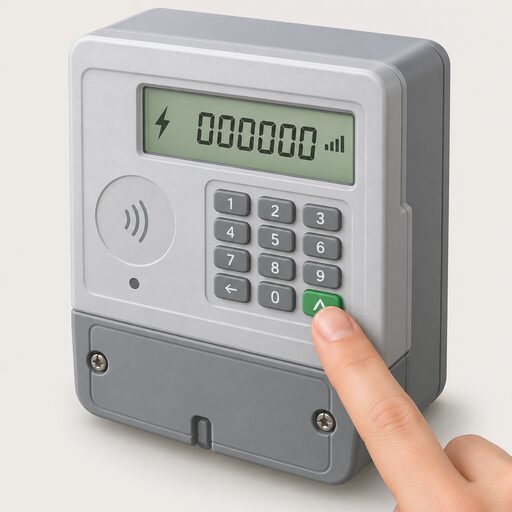 Get a Reading From a Smart MeterHow to bring up a meter reading on a smart electricity or gas meter when a manual reading is still needed, and the difference between the meter itself and the in-home display.
 Report a Faulty MeterWhat to do when a meter over-records, stops recording or produces impossible readings: the evidence to gather, how to raise it with the supplier, the 5 working day and 8 week deadlines, and how the Energy Ombudsman handles meter disputes.
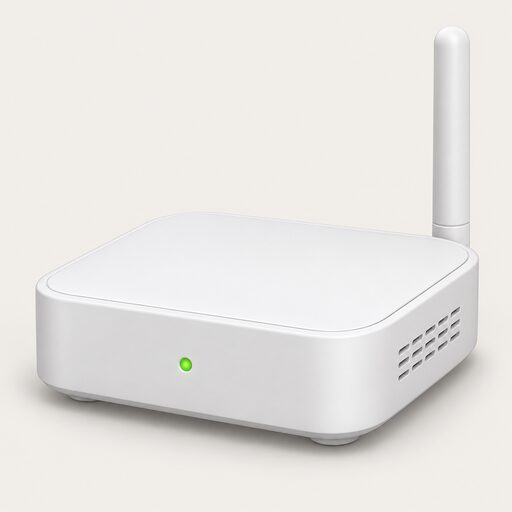 Consumer Access DevicesHow do you get your smart meter readings into your own app instead of the supplier's display?
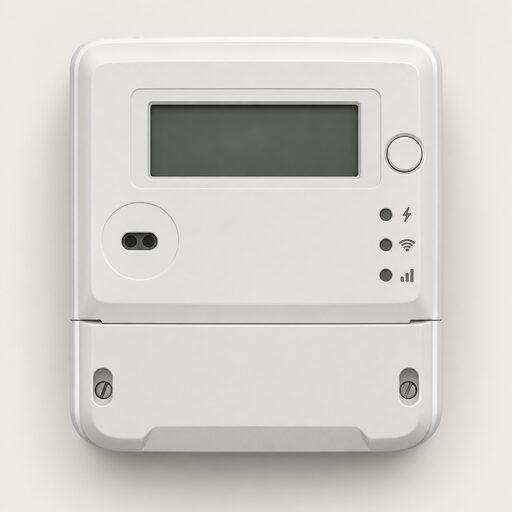 Smart Meter Faults and FixesYour smart meter has stopped working.