
In this guide
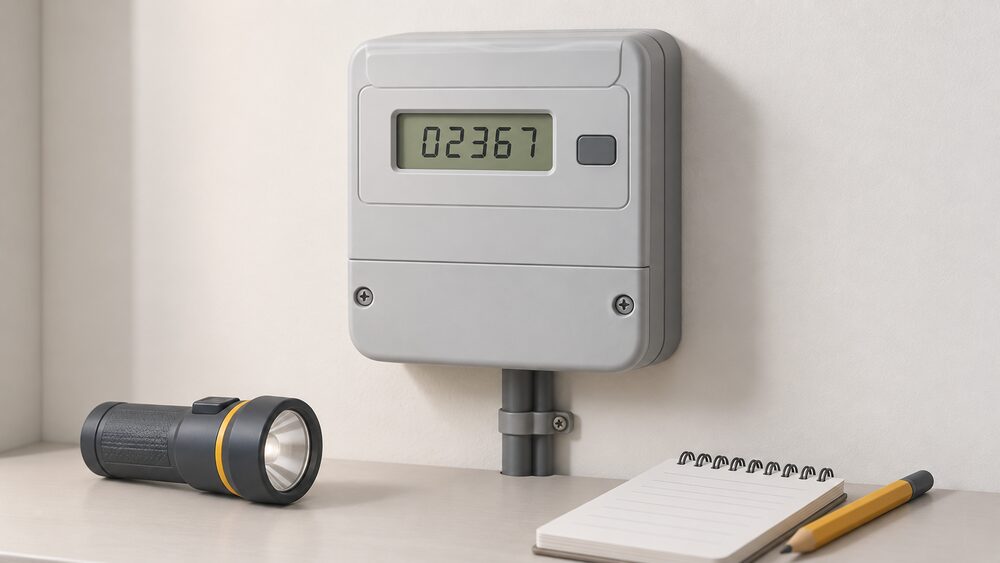
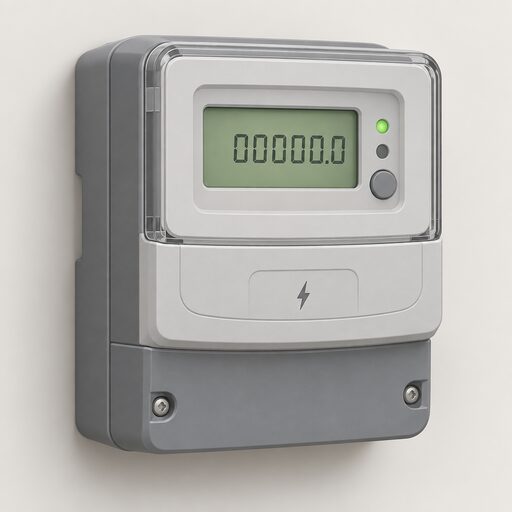
A meter reading is the running total of energy that has passed through the meter since it was installed. On almost every domestic meter in the UK the rule is the same: read the digits from left to right, stop at the decimal point, and ignore anything in red. A single rate digital electricity meter gives five numbers; a metric gas meter gives five numbers in cubic metres; an older imperial gas meter gives four numbers in cubic feet1.
If the home has a smart meter working normally, no reading needs to be submitted at all: the meter sends readings to the supplier itself, so bills are based on actual use rather than estimates3. That is the design. In practice it does not always hold. Citizens Advice reported that 20 per cent of people with smart meters were still having to provide regular meter readings4. Smart meters can also lose their connection or, in older models, go "dumb" and stop sending automatic readings5, and a supplier may then ask for a temporary manual reading so that bills stay accurate until the problem is fixed.
Knowing how to read the meter on the wall is therefore the one piece of billing self-reliance that never depends on a network, an app or a supplier's systems. The number on the meter is the physical record of what the household used, and it is the figure against which an estimated bill can be checked and corrected.
Why a smart meter does not always remove the job
The official position is unambiguous. A smart meter automatically sends electricity and gas readings to the supplier, so the household does not need to submit readings itself, and bills are based on accurate readings rather than estimates3. Readings travel over the DCC's secure network to the energy supplier8, and can be sent monthly, weekly, daily or even half-hourly.
The gap between that design and daily experience is what makes manual reading a skill worth keeping. Ofgem notes that a smart meter may stop recording the energy used, or may no longer send readings to the supplier3; where a meter is not operating in smart mode, manual readings can still be taken. Older first generation meters can temporarily go "dumb" and lose the ability to send automatic readings after a supplier switch9, and a household with a SMETS1 meter may need to send readings in to get an accurate bill after switching10. Citizens Advice put the share of smart meter households still providing regular readings at 20 per cent4.
Households without a smart meter have no automatic route at all, and regular submission is what keeps bills close to actual use11. A smart meter is provided free by the supplier, which is responsible for installation3.
The independence point is narrow but real. A smart meter removes a chore, not a dependency: the tariff is still set by the supplier, and except by switching the household does not control it, though it can change how much energy it uses8. The in-home display gives real time information on use in pounds and pence3, which is where the practical control sits.
When a manual reading is needed
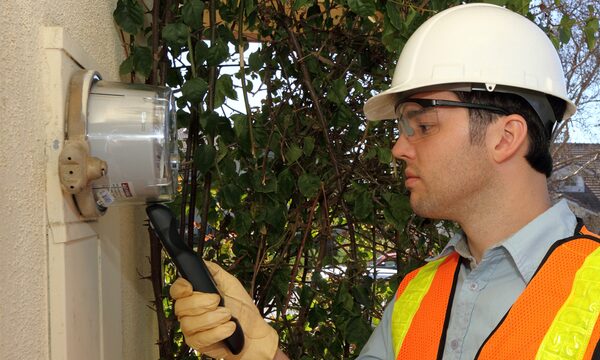
Even a fully working smart meter has moments where a reading taken by hand matters, because it fixes a point in time that both the old and new party to an account can agree on.
- Switching supplier. Part of the switchover involves taking a reading on the day of the switch13. The new supplier is responsible for taking a reading at the switch and for all future readings at the property14.
- Moving home. A reading marks the boundary between the outgoing and incoming occupier's liability11.
- Supplier failure. If a supplier ceases trading, a reading should be taken as soon as possible and a record kept, so the new supplier bills correctly15.
- Claiming a refund of credit. An up to date reading lets the supplier calculate the actual credit due13.
- Lost connection or changed meter settings. Where a meter cannot communicate over the designated wireless network, the supplier may ask for a temporary manual reading until the fault is resolved17.
- Watching usage closely. Manual readings are a way of checking consumption between bills18.
Many smart meters do retain the ability to send automatic readings after a switch, so this is not a certainty either way. A new supplier might not offer all smart meter services, such as remote readings, and the meter may need replacing. If a reading has not been submitted for a long time, or the household cannot take its own, the supplier may send someone to read the meter, and may also visit to check everything is working7.
Finding the meter and working out which type it is
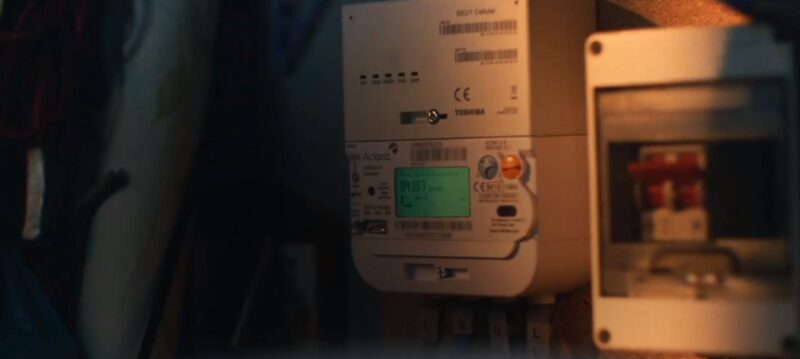
Meters sit in a hallway cupboard, an outside box, a cellar or a communal cupboard in a block. The first task is identifying the type, because that decides which digits count.
| Meter type | What it looks like | What to read |
|---|---|---|
| Single rate digital electricity | One row of digits | First 5 numbers, left to right1 |
| Two rate digital electricity | 2 rows, top labelled low or night, bottom normal or day | Both rows, left to right, ignore red1 |
| Two rate single display | One display, cycling or button operated | Each rate in turn1 |
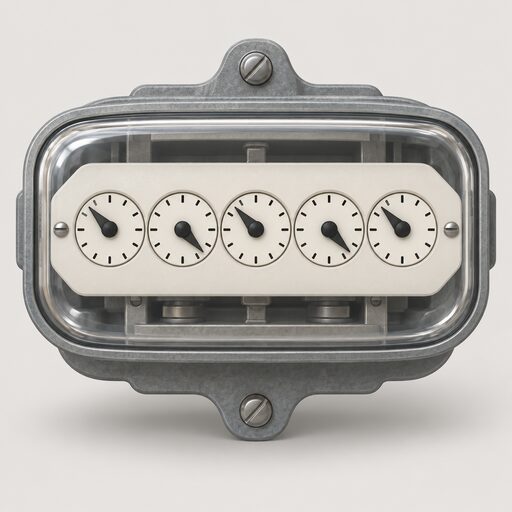
| Electricity dial | 5 or more clock dials | First 5 dials, left to right1 |
| Digital metric gas | One row, ends in a decimal | 5 numbers, in m³6 |
| Digital imperial gas | One row, red digits at the end | First 4 numbers, in ft³6 |
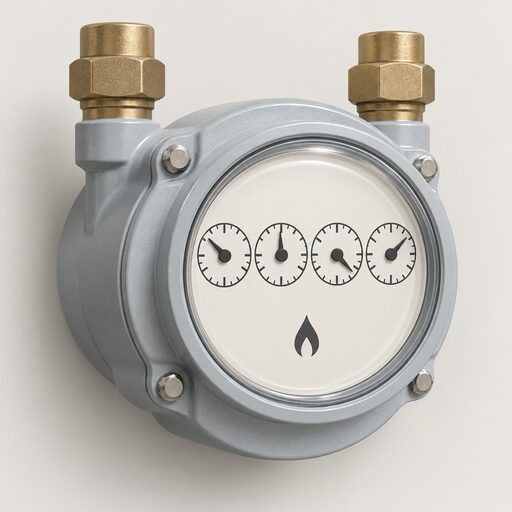
| Gas dial | Clock dials | First 4 dials, ignoring large or red dials1 |
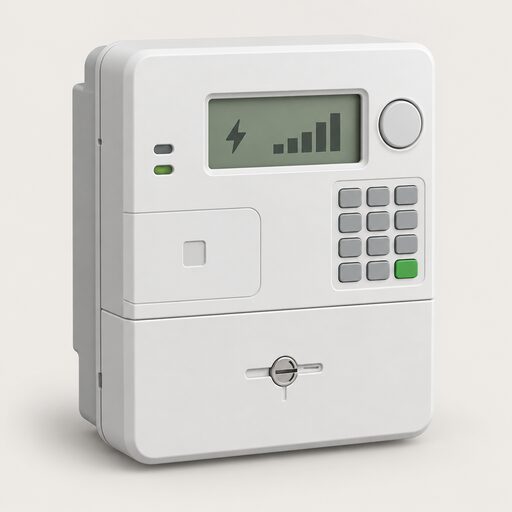
| Smart electricity | Screen with buttons or keypad | Number followed by kWh, under IMP or IMPORT2 |
| Smart gas | Screen with buttons or keypad | Number followed by M3, under VOLUME or METER INDEX2 |
Two further identifications matter. A radio teleswitch meter can be spotted by a black box next to the meter with "radio teleswitch" written on it, or by a letter from the supplier about getting a new meter20. And where solar is installed, an import and export meter records both directions. To check whether a meter is genuinely a smart meter, there is a smart meter checking tool on the Citizens Advice website9. In Northern Ireland, NIE Networks publishes its own meter identification and reading guides, and the Meter Point Reference Number can be found on the card left by a meter reader or on the electricity bill. Finding your MPAN and MPRN covers those numbers in more detail.
Electricity smart meters: reaching the IMP or IMPORT screen
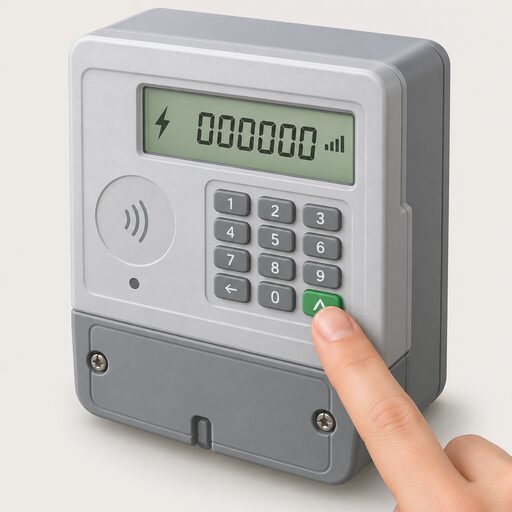
On an electricity smart meter the correct screen flashes or includes the word IMP or IMPORT, with a number followed by kWh2. Getting to that screen depends on the buttons, and there is no single sequence across models.
- Keypad. Press 9, wait for IMP KWH, and write down the numbers followed by KWH from left to right18.
- A and B buttons under the screen. Press A, then press A again until TOTAL ACT IMPORT appears with numbers followed by KWH18.
- Three buttons to the right of the screen. Press the middle button and record the number below IMP18.
- Green A button to the right with a white B button below. Press white B to light the screen, wait for "meter boost", press A to select "no", and the reading appears followed by KWH18.
- Two buttons to the right, one marked reconnect. Press the display or display select button repeatedly until numbers followed by KWH appear18.
- One orange button and two blue buttons. Press the orange button and read left to right18.
- Two white buttons to the right. The meter should cycle between screens on its own: wait for the screen showing numbers followed by KWH, and contact the supplier if it does not cycle18.
Where a household generates its own electricity, the import and export figures are separate. On a keypad meter, pressing 9 three times brings up IMP Units, the total import, and the figure shown after Exp Units is the export reading21. On a meter with a blue button, the default display shows a small 0 followed by five numbers, which is the import reading; pressing the blue button repeatedly until the display shows a small 5 followed by five numbers gives the export reading. On an import and export meter with red and black buttons, the buttons should not be pushed while the meter alternates between displays, each shown for about 10 seconds21.
Gas smart meters: VOLUME, METER INDEX and a figure in M3
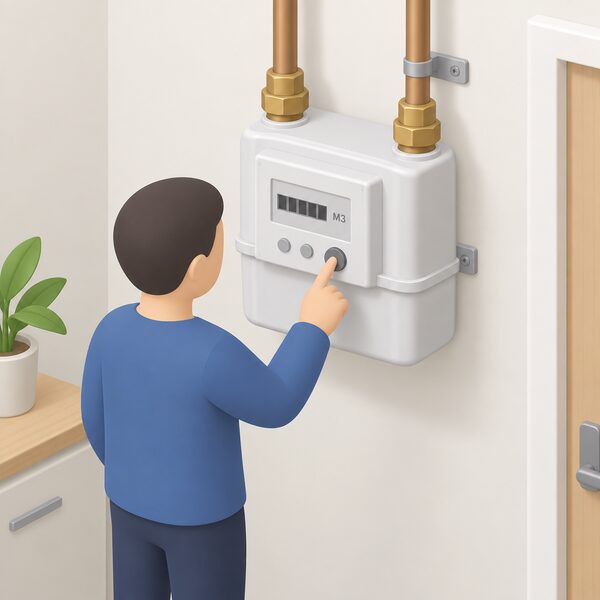
On a gas smart meter the screen flashes or shows the word VOLUME or METER INDEX, followed by a number and M32. Most gas smart meters show the reading as numbers followed by m324.
- Keypad: press 9, VOLUME appears, then wait until it changes to numbers followed by M324.
- A and B buttons: press A until METER INDEX appears; the numbers next to m3 are the reading24.
- A button to the left and right of the screen: press either and wait for 01 with numbers followed by M324.
- Orange and blue arrow buttons: press the orange button24.
- Three square red buttons: press the left button, which might say A24.
- Two white buttons to the right: press the right button, which might be labelled OK or carry an arrow24.
Record only the numbers before the decimal point, ignoring leading zeros24. M3 is a volume, not an energy figure: the supplier converts cubic metres into kilowatt hours before applying the unit rate, and converting gas units to kWh sets out how that works. A meter measuring in hundreds of cubic feet converts to cubic metres by multiplying by 2.8325.
The reading rule: left to right, stop at the decimal point
The same discipline applies across digital meters of every kind. Read from left to right. Ignore numbers marked one tenth or one hundredth, and ignore anything in red2. Ignore any numbers after the decimal point or comma18.
| Meter | Digits to write down | What to ignore |
|---|---|---|
| Single rate digital electricity | First 5 numbers, left to right | All other numbers, including red1 |
| Digital metric gas | 5 numbers left to right, including zeros | Red numbers and anything after the decimal point26 |
| Digital imperial gas | First 4 numbers | Numbers in red19 |
| Two rate digital | Numbers before the red number, both rows | The red number19 |
| Standard meter | 5 black numbers, left to right | Red numbers27 |
Dial meters need more care because a pointer can sit awkwardly. Read the first five dials on an electricity meter from left to right, ignoring red dials and those marked one tenth. Where a pointer sits between two numbers, write down the lower one; where it sits between 9 and 0, write down 9. Where a pointer is directly over a number, underline it, and reduce it by 1 if the next dial along reads between 9 and 01. On a gas dial meter, read the first four dials from left to right, ignoring the large or red dials, and write down the number the pointer is directly over. Dials without numbers or hands are disregarded5. Northern Ireland's network guidance gives the same instruction: read from left to right, ignoring numbers marked 1/10 or 1/100 or shown in red.
Fuller worked examples for each meter family sit on how to read a gas meter and how to read an electricity meter.
Day, night and Economy 7: why some meters show two numbers
Economy 7 is a two tier rate for electricity: use during the day and use at night are charged at different rates, with the night rate the less expensive5. That requires the meter to count two totals, so an Economy 7 meter includes two different readings5.
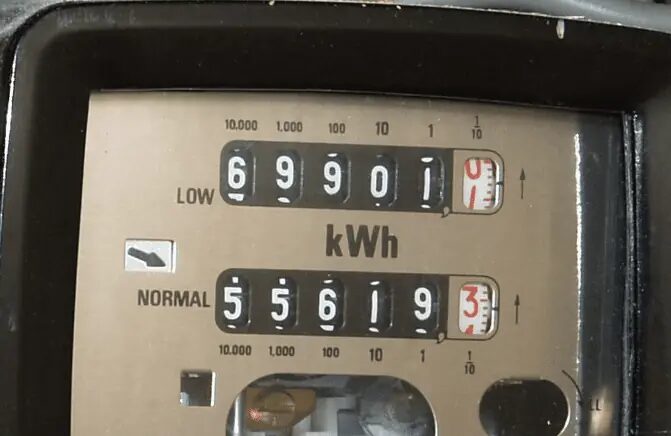
The labelling varies. One register covers on-peak hours, marked "normal" or "day", and one covers off-peak hours, marked "low" or "night"; they may instead appear as Rate 1 and Rate 2, or R1 and R22. On a two row digital meter, the top row is typically the low or night register and the bottom row the normal or day register1. On other layouts the daytime reading is the top one or the default display, and the night reading is the bottom one marked low or night5. A meter may also show a single number marked "day rate" with a red button to press for the night rate28. Digital and prepayment meters generally give access to each reading by pressing a button5.
A two rate single display meter has only one digital display, which either flashes the rate readings in a cycle or requires a button press to move between them1. Both numbers must be written down for the bill to be right. On an Economy 7 smart meter with a keypad, pressing 6 until IMP R01 appears followed by 8 digits gives what is usually the night or off-peak reading, and continuing to press 6 until IMP R02 appears gives the peak or normal reading26. In Northern Ireland, dual and multi rate keypad meters use 3: push 3 for the first read and again for the second or additional reads29.
Identifying an Economy 7 arrangement is straightforward: two meter readings, a low or off-peak rate, a normal, high or on-peak rate, or a button to press to see each rate on an electronic meter30. Smart meters also open access to more flexible tariffs, including dual-rate tariffs3. Whether the arrangement suits a household is covered on is Economy 7 worth it.
Estimated bills, and how an accurate reading corrects them
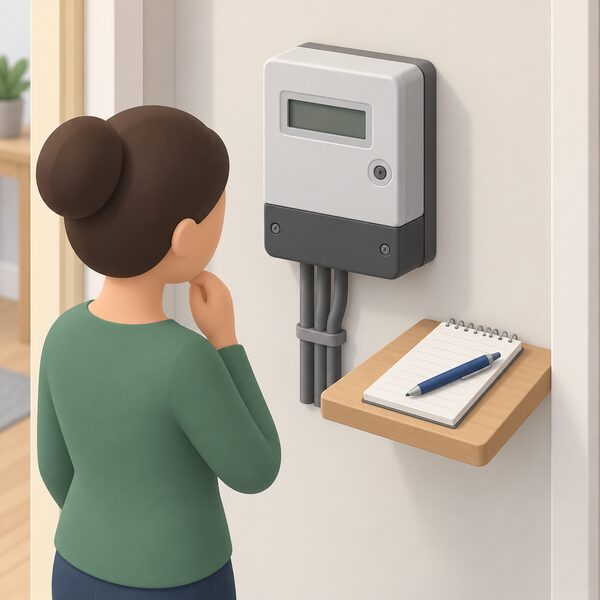
If a supplier has no readings, it must estimate how much energy has been used, which can lead to being charged more than it should7. On a standard meter, not sending readings most likely ends in an estimated bill, meaning over-paying or under-paying19, and estimated readings can build into large unexpected bills31. The supplier needs regular readings to work out bills at all1.
Smart meters exist to close this off: readings sent automatically should mean no more estimated bills or meter reader visits3. Where a smart meter loses its connection, bills may temporarily become estimated, manual readings may be needed, and the in-home display may stop updating correctly18.
An estimate is corrected by a genuine reading. Sending one puts the actual figure into the account, and the next bill reconciles what was charged against what was used. Where a supplier has increased a direct debit, monthly readings are what keep the account anchored to reality32. Heat network billing follows a similar logic: a supplier is allowed to estimate if it cannot take a reading, for example if it cannot reach the meter or none has been given in a while1. Residents paying a landlord or site owner by readings or estimates have the right to know how the bill is calculated where the home does not have a meter3.
If the readings and the bills still do not reconcile, the meter itself may be at fault. A supplier might install a second meter for a couple of weeks to compare the readings, sometimes called a check meter33. Reporting a faulty or inaccurate meter sets out that process.
Submitting the reading, and keeping the meter as the record
Suppliers generally offer a choice of routes: the website by logging into an account, a mobile app, phone, online chat, email or text7. Some suppliers add extra options, such as a monthly reading reminder that does not require an account log-in, or an app that scans the digits using the phone camera7. In Northern Ireland, NIE Networks accepts a reading by phone or online, and passes it to the electricity supplier, which issues the bill34. Tenants with a keypad meter installed still need the meter read or a reading provided34.
On frequency, the advice converges on monthly32, ideally on the same day of the month7. Submitting a reading roughly three working days before the bill is issued is one way to make sure the bill uses an actual figure26. Where a meter is awkward to reach, or the householder has sight problems, the supplier should arrange for someone to come out and read it5.
The meter, not the app, is the authority. It is the physical register of consumption, and the figure a household writes down from it is the one that can be set against an estimate, a disputed direct debit or a final bill after a supplier failure. Keeping a dated record of readings, especially at a switch or a move, is the only evidence entirely in the household's hands. Even with a smart meter installed, readings can still be provided manually if the supplier asks18. Practical detail on routes and timing sits on submitting meter readings, and the wider sequence of switching, billing and complaints is covered across the home energy how-to guides.
What a meter reading does, and does not, give a household
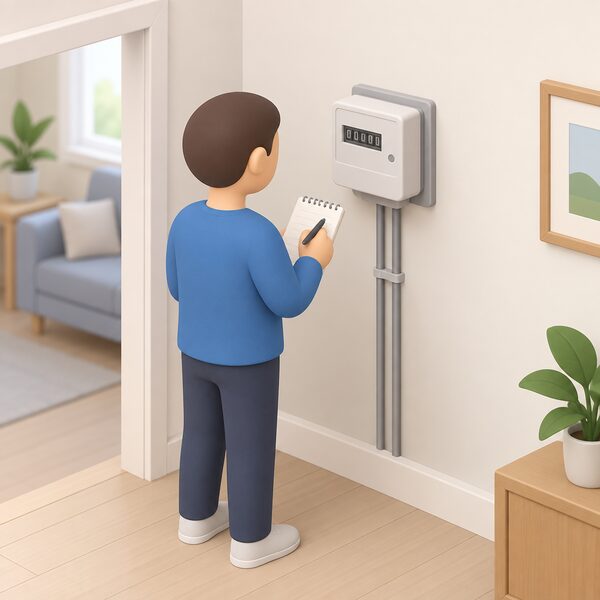
Reading a meter is an act of verification, not of independence. It does not reduce consumption, change the unit rate or loosen the tie to a supplier: except by switching, the household does not control the tariff, though it does control how much energy it uses8. What the reading does is make the bill checkable. Without it, the account runs on the supplier's estimate; with it, every charge can be traced to a number on the wall.
The dependencies that remain are worth naming plainly. Billing still runs through a licensed supplier. A smart meter's automatic readings depend on a communications network and, for many households, on the DCC8; when that link fails, the household falls back on exactly the manual method described here. The in-home display depends on the meter's own radio link. And the meter itself belongs to the industry, not the householder: moving or replacing a meter is arranged through the supplier. The reading is the one piece of the chain that works with nothing but eyesight and a pen.
Sources35 cited
- How to read your energy meter, Citizens Advice, 2026-09-17
- Reading your gas or electricity meter, Centre for Sustainable Energy, 2026-08
- Get help with your smart meter, Ofgem, 2026-09-17
- Citizens Advice helps with an energy billing issue every two minutes, Citizens Advice, 2024-11-29
- How to read your gas and electricity meter, Confused.com, 2025-12-15
- How to read your gas meter, National Energy Action, 2026-07-13
- How to submit a meter reading, Uswitch, 2026-04-23
- How do smart meters save energy?, Smart DCC, 2026
- How do you know if you have a smart meter?, Smart DCC, 2026
- What is a smart meter?, Smart Energy GB, 2026-08-10
- Understanding energy bills, StepChange, 2026-09-20
- Getting a smart meter, Ofgem, 2026
- What happens to credit if I switch?, Uswitch, 2026-05-29
- Energy: your questions answered, Confused.com, 2026-07-03
- What happens if your energy supplier goes out of business, Ofgem, 2026
- Energy supplier out of business, Uswitch, 2026-05-29
- Smart meter FAQs, Smart Energy GB, 2025-08-08
- How can I read a smart meter?, Smart Energy GB, 2026-08-17
- Gas and electricity meter reading, Uswitch, 2026-04-23
- Important reminder for Economy 7 and 10 meters, Centre for Sustainable Energy, 2026-06
- Import and export meters, NIE Networks, 2026-09-19
- Feed-in Tariffs, Energy Ombudsman, 2026-09-20
- Feed-in Tariffs: generators, Ofgem, 2026-09-17
- How can I read a smart gas meter?, Smart Energy GB, 2026-08-17
- Understanding your gas or electricity bill, Centre for Sustainable Energy, 2026-02
- Energy meters, Energyhelpline, 2026-09-20
- Energy meters advice, Age UK, 2026-09-10
- What is Economy 7?, Energyhelpline, 2026-09-20
- How to read your electric meter, NIE Networks, 2026-09-19
- What is Economy 7?, Smart Energy GB, 2026-04-07
- Struggling with energy bills, National Energy Action, 2026-05-06
- If your energy supplier has increased your direct debit, Citizens Advice, 2026-09-17
- Find out if your energy meter is faulty, Citizens Advice, 2026-09-20
- Keypad meter readings, NIE Networks, 2026-09-19
- Submitting a keypad meter reading, NIE Networks, 2026-09-20
 Get a Reading From a Smart MeterHow to bring up a meter reading on a smart electricity or gas meter when a manual reading is still needed, and the difference between the meter itself and the in-home display.
 Meter Readings and EstimatesWhy is my energy bill estimated, and how often should my meter be read?
 Read a Gas MeterHow to read dial, digital metric and older imperial gas meters, including which dials to ignore and what to record when a pointer sits between two numbers.
 Smart Meter Data and Who Sees ItWhat does your smart meter actually record, and who gets to see it?
 Who Owns Your Home Energy DataYour smart meter records how much gas and electricity you use, and that information belongs to you, not your supplier.
 Take Control of Your EnergyHow do you read your own energy use and keep hold of your meter readings?