
On this page
When a home battery seems to stop charging, the fault is rarely the battery itself. In most cases the system is doing exactly what it was configured to do: holding a reserve, filling only inside a cheap-rate window, or pausing because a protective limit has been reached. Energy Saving Trust describes the typical behaviour plainly: "When the battery gets down to a set level, maybe 20% of the total storage capacity, your system will stop taking electricity" from it, and the same logic of set levels applies at the top of the charge range too1. Before assuming a fault, it is worth working through the settings, the app data and the tariff windows in order.
This page walks through the common complaints in the order worth checking them: the first checks, what the battery's states actually mean, why it stops short of full, when and why it charges from the grid, inverter limits and error codes, temperature effects, firmware changes, and finally how to escalate to the installer or maker. Alongside the checks, it says what each behaviour means for a household's energy independence, because a battery that is only half-working leaves a home more dependent on the grid than its owner intended.
First checks when a home battery is not charging
Start with the monitoring app or display, because a blank or frozen screen can look like a dead system. Smart Energy GB's troubleshooting guidance for displays notes that a blank screen can simply mean the unit has run out of battery: "Plug it in and let it charge for a few moments, then turn it back on"7. The same principle applies to battery system displays and apps: check power and connectivity before anything else. A lost wifi connection, for instance after a router change, can cut off monitoring while the system keeps working underneath.
Next, check whether the solar side is generating at all. Which? reports that when solar panels stop generating, "it's most likely a fault with the inverter or a problem with the wiring", and that "The most common, and most serious, problem owners face is with the inverter"3. Inverter problems are, in Which?'s words, "the most common fault experienced" by solar owners in the UK4. If the panels are generating but the battery is idle, the problem is more likely a setting than hardware.
Two safety points belong in the first checks rather than later. If the battery casing is damaged, or you suspect a faulty or sub-standard unit, stop using and charging it immediately8. North Wales Fire and Rescue Service advises charging lithium-ion devices in a room with a working smoke alarm, away from heat sources, and not leaving them on charge overnight or when nobody is home9. A home battery is a permanently installed, professionally certified product, but the underlying lithium-ion chemistry deserves the same respect.
Idle, holding reserve and standby drain: what the battery states mean

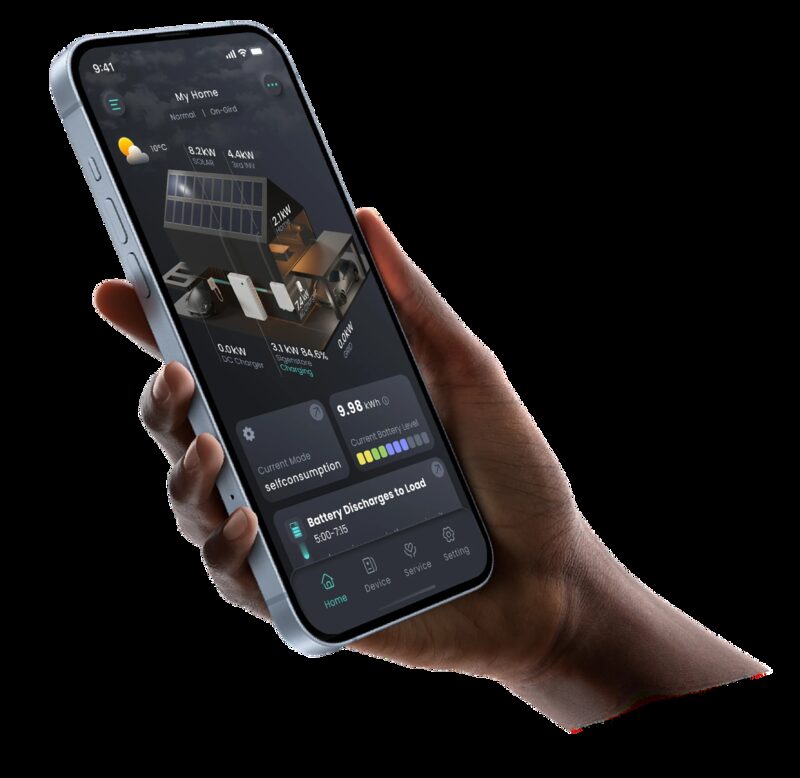
A battery that appears to be "not working" is often in one of three normal states. The first is idle: the battery is full, or the household load is being met directly, and there is nothing for it to do at that moment. The second is holding reserve. Energy Saving Trust describes how a system stops discharging when it reaches a set level, "maybe 20% of the total storage capacity", a floor set to protect the cells and, on some systems, to keep a backup reserve for outages1. If your app shows the battery sitting at a fixed percentage and refusing to go lower, that floor is the likely explanation, and it is usually a setting rather than a fault.
The third state is standby drain. Standby mode is "a low-power state that an appliance, still plugged into the power source, can enter when not being actively used"10. Warm Wales puts the everyday version well: "You may think because your TV isn't on that it isn't using energy, but if it is on standby then it is still using some" energy11. A home battery system has the same characteristic: its inverter, control electronics and communications consume a small continuous amount of power, so a battery left alone will slowly lose charge. A gradual overnight fall of a percent or two is normal electronics consumption, not a fault.
On top of standby consumption, every charge and discharge cycle loses energy. "Batteries are not 100% efficient, so you will not get all of the energy out that you put in", as Electricity North West's storage guidance puts it2. Our page on round-trip efficiency and standby losses covers how these losses are measured and what a reasonable figure looks like.
Why a battery stops short of 100%
Several separate mechanisms can leave a battery below full, and most of them are by design.
- A charge ceiling or reserve setting. Just as systems stop discharging at a floor of perhaps 20%1, many are configured with a maximum charge below 100% to protect the cells.
- Round-trip and charging losses. Because batteries are not perfectly efficient, the energy measured going in never all becomes stored energy2.
- Protective slowdown near full. Evidence from electric vehicle charging, which uses the same lithium-ion cell chemistry, shows that "Charging slows significantly after about 80% to protect the battery and prolong its lifespan"12. Home battery systems apply the same protective logic, so the last stretch of charge takes disproportionately long.
- Degradation. Lithium cells lose capacity over time; charging behaviour that pushes cells hard can accelerate this, and "if you charge the battery to 100% it can overheat. This could cause cell degradation, meaning that lithium battery cells lose their ability to charge at their original rate"13.
If your battery consistently stops at the same percentage, look for a configured ceiling first. If it reaches different levels on different days, the cause is more likely available solar or cheap-rate energy running out before the battery fills. If the usable capacity has clearly shrunk over years, that is degradation, covered in detail on our page on cycle life and lifespan.
Charging patterns: when the battery fills and when it holds back
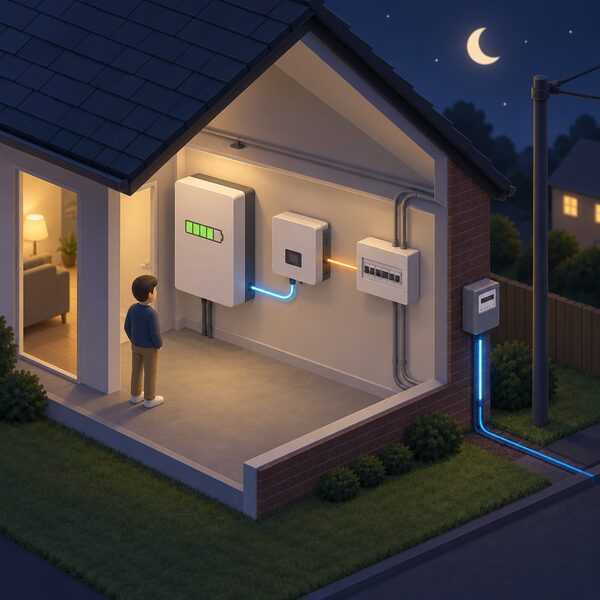
Grid charging is a feature, not a fault. Home Energy Scotland notes that "You can also charge the battery with cheap electricity from your supplier (typically on certain tariffs at night or middle of the day)"14. Which? describes the same strategy for heating systems: "you can charge up your battery during off-peak hours, at the lowest rate, and use the energy during the peak-rate period to minimise your electricity bill"15. This is why a battery that draws from the grid at 2am is usually working correctly: its charge windows are aligned to a time-of-use tariff.
The evidence shows this is exactly what real households do. Energy Systems Catapult's Living Lab found that "Battery-equipped homes show strong overnight charging peaks across autumn, winter, and spring, consistent with energy arbitrage" on time-of-use tariffs16. So overnight grid charging is normal, widespread behaviour, not a sign that solar has been ignored.
Where solar is present, the practical reality is a mix. The CPA's guidance on solar EV charging, whose logic applies to any home load, is that "For most homeowners, the practical reality is a hybrid approach: solar covers as much of the charging as it can, and the grid fills the gaps"17. Standard equipment "will draw electricity from your home supply without distinguishing between solar-generated power and grid electricity"17, which is why the charge windows and priorities configured in the system matter so much. If your battery fills from the grid during daylight hours when solar is available, ask your installer to check the priority settings rather than assuming the panels have failed. Our page on stacking a battery with smart tariffs explains how windows and tariffs interact.
Inverter limits, settings and error codes
The inverter is the component most likely to be at fault when a solar-plus-storage system misbehaves, as the two Which? findings above confirm3. But before assuming failure, check whether a protective limit has tripped. Energy Networks Association explains that voltage at the edge of the statutory range can cause over-voltage, "which can cause household and commercial equipment, including EV chargers, to shut down when protective limits are reached"5. Home battery inverters and chargers behave the same way: if the local voltage rises above limits, typically on sunny days when many homes on a street are exporting, the system pauses and logs a voltage error. It will usually restart on its own once voltage returns to normal.
Error codes are the system's own diagnosis, and they should be recorded rather than cleared and forgotten. Note the code, the time, and what the household was doing at that moment. A recurring over-voltage code points to a network issue worth raising with the distribution operator; a recurring temperature code points to siting; a communications code points to wifi or cabling.
Software faults can mimic hardware faults too. Energy Systems Catapult reports a case where "a charging service glitch sent excessive status queries" and drained vehicles' 12-volt batteries "beyond recovery", requiring battery replacement18. The lesson for home storage is that a cloud service or app repeatedly polling a system can itself cause odd behaviour, so note whether problems coincide with app or portal outages. Our page on monitoring apps and data covers what to expect from monitoring and what to check when it goes quiet.
Cold weather, heat and temperature effects
Temperature affects both how fast a battery charges and whether it charges at all. The direct evidence in this area comes from electric vehicle guidance, since the cell chemistry is the same. Zapmap's advice is that "In general, warmer weather tends to reduce charging times. However, if the battery overheats, the charging speed could decrease or stop altogether as a safety measure"13. Home batteries manage their own temperature with the same protective logic: charging slows or pauses when cells are too cold or too hot, and the system logs a temperature event rather than a fault.
This matters most for batteries installed in unheated garages, lofts or outbuildings. A battery that charges slowly on the coldest nights of winter, or pauses mid-charge during a summer heatwave, is protecting itself. If it happens constantly regardless of weather, the siting or ventilation is the issue to raise with the installer; our pages on siting and location and ventilation and operating conditions set out what good siting looks like.
When firmware updates change how the battery behaves
A battery that behaved one way for months and then changes overnight has usually received a firmware update, either automatically or applied remotely by the maker. Firmware changes can alter charge windows, reserve levels, protective limits and how the system reports its state, so a sudden change in behaviour is worth checking against any recent update notifications before treating it as a fault.
The clearest UK example of firmware changing battery behaviour is the LG ESS Home Battery recall. Affected batteries are subject to a "Voluntary Corrective Action (DIAGNOSTIC SOFTWARE UPDATE)" under which "LGESEG is rolling out a free diagnostic software update which is intended to identify and shut down batteries at risk of overheating"19. In other words, a software update was used to find at-risk units and take them out of service. LG also warns owners to re-check their serial numbers "because the recalls have expanded to include additional models and batteries"19. If your battery was shut down by a maker's update, that is the system working as intended, and the remedy runs through the maker, not the installer. Our pages on the LG ESS recall and on recalls and safety notices cover this in full.
Escalating the problem: installer, manufacturer and warranty
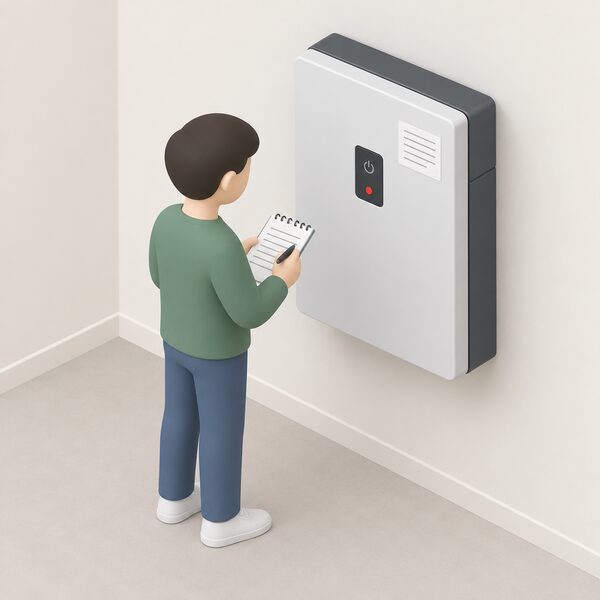
Work up the chain in order: settings and app first, installer second, maker third.
- Record everything. Serial number, error codes, dates, screenshots. "Each affected ESS Home Battery is marked with a unique serial number, which can be used to identify affected batteries"19, and the same is true of warranty claims generally: the serial number is how any maker identifies your unit.
- Contact the installer. Settings, configuration, windows and commissioning are the installer's responsibility, and most apparent faults are resolved at this level.
- Contact the manufacturer if the fault points to the hardware, and quote the serial number and error log.
- Use a complaint scheme if the installer is certified. Certification bodies such as Flexi-Orb run complaint processes, and registering requires basics such as your contact details and phone number20.
- Stop using suspect equipment. Electrical Safety First's rule for faulty lithium batteries is to "stop using it immediately and report the fault to the manufacturer or retailer"8.
On warranties, the closest directly comparable consumer protection is the smart meter in-home display regime: "If you report a fault with the in-home display within 12 months of the date of installation", the supplier must repair or replace it free of charge if the fault is not down to customer misuse21, and some suppliers have agreed to help after the 12-month period under voluntary replacement principles22. Home battery warranties are longer and maker-specific; our page on home battery warranties sets out what to check, including what a claim will ask for.
Power cuts: a special case of "not charging"
A battery that will not charge during a power cut is not faulty. The Centre for Sustainable Energy states that "Not all batteries can deliver electricity during a power cut"23, and Energy Saving Trust is firmer still: "A battery storage system also does not normally provide power in a power cut unless additional equipment and configuration is included"6. Charging behaves the same way: with no grid supply, a grid-tied system shuts down for safety.
Diagnose the situation before blaming the battery. The Met Office advises: "If your neighbours still have power but your home doesn't, it's likely there is a problem with the fuses or trip switches in your home"24. And the network operators' reassurance on low-carbon equipment applies directly: "Your equipment should not be damaged and will be ready to use again once power is restored"25. Keep a mobile phone charged and a torch to hand during outages26. If whole-home backup during outages is what you want from the system, that is a configuration question for the installer, covered on our pages about battery backup in a power cut and backup interfaces.
What this means for energy independence
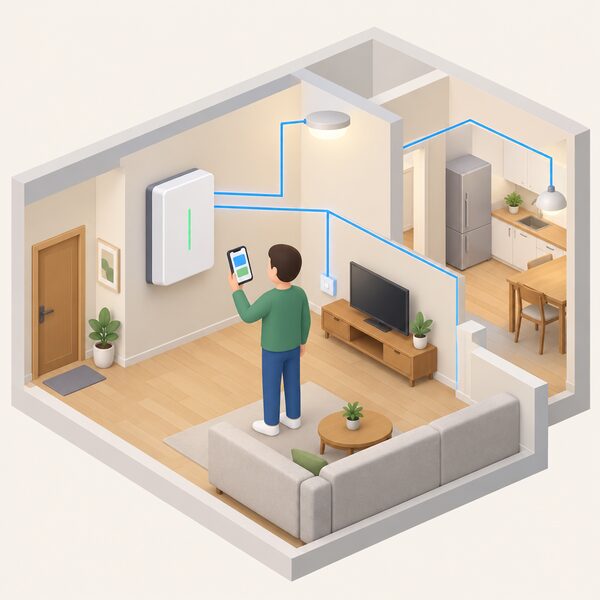
A battery that is misconfigured still stores energy, but it stores it at the wrong times and gives the household less control over its own use than intended. Charge windows aligned to a tariff tie the battery's behaviour to the supplier's clock; a reserve floor ties it to the installer's setting; a cloud-connected app ties visibility of the whole system to the maker's servers. Each of these is a dependence worth knowing about, and each is fixable with a settings change rather than new hardware. The households that get the most from storage are the ones that understand which behaviours are choices, which are protections, and which are genuine faults, and that escalate in the right order when something is genuinely wrong.
Sources26 sources
- Battery storage advice, Energy Saving Trust, 2026-08-19
- Renewable energy storage, Electricity North West, 2026-09-19
- Solar panel problems and how to solve them, Which?, 2026-03-26
- Solar panel myths: five common concerns about solar PV debunked, Which?, 2026-06-09
- Statutory voltage limits, Energy Networks Association, 2026-09-17
- Solar power facts, Energy Saving Trust, 2026-08-13
- Troubleshooting smart meter issues, Smart Energy GB, 2026-04-01
- E-bikes safety advice, Electrical Safety First, 2026-09-17
- Lithium-ion batteries at home, North Wales Fire and Rescue Service, 2026
- Switching appliances off stand-by, Smart Energy GB, 2026-04-22
- Top 5 energy saving tips, Warm Wales, 2024-07-31
- Electric car charging guide, Carwow, 2025-07-16
- Tips for electric cars in hot weather, Zapmap, 2025-07-08
- Battery storage, Home Energy Scotland, 2026-09-20
- The best heating for your home, Which?, 2025-09-22
- Grid impacts of heat pumps, EVs and solar revealed, Energy Systems Catapult, 2025-08-18
- Can solar panels charge electric cars?, The Consumer Protection Association, 2026-04-15
- Making home energy management work for consumers, Energy Systems Catapult, 2026-02-12
- LG ESS Home Battery serial check, LG Energy Solution, 2026
- Register a complaint, Flexi-Orb, 2026-09-17
- Smart meters, Energy Ombudsman, 2026-09-20
- Frequently asked questions about smart meters, National Energy Action, 2024-05-03
- Battery storage advice, Centre for Sustainable Energy, 2025-10
- What to do in a power cut, Met Office, 2026-09-20
- Planned power cuts, SSEN, 2026-09-19
- What happens in an energy shortage, Energy Networks Association, 2026-09-17
 How to Choose a Home BatteryWhat should you look for when buying a home battery in the UK?