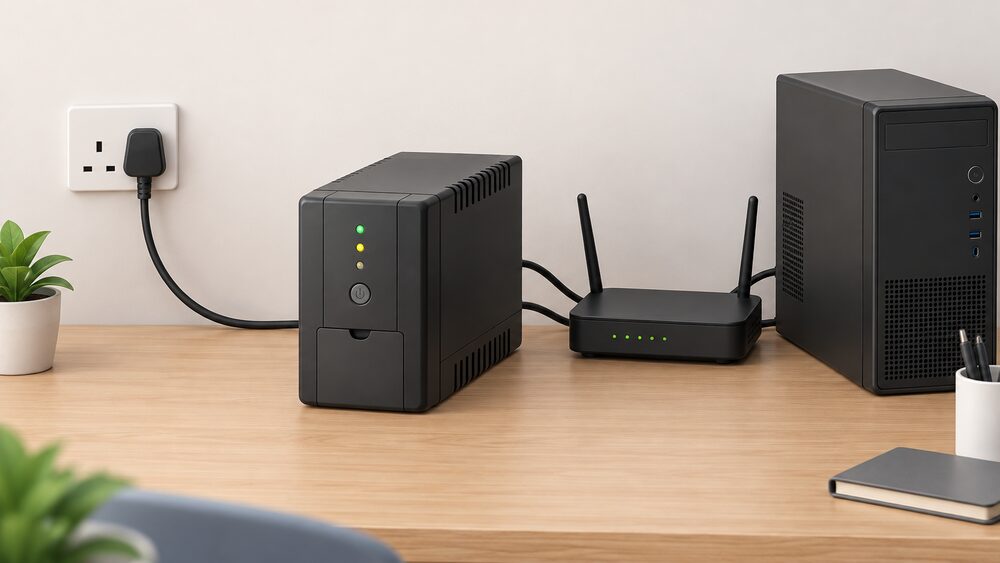
In this guide
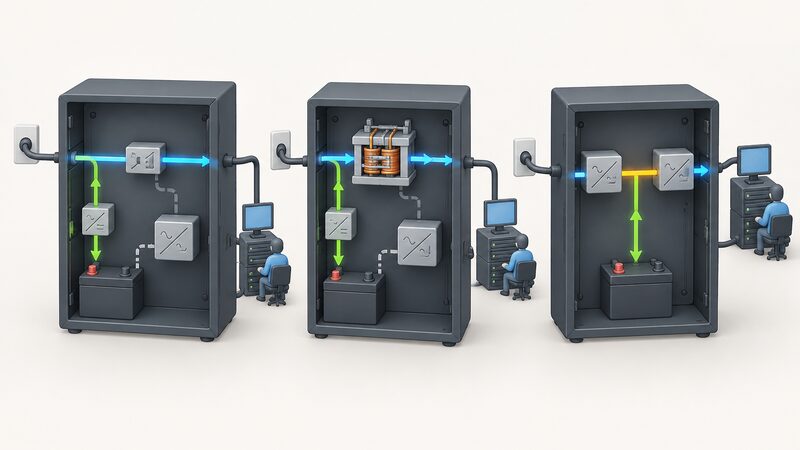
A UPS sits between the mains and the equipment it protects, and the three topologies sold in the UK differ in one main respect: how much of the time the inverter is doing the work. A standby, or offline, unit passes mains straight through and starts inverting only when the supply fails. A line-interactive unit adds automatic voltage regulation so it can correct a sagging or swollen supply without draining the battery. An online double conversion unit inverts continuously and never switches at all.
That difference sets the transfer time, the waveform quality and the price. It also sets what the unit can protect. A router and a desktop tolerate a short gap; a server, a network switch or a piece of laboratory equipment may not. The maker's own specification is the figure that matters, and the figures vary: SAJ states a changeover time of 10 milliseconds or less for its AS2 Series, describing it as "UPS switchover time ensuring uninterrupted power during outages"1.
For a household, the honest framing is that a UPS is a bridge, not a supply. It carries a load across a disturbance and through the first minutes or hours of a cut, and its runtime is set by battery capacity against load. It does not generate energy, and it does not remove the household's dependence on the grid, a supplier or a manufacturer's continued support of the model.
What a UPS does and the three main types
A UPS provides backup power to a computer until the electricity supply is restored5. That is the whole of its job, and everything else about the three topologies is a question of how gracefully it does it.
The standby, or offline, unit is the simplest. Mains passes through to the load, the battery charges, and the inverter sits idle until the input voltage falls outside a window. When it does, the inverter starts and a relay transfers the load. The cost is low and the efficiency in normal running is high, because almost nothing is converted. The cost is also a short but real gap in output, and no correction of a supply that is poor but not yet failed.
The line-interactive unit puts a transformer and a tap-changing or buck-boost circuit between input and output. That circuit is the automatic voltage regulator, and it lets the unit hold output within range while the input wanders. Legrand's Keor DC Single Phase Line Interactive UPS is specified with an input voltage range of 90 to 264 V and an output range of 9 to 19 V, with a DC voltage type and a universal and LED retrofit load type2. The AVR handles the common brownout without touching the battery, which is the point of it.
The online double conversion unit rectifies the incoming supply to DC and inverts it back to AC continuously. The load never sees the mains directly, so there is no transfer event to measure. SAJ's AS2 Series is specified at 10 ms or less changeover, described as ensuring uninterrupted power during outages1. The trade is efficiency, heat and noise, because the conversion runs all the time.
Offline (standby) UPS: the simplest topology
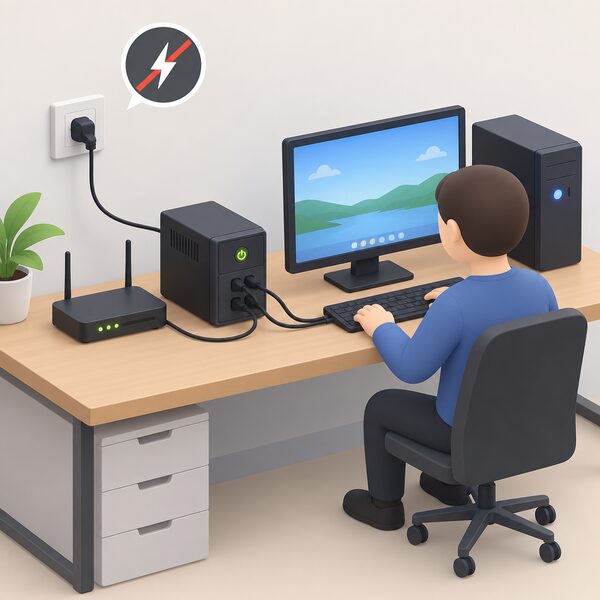
The standby topology is the one most home buyers meet first, usually without knowing its name. It is a battery, a charger, an inverter and a transfer relay in a box, and in normal running it is close to invisible: the load is fed from the mains and the inverter is off.
That design has consequences worth stating plainly. Because the inverter is idle, standby units are the cheapest of the three and the most efficient in normal running. Because there is no regulation stage, a supply that sags to 200 V and stays there is passed through to the load unchanged. The unit only intervenes when the input crosses a threshold, and then it intervenes with a transfer.
The transfer is the second consequence. A relay has to move, and the load sees the gap. For a desktop PC that is usually survivable, because the power supply holds its output briefly. For equipment that does not tolerate a gap, it is not.
Standby units also tend to produce a stepped or simulated sine wave rather than a true sine wave, which suits switched-mode power supplies and is less suited to motors and some audio equipment. The distinction matters more as the load becomes less like a computer.
There is a further point about what a standby UPS is not. It is not a surge protector in the sense that a consumer unit's surge protective device is: those protect circuits and equipment from high-voltage power surges, such as those caused by lightning6. A UPS protects against loss of supply and, in the line-interactive case, against sustained voltage deviation. The two jobs are different and are often confused.
For a household, the standby unit's role is narrow and useful: it keeps a router, a desktop or a small network alive across short interruptions and gives time to shut equipment down in an orderly way. It does not extend an outage, and it does not improve a poor supply.
Line-interactive UPS: regulation with an AVR
The line-interactive topology is the middle of the three and, for most home and small office loads, the one whose behaviour matches the problem. It adds an automatic voltage regulator between the mains and the load, so the unit can correct a supply that is out of range without switching to battery.
That is the brownout case, and it is the reason the topology exists. A sustained undervoltage is not a blackout, and a standby unit will pass it through. A line-interactive unit steps its transformer taps to bring the output back into range, drawing nothing from the battery. The battery is therefore reserved for the events it is needed for, which extends its working life in a poor-supply area.
The specification to look for is the input voltage range. Legrand's Keor DC Single Phase Line Interactive UPS is listed with an input range of 90 to 264 V, a DC voltage type, a universal and LED retrofit load type, and a battery described as not rechargeable, with a portable standard format2. A wide input window means the AVR has more room to work before the battery is called on.
The transfer time is shorter than a standby unit's in most designs, but it is not zero. The relay still has to move when the input collapses entirely. For a desktop, a router or a small switch, that is normally within tolerance. For a load that cannot accept any gap, it is not, and the online topology is the answer.
Line-interactive units are also commonly available with a true sine wave output, which widens the range of loads they suit. That matters for anything with a motor or a transformer in it, and it matters for audio equipment. The maker's specification sheet is the place to confirm which waveform a given model produces, because the topology alone does not determine it.
Online double conversion UPS: zero transfer time
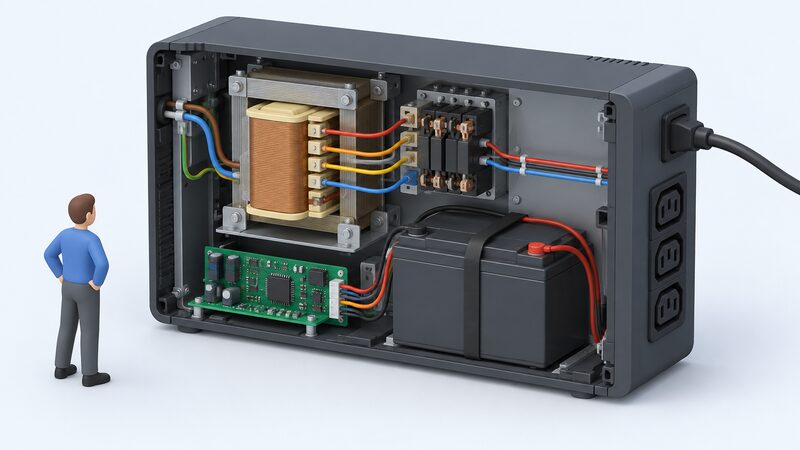
Online double conversion is the topology that removes the transfer event rather than shortening it. The incoming AC is rectified to DC, the DC bus feeds both the battery charger and the inverter, and the inverter produces a fresh AC output continuously. The load is never connected to the mains, so there is nothing to switch.
The practical result is an output that is isolated from input disturbances by design. Sags, swells, frequency variation and waveform distortion on the input do not reach the load, because the load is being fed by the inverter. SAJ specifies the AS2 Series at 10 ms or less changeover with uninterrupted power during outages1, and the wider point is that in an online design the changeover is not the mechanism doing the work.
The costs are real and worth stating. Continuous double conversion loses energy at every stage, so an online unit runs warmer and draws more than a line-interactive unit of the same rating. The inverter and its cooling usually make noise. The unit costs more to buy. For a home office, those penalties are often hard to justify against a line-interactive unit that covers the same disturbances.
Where the topology earns its place is where the load cannot tolerate a gap or a waveform it did not ask for. Delta's product range illustrates the scale at which online and modular UPS systems are deployed: a global IT service and consulting company selected Delta's modular DPH series UPS to protect a megawatt data centre, a global colocation and network services provider selected the DPM Series for its main data centre, and Delta supplied IPT 50 kVA UPS units for the Westerscheldetunnel in the Netherlands7. Those are the loads that justify double conversion.
For a household, the honest position is that online double conversion is a specialist choice. It delivers the cleanest supply of the three and the only one with no transfer gap, and it does so at a cost in efficiency, noise and price that a router and a desktop do not require.
Transfer time and why it separates the three types
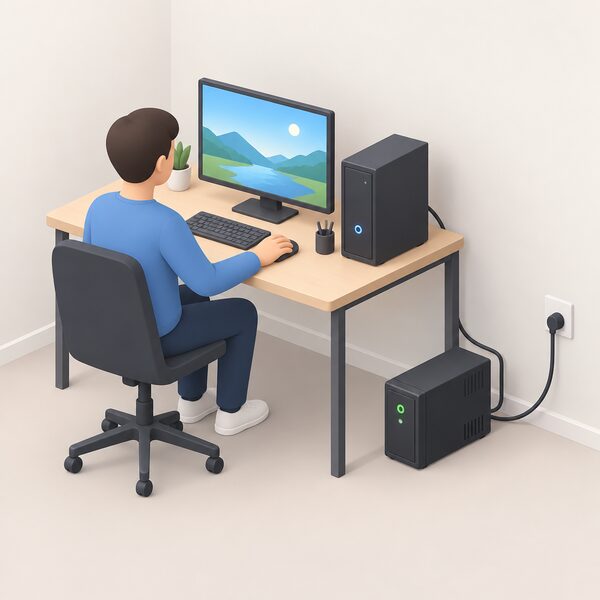
Transfer time is the interval between the input failing and the output being carried by the inverter. It is the single figure that most cleanly separates the three topologies, and it is also the figure most often quoted without its context.
A standby unit transfers on a relay, and the gap is measurable. A line-interactive unit also transfers on a relay, usually faster and usually after the AVR has already exhausted its range. An online unit has no transfer at all in the ordinary sense, because the inverter is already running; the maker's quoted figure covers the internal changeover rather than a break in output. SAJ's 10 ms or less figure for the AS2 Series sits in that category1.
What the load tolerates is the question that decides whether the figure matters. A desktop PC's power supply holds its DC output for a short period after the AC input disappears, which is why a few milliseconds of gap is normally bridged without a restart. A router is similar. Equipment with a motor, a compressor or a sensitive measurement front end is less forgiving, and the maker's specification is the only reliable guide.
There is a second timing question that has nothing to do with the UPS: how long the battery lasts once it is carrying the load. That is set by capacity against load, and it is the subject of UPS sizing. A unit with an excellent transfer time and a small battery is still a short bridge.
Which type fits which home or office load
The three topologies map onto three broad load types, and the mapping is a matter of what the equipment tolerates rather than what it costs.
For a single desktop, a router and a monitor, a standby unit covers the common case: short interruptions and enough time to shut down. The load is a switched-mode supply, the waveform is acceptable, and the transfer gap is normally bridged.
For a home office with a network attached storage box, a switch and a desktop, or for a property with a visibly poor supply, a line-interactive unit with AVR is the better match. It corrects the sustained deviation without spending battery, and it transfers faster when the supply actually fails. The Legrand Keor DC Single Phase Line Interactive UPS is an example of the topology in a single-phase product, specified with a 90 to 264 V input range2.
For equipment that cannot accept a gap, or that runs continuously and unattended, online double conversion is the topology that removes the question. The cost is efficiency, noise and price.
Two further points bear on the choice. The first is that a UPS is not the only way to keep a small load alive: a portable power station with a mains pass-through mode overlaps with the function, and the comparison is set out in UPS vs portable power station. The second is that the load itself can be reduced. Deciding what genuinely needs to stay on is the subject of essential loads and backup circuits, and it is usually cheaper than buying a larger UPS.
| Load | Topology that fits | Why |
|---|---|---|
| Desktop, router, monitor | Standby | Switched-mode supplies bridge the transfer gap |
| Home office with NAS and switch | Line-interactive with AVR | Corrects sustained deviation without using battery |
| Continuously running or gap-sensitive equipment | Online double conversion | No transfer event; output isolated from input |
| Small load needing hours, not minutes | Portable power station | Runtime set by capacity, not topology |
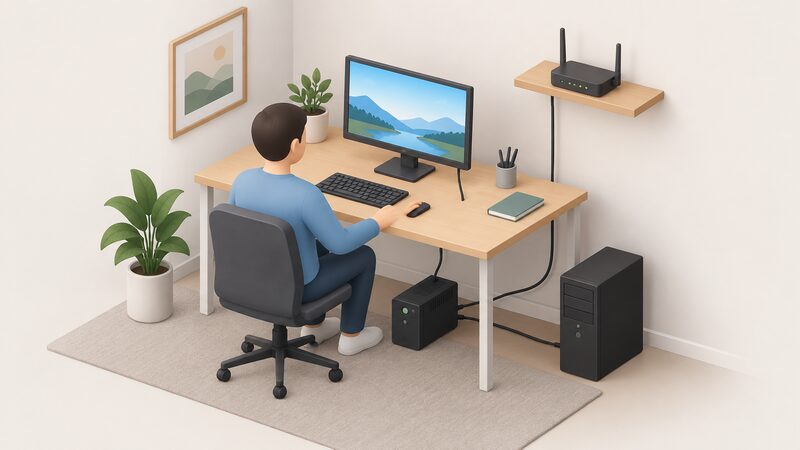
Cost and sizing: what you pay as capacity and topology rise
Two variables drive the price of a UPS: capacity and topology. They are independent, and confusing them leads to buying the wrong unit.
Capacity is measured in VA and in watts, and the two are not the same number. The ratio between them is the power factor, and a load with a poor power factor draws more VA than its wattage suggests. Sizing on watts alone therefore understates the VA rating required, which is why the sizing question is treated separately in UPS sizing. The practical approach is to add the wattage of everything intended to stay on, allow headroom for start-up surges, and then check the VA figure the maker publishes for the chosen model.
Topology moves the price independently of capacity. A standby unit and an online double conversion unit of the same VA rating are not comparable purchases: the online unit carries a rectifier, an inverter running continuously, and the cooling to match. The buyer pays for the conversion twice, once in the purchase price and again in running losses.
There is a third cost that is easy to overlook, and it is the one that outlasts the purchase. A UPS is a consumable in part: its battery has a working life, and replacement is a recurring cost. A unit specified with a non-rechargeable battery, such as the Legrand Keor DC Single Phase Line Interactive UPS2, is a different proposition from one with a replaceable battery pack, and the difference shows up in the total cost of ownership rather than the sticker price.
For a household, the sizing decision is usually settled by the load list rather than by the budget. A router and a desktop need a small unit. A home office with a NAS, a switch and two workstations needs more, and the topology question follows from what those devices tolerate. Where the requirement is hours rather than minutes, a UPS is the wrong instrument and a battery-based alternative is the right one.
Where a home battery or solar generator overlaps with a UPS

A home battery and a UPS both keep a load running when the mains fails, and they are not the same product. The overlap is real and worth understanding, because the choice between them turns on duration rather than on protection.
A home battery stores excess electricity produced from a solar system8. It can be charged from excess electricity generated from solar panels or other home generation, from the mains electricity supply, or from off-peak grid electricity on a time-of-use tariff9. Energy Saving Trust notes that home battery storage is usually used in combination with solar panels or a smart time of use tariff, or both10. Solar Energy UK makes the operational point: with a rooftop solar system and a home battery, as much power produced onsite is used as possible8.
That is a different job from a UPS. A home battery is sized for hours of household consumption and is charged from generation or cheap-rate import; a UPS is sized for minutes and is charged from the mains. Where a home battery has a backup circuit, it can carry selected loads through a cut, and the topology question becomes a question about the inverter's changeover behaviour rather than about a separate box.
The evidence on how households actually use these systems is thin but consistent. Energy Systems Catapult's Living Lab worked with 72 homes with solar panels, batteries, and EVs11. AlphaESS describes the SMILE-G3 series with UPS-grade backup, sub-20 millisecond switch-over, 200% peak overloading and up to 60.5 kWh scalable capacity12. Fronius released a firmware bundle on 14 June 2024 that improved backup switching time and raised the adjustable feed-in limit from 200 kW to 200 MW13.
A solar generator sits between the two. Jackery published a customer story on 28 April 2026 reporting that Pat Collins added a SolarSaga 200W panel after relying on campground hookups and plans to buy a 2000 Plus unit14. That is a portable, rechargeable supply rather than a fixed installation, and the comparison with a UPS is set out in UPS vs portable power station.
Discontinued models and what end-of-service means for owners
UPS models are discontinued on a published schedule, and the schedule has two dates that matter to an owner. The first is the last date the maker accepts an order for the reference. The second is the end-of-service date, when maintenance such as repair and spare parts stops.
APC publishes both for its current range. The Easy UPS BV1000I is to be discontinued on 31 December 2026, the last date the maker will accept an offer for the reference, and is to be end-of-service on 31 December 2028, the last date for maintenance services such as repair and spare parts3. The Back-UPS BX1200MI-GR will be withdrawn from production on 13 August 2027, with after-sales service continuing to the end of the product's service life4. Earlier withdrawals follow the same pattern: the Smart-UPS RT 2000VA 230V was discontinued on 25 August 2023, when the maker stopped accepting offers for the reference, with sales services continuing until end of life16. The SurgeArrest Essential surge protector was discontinued on 8 April 202517.
For an owner, the practical meaning is that a discontinued model is not abandoned on the day it is withdrawn. Sales and after-sales support continue on the maker's stated terms, and the end-of-service date is the one that governs whether a repair or a spare part can still be obtained. The date to record is the later of the two.
The wider point is about dependence. A UPS ties a household to a manufacturer for batteries, spares and firmware, and that tie has a stated expiry. Where the protected load matters, the model's end-of-service date belongs in the same record as the battery replacement date. The maintenance routine itself is covered in maintaining and testing backup power equipment.
There is a second dependence that no topology removes. A UPS carries a load across a disturbance and through the first part of a cut; it does not restore the supply. The network operator does that, and the compensation rules if equipment is damaged are set out by the operator5. For a household, the UPS is one layer in a stack that includes the network, the supplier and, where fitted, a home battery. The wider picture is in backup power and energy independence.
Sources17 cited
- AS2 Series, SAJ, 2026-09-19
- Keor DC 25W Single Phase Line Interactive UPS, Legrand, 2026-09-17
- APC Easy UPS BV1000I, Schneider Electric, 2026-12-31
- APC Back-UPS BX1200MI-GR, Schneider Electric, 2027-08-13
- Compensation: a power cut damaged something in my home, UK Power Networks, 2026-09-17
- Consumer units and fuse boxes, NICEIC, 2025-09
- Power solutions, Delta, 2025-04-01
- Batteries in the home, Solar Energy UK, 2026-09-17
- Solar panel battery storage, Which?, 2026-05-14
- Battery storage, Energy Saving Trust, 2026-08-19
- Grid impacts of heat pumps, EVs and solar revealed, Energy Systems Catapult, 2025-08-18
- From the Paris Olympics blackout to your home, AlphaESS, 2024-08-01
- Symo GEN24 changelog, Fronius, 2024-06-14
- Getting the ice out of his life, Jackery, 2026-04-28
- Warm Homes schemes wave 3 guidance addendum, Department for Energy Security and Net Zero, 2026-06
- APC Smart-UPS RT 2000VA 230V, Schneider Electric, 2023-08-25
- APC SurgeArrest Essential PME6U2B-UK, Schneider Electric, 2025-04-08
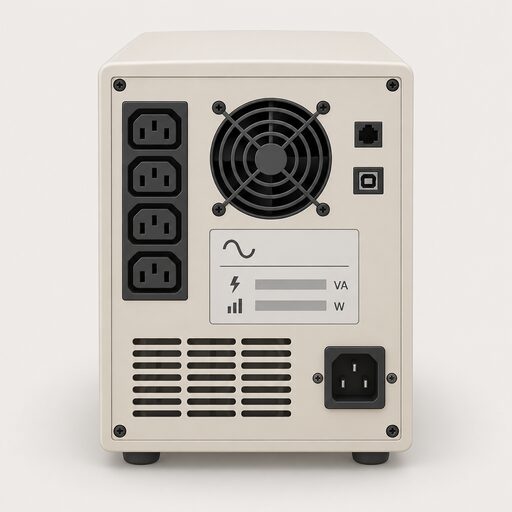 UPS Sizing ExplainedWhat size uninterruptible power supply do you need, and how long will it keep your devices running in a power cut?
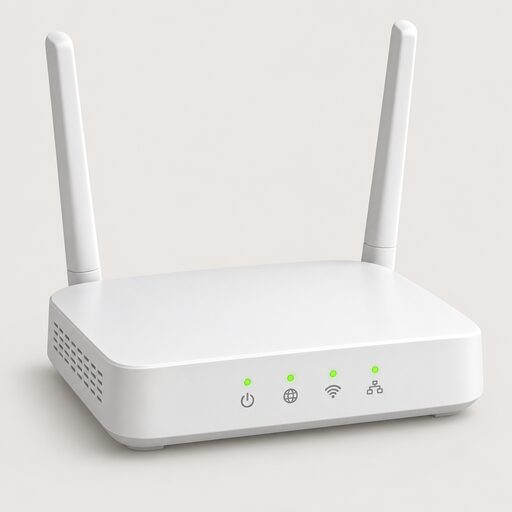 Home UPS SystemsA home UPS keeps your broadband, computer or boiler running through short power cuts and flickers, switching over instantly rather than after a second or two.
 Inverters and Inverter-ChargersIf the power goes off, what actually keeps your fridge and boiler running?
 Power Station BatteriesWhat kind of battery is inside a portable power station, and does it matter?
 All-in-One Battery SystemsA single unit holding your battery and the equipment that turns its power into usable electricity.
 Essential Loads and CircuitsWhich plugs and lights should stay on when the power goes off, and which can safely go without?