In this guide
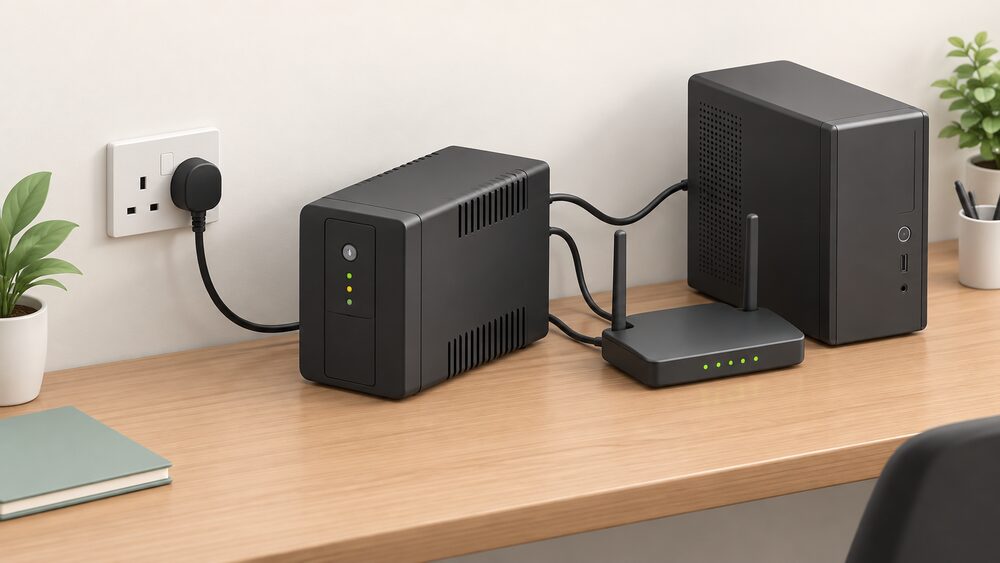
A home UPS is a small battery box that sits between the mains socket and a piece of equipment, and its job is not really to run your house. It is to make sure that a router, a computer, a network drive or a boiler controller never sees the interruption at all. Where a portable power station or a generator takes over after a second or two, a UPS transfers in milliseconds, which is the whole point of the category.
That distinction matters more than capacity. A UPS is sized for a handful of small loads and a runtime measured in minutes to a few hours, not for a fridge or a heating system. It is also the one backup device that protects against the short dips and flickers that never become a full power cut but still reboot a router or corrupt a file.
This page covers what a domestic UPS does, the loads it suits, how it differs from the alternatives, and what it does and does not do for a household's energy independence. Where a figure comes from a manufacturer it is labelled as the maker's own claim; where it comes from an official or independent body it is labelled as such.
What a home UPS does, and where a DC charger fits in
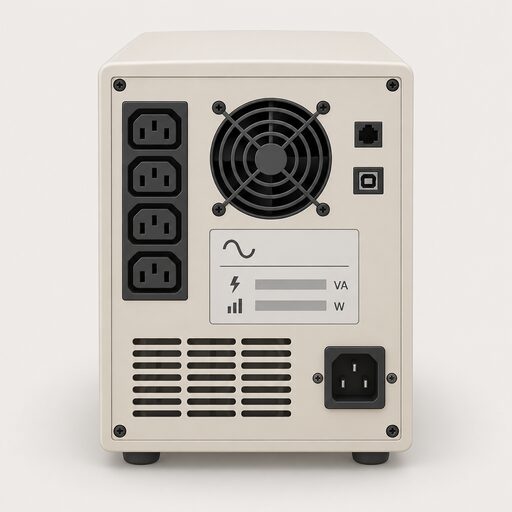
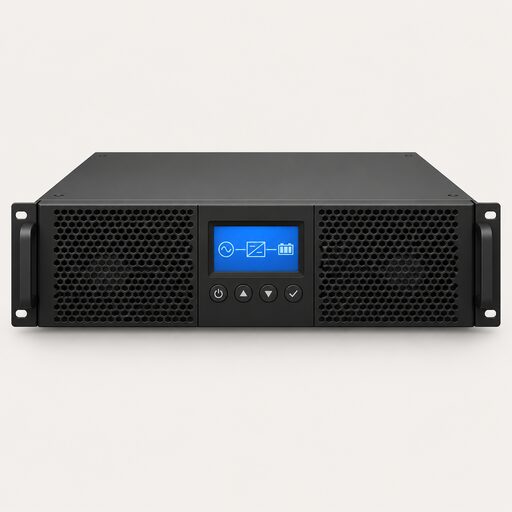
A UPS holds a battery, a charger and an inverter in one box. Under normal mains power it passes electricity through and keeps the battery topped up. When the supply fails, or when voltage drops far enough to disturb equipment, it switches to the battery and the connected device carries on without a reboot. The class of UPS determines how clean that output is and how fast the transfer happens, which is why the same VA rating can behave very differently in practice.
The loads a household actually puts on one are modest and specific. Broadband equipment is the classic case, because a router that stays up keeps the whole home connected, and there is a separate question of whether Wi-Fi survives a cut at all. Computers, network attached storage and boiler controls follow. None of these draw much, and all of them are intolerant of a sudden loss of supply.
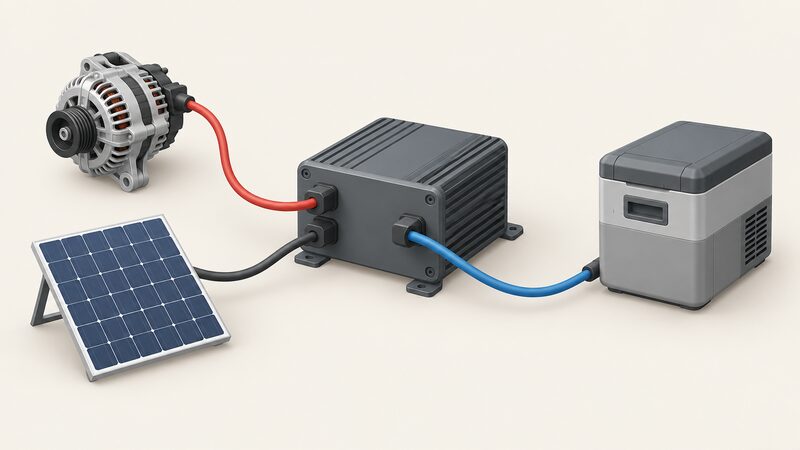
A DC charger is a different device that often gets confused with a UPS. It takes a DC input, from an alternator or a solar array, and puts power into a battery or a power station rather than protecting an AC appliance. The BLUETTI Charger 2 is an example: the maker states it offers 800W Alternator Input and 600W Solar Input, and up to 600W DC Output via a DC Hub with no extra converters needed1. That is a charging accessory for a power station, not an uninterruptible supply for a router.
The practical split is therefore straightforward. A UPS protects equipment that must not blink. A DC charger refills a battery that will later run equipment. A household building resilience usually ends up with both, plus a power station or generator behind them, and the backup power pillar sets out how those pieces fit together.

Charging power: up to 1,200 W from alternator and solar
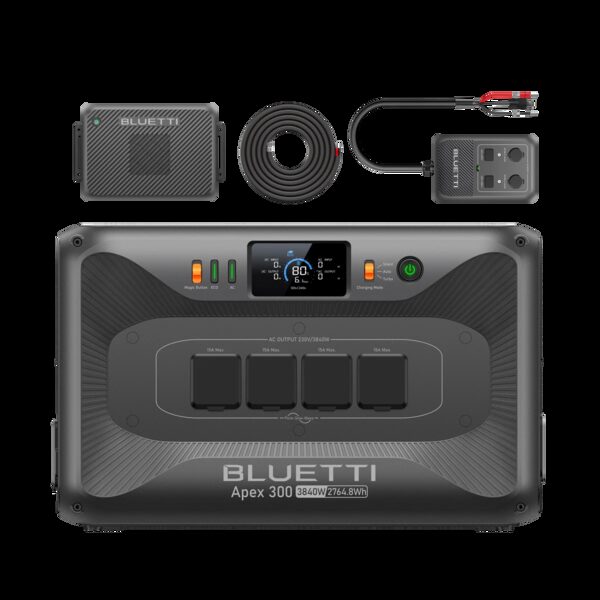
The charging side of a DC charger is where the headline numbers sit, and they are worth reading carefully because they describe input, not output. The maker's product page describes the Charger 2 as a 1,200 W Car + Solar Dual Charger, and separately states 800W Alternator Input and 600W Solar Input1. Those two figures are the individual input paths; the 1,200 W describes the charger's combined capability rather than a single source delivering that much.
For a household, the alternator input is the interesting one. It means a vehicle can act as a generator: drive, charge, return, and the power station has more energy in it than it did. The solar input does the same job from a panel array, and the two can be used together, which is the point of a dual charger. The maker states the unit is compatible with 95% of power stations, which is a maker's claim about its own product rather than an independently tested figure1.
The comparison that matters is with the rest of the market. Plug-in solar devices in the UK are capped at a maximum output of 800W on average for compliant devices, and an 800W system is described as enough for everyday appliances but not for higher-use ones, which will still need grid electricity2. A charger that accepts 600W of solar input is therefore working at a similar order of magnitude to a plug-in solar installation, but it stores the energy in a battery rather than feeding it into the home.
That is the honest framing. A DC charger is a way of moving energy from a car or a panel into a battery faster than a mains trickle charger would, and it is useful precisely because it decouples the household from a single refuelling route. It does not generate anything on its own, and it does not protect any load while it charges.
Charging speed: up to 13 times faster while driving
Speed claims in this category are always relative, and the baseline matters. The maker states that the Charger 2 charges an Elite 100 V2 to 80% in 45 minutes, describing it as a turbo charge1. That is a maker's figure for a maker's product pairing, and it is the kind of number that only holds with the right input available, in this case a running alternator or a suitably sized solar array.
The "up to 13 times faster" framing is a comparison against charging the same battery from a standard mains supply, and it is a maker's claim rather than an independent measurement. It is plausible in principle: a mains charger for a unit of that size typically draws a few hundred watts, while an alternator input can deliver considerably more. But the real-world result depends on the vehicle, the alternator's spare capacity, the cable and the state of charge of the battery being filled.
For context on what fast charging looks like elsewhere, the figures from the electric vehicle world give a sense of scale. Ultra-rapid chargepoints at 150 kW and over take 10 minutes to one hour to charge a car to 80%, and en-route points can reach 80% in as little as 20 minutes at the higher-powered units, depending on the make and model4. A domestic DC charger is operating three orders of magnitude below that, which is exactly what you would expect from a device that plugs into a car's alternator rather than a dedicated high-power supply.
The practical expectation for a household is this: a drive of an hour or two with the charger connected will put a meaningful amount of energy into a power station, and a sunny day with 600W of solar attached will do the same more slowly. Neither will fill a large battery from empty in minutes, and the maker's speed figures should be read as best-case pairings rather than everyday results.
Inputs and outputs: 800 W alternator, 600 W solar, 600 W DC
The specification is best read as three separate paths, each with its own limit. The maker states 800W Alternator Input, 600W Solar Input and up to 600W DC Output via a DC Hub, with no extra converters needed1. The DC output is the one that most often surprises people: it means the charger can feed DC loads directly rather than only filling a battery, which is useful for equipment that runs on DC natively.
| Path | Maker's stated figure | What it is for |
|---|---|---|
| Alternator input | 800W | Charging from a vehicle while driving |
| Solar input | 600W | Charging from a panel array |
| DC output | Up to 600W via DC Hub | Running DC loads without extra converters |
| Combined capability | 1,200W | The charger described as a car and solar dual charger |
The DC output figure sits alongside the UK's plug-in solar cap of 800W for compliant devices, which is the regulatory ceiling for that category rather than a product limit2. A household comparing the two should note that they are different things: one is a limit on what may be connected to a domestic supply, the other is what a charger can deliver to a DC load.
There is also a wider point about DC in the home. Most domestic backup equipment is AC, because that is what appliances expect, and the inverter stage is where losses and waveform quality matter. A DC output path avoids that conversion for equipment that can use it, which is a genuine efficiency argument, but it only helps if the load is DC in the first place. For a router or a boiler, it is not.
Compatibility: works with 95% of power stations

The maker states the Charger 2 is compatible with 95% of power stations1. That is a broad claim and it is worth understanding what it does and does not cover. Compatibility in this context means the charger's output voltage and connector suit the power station's input, so the battery can be filled from the charger without an intermediate converter. It does not mean every power station will accept the full 800W or 600W, because the receiving unit's own input limit applies.
The figure is also a reminder that this is an accessory market rather than a standards-driven one. Where a household is choosing a power station first and a charger second, the receiving unit's stated input limit is the number that governs the result. Where the charger comes first, the 95% figure is the maker's own estimate of how many units it will work with.
For a household thinking about independence, the value of a broadly compatible charger is that it does not lock the battery to one brand's ecosystem. A charger that works with most power stations means the power station can be replaced or added to without replacing the charging path as well. That is a modest but real form of resilience, and it is the opposite of the situation where every part of a system must come from one maker.
The same logic applies to the wider backup picture. A household that has a power station, a charger and a small UPS has three separate devices from potentially three separate makers, and the failure of any one of them does not take the others down. The portable power station page covers the receiving end of that arrangement in more detail.
Price: £549 list, with sale pricing to watch
The maker lists the Charger 2 at £5491. The same page shows sale pricing, and the two readings of it do not agree: one listing shows £449 against a £549 list price, and another shows £449 as a sale price with £549 as the previous price1. Both readings point to the same list figure and the same discounted figure, but which is current is unresolved, so both are given here.
| Product | Maker's list price | Notes |
|---|---|---|
| Charger 2 | £549 | Sale pricing shown at £449 on the same page1 |
| Elite 100 V2 | £599 | Sale price shown at £4691 |
| Elite 200 V2 + Charger 2 | £1,699 | Sale price shown at £1,4891 |
| Elite 400 + 350W | £2,349 | Sale price shown at £2,1991 |
For comparison, a home EV charger is a different product with a different price shape. The Ohme Home Pro is listed from £999 with installation, and the Simpson & Partners Home Series V3 from £6496. Those figures include installation and are for a fixed wall unit, which is why they sit above a portable DC charger that needs no wiring.
The wider point about price in this category is that a DC charger is a mid-range purchase between a cheap mains charger and a full home battery. It buys speed and a second charging route, not capacity. A household weighing it against a plug-in solar system should note that an 800W plug-in solar installation has a typical upfront cost of around £500 and is described as saving £110 a year, with payback within five years7. Those are different products doing different jobs, but they sit in a similar price bracket.
What owning one means for household energy independence

A DC charger does one specific thing for independence: it lets a household refill a battery from a source it controls, namely a vehicle or a solar array, rather than only from a mains socket. That is a genuine reduction in dependence on the grid for the charging step, and it is the same logic that makes plug-in solar attractive to households. UK homes already have 6.6GW of installed solar capacity, and plug-in kits producing up to 800W are now on the market8.
What remains is the dependence on the battery, the vehicle and the maker. A charger is useless without a power station to fill, and a power station is useless without something to run. The chain is only as independent as its weakest link, and the weakest link is usually the stored energy itself, which is finite and must be replenished. A household that charges from an alternator is still dependent on fuel; one that charges from solar is dependent on weather.
There is also a company dimension. A charger is a product from a specific maker, and its warranty and continued support depend on that company remaining in business and honouring its terms. Buyers should treat any maker's compatibility and speed claims as claims, and check the current status of the company and the product before relying on long-term support.
The broader context is that energy costs remain a live pressure, and support for households struggling with them is administered locally. Belfast City Council, for example, publishes a cost of living and winter support page directing residents to available help10. Against that background, any device that shifts consumption away from the grid has an appeal, but the honest accounting is that a DC charger shifts when and where energy is stored rather than reducing the total needed. It is a resilience tool, not a saving in itself.
For households thinking about the whole picture, the backup power and energy independence page sets out how storage, generation and protection fit together, and the portable power station cost page covers what the receiving end of a DC charger typically costs.
Sources10 cited
- BLUETTI Prime Summer Power Encore Sale, BLUETTI, 2026
- Plug-in solar panels, Energy Saving Trust, 2026
- Plug-in solar explained, Low Carbon Hub, 2026
- Charging electric vehicles, Energy Saving Trust, 2026
- How long does it take to charge an electric car, Zapmap, 2026
- Home electric vehicle chargers, Carwow, 2026
- How plug-in solar can save UK homes £1,100 on energy bills, Carbon Brief, 2026
- Three million households plan to get solar panels, Uswitch, 2026
- Households can save as plug-in solar panels come to market, GOV.UK, 2026
- Cost of living and winter support, Belfast City Council, 2026
 The Full Backup Power GuideHow long do UK power cuts usually last, and what can keep your fridge, heating or phone going until the power comes back?
 Maintaining Backup PowerWill your generator actually start when the power goes off?
 UPS Sizing ExplainedWhat size uninterruptible power supply do you need, and how long will it keep your devices running in a power cut?
 Backup Power and EPSWill your lights stay on when the power goes out?
 UPS Types ExplainedWhich kind of uninterruptible power supply do you actually need?
 Portable Power StationsWhat can a portable power station actually keep going in a power cut, and for how long?