
In this guide
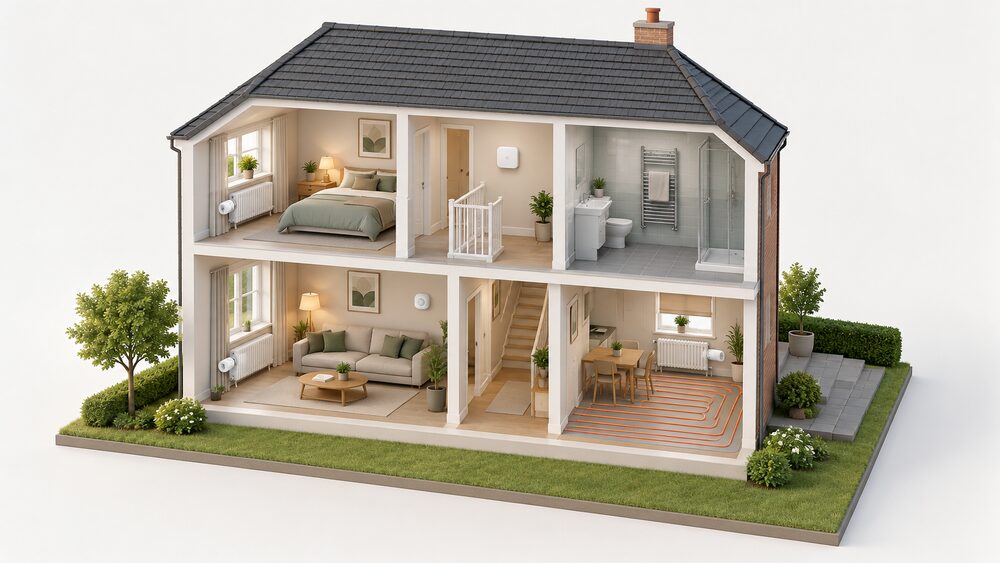
Genius Hub is a smart heating control system built around room-by-room zoning rather than a single thermostat. The maker states that it allows a household to divide its space into zones and control the heating individually for each zone, and that the app controls all rooms in the property from one device1. It is a maker product, so the descriptions of what it does come from Genius Hub itself; the surrounding rules on electrical work, temperature and savings come from official and independent sources.
The system is unusual in what it will drive. Genius Hub states that it can control a mixture of radiators, underfloor heating, wet or electric, and that it supplies control for infrared panels, small space heating, air conditioners and heaters, electric towel radiators and electric underfloor heating2. That breadth is the point: most smart thermostats assume a gas boiler and a wet circuit, while this one is designed to switch electric heaters as well.
The trade-off is that zoning of this kind is a control layer, not an energy source. It reduces waste by heating rooms when they are used, and it keeps working locally at the heater, but it does not change the fuel, the boiler or the grid connection. The sections below set out what it controls, how the temperature hierarchy works, what compatibility checks are needed, and what the reported savings actually say.
What Genius Hub is: a hub that zones a home room by room
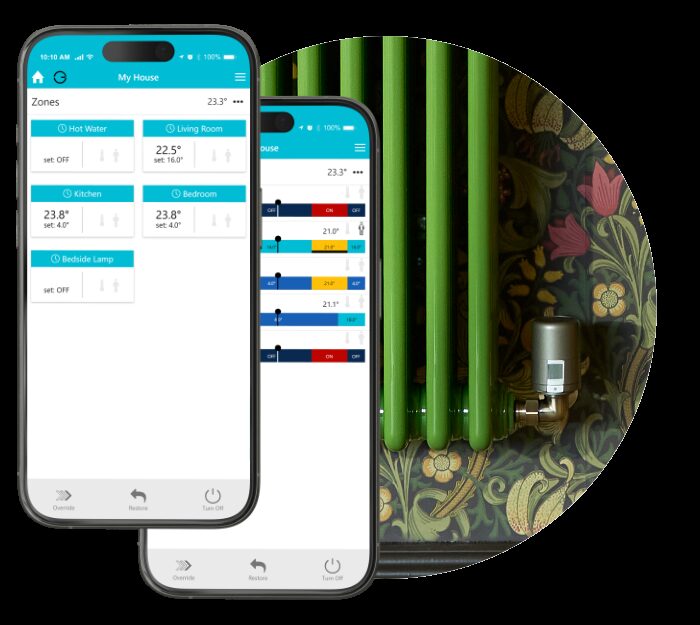
The core idea is that a house is not one temperature. Genius Hub allows a household to divide its space into zones and control the heating individually for each zone, and the app is presented as controlling all rooms in the property in one device1. That is a different architecture from a single wall thermostat with a schedule: the schedule is set per zone, and each zone can hold its own temperature at its own times.
Occupancy detection is built into the design. The system employs occupancy sensors to detect the presence of people in specific zones and automatically adjust the heating based on occupancy levels1. In practice that means a room can be allowed to fall back when nobody is in it and brought up when someone arrives, without the household managing it manually.
Scheduling runs in what the maker calls Sense mode, a 7-day schedule with heating periods that include a start time, an end time, a temperature, and whether the period switches on regardless or only when someone is in the zone1. The system also offers intelligent scheduling, allowing customised heating schedules for each zone with different temperatures for different times of the day, days of the week, or specific events1. The view, names and number of devices can be customised in the app1.
For a household, the independence question is straightforward. The zoning logic and the schedules sit in the hub and the app, and local control at the heaters can be locked out and replaced with a press-to-boost button next to the heater using an Electric Switch or Electric Relay2. That keeps basic operation in the home. Remote access, app updates and any cloud features remain a manufacturer dependency, in the same way as any connected control system. The wider picture of local versus cloud control is set out in heating controls and energy independence.
What it controls: radiators, underfloor, electric heaters and more
The supported list is wider than most smart thermostat systems. Genius Hub states that if a household has a mixture of radiators, underfloor heating, wet or electric, it can control it all, and that it supplies control for infrared panels, small space heating, air conditioners and heaters, electric towel radiators and electric underfloor heating2. That makes it a candidate for homes with a mix of systems, which is common where an extension has electric underfloor and the main house has radiators.
Air conditioning is handled as a switching problem rather than a replacement. Genius Hub states that it can interface with existing air conditioning to automatically turn it off when rooms are not used or when a room is being heated2. Control of existing heaters can be managed from a computer or the smartphone app, with no requirement to change the heaters themselves2. That last point matters for cost and for disruption: the heaters stay, and the control changes.
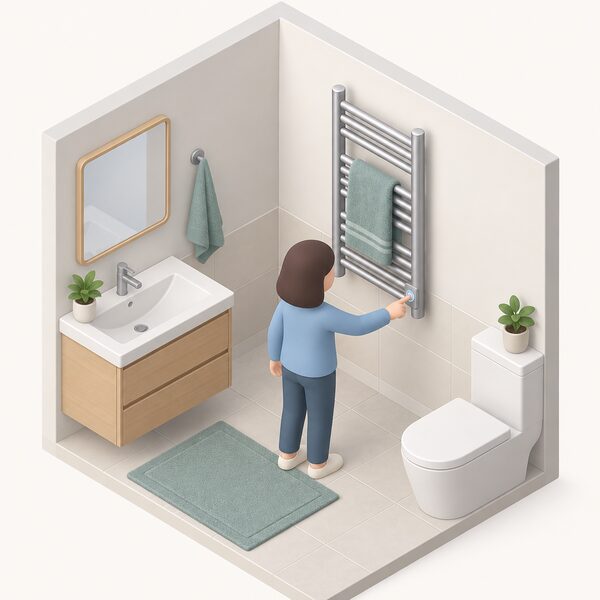
Towel rails get a choice of treatment. They can be controlled either on/off with a simple push-to-heat button, or a room can be controlled to a temperature2. That is a useful distinction in bathrooms, where a rail is often wanted for drying rather than for comfort heating.
| What is controlled | How Genius Hub handles it |
|---|---|
| Radiators, wet underfloor | Controlled as part of a mixed system2 |
| Electric underfloor | Powered Room Thermostat, suitable only for electric underfloor heating2 |
| Infrared panels, small space heaters | Control supplied by the maker2 |
| Air conditioning | Interfaced to switch off when rooms are unused or being heated2 |
| Electric towel radiators | On/off push-to-heat, or room controlled to a temperature2 |
| Storage heaters | Compatibility checked by make and model on request2 |
The breadth has a limit worth stating plainly. Each of these is a switching or thermostat function, and the system does not change how the heat is generated. A storage heater still charges on its own tariff and a gas boiler still burns gas. What changes is when each one runs. Controls for the electric side specifically are covered in electric heating controls and storage heater controls.
How zoning works: one zone per room, with valves, thermostats and sensors
Zoning is not a Genius Hub invention, and the independent guidance on it is consistent. The Energy Saving Trust states that if a household wants to heat different rooms at different times of the day, zone controls do this automatically, using separate programmable heating circuits for different parts of the house4. BEAMA, the trade body for electric heating, states that each room can be treated as a separate zone and so can be controlled individually5. NICEIC makes the same point for underfloor, noting that zoning allows control of the temperature of individual rooms, and that smart, programmable thermostats can keep a home heated on a schedule to help minimise bills6.
In a wet system, a zone is created physically: a motorised valve or a manifold actuator isolates a circuit, and a room thermostat or a smart radiator valve decides when that circuit runs. In an electric system, the zone is created by a switched spur or relay at the heater. Genius Hub's contribution is to put both kinds under one schedule and one app, with occupancy sensors feeding the decision1.
The practical consequence is that the number of zones is a design choice, not a fixed feature. A two-bedroom flat might run three zones; a large house with a basement, an annexe and a converted loft might run a dozen. Each zone needs its own sensing and its own switching, which is where the cost and the wiring sit. The general principles are covered in heating zoning and the wiring side in heating control wiring.
"the use of zoning, which allows you to control the temperature of individual rooms, and smart, programmable thermostats can keep your home heated on a schedule to help minimise bills"
Temperature hierarchy: which device decides the room temperature
Where several devices can call for heat, something has to take precedence. The conventions used in UK energy modelling give a rule for the secondary heating case: if there is more than one secondary heater, select the device that heats the greatest number of habitable rooms7. That is a modelling convention rather than an installation rule, but it reflects the practical problem: a room with a radiator, an electric panel heater and a towel rail has three possible sources and needs one decision.
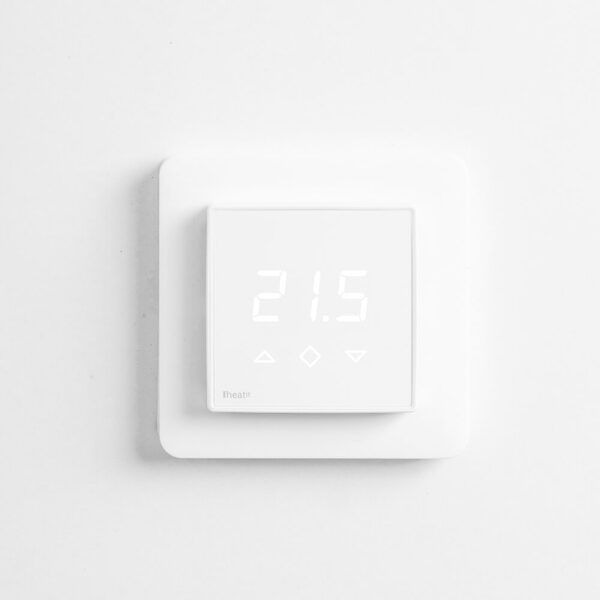
Genius Hub's approach is to make the zone the decision point. The zone holds a target temperature and a schedule, the occupancy sensor can override the schedule, and the individual heaters are switched to meet the zone's demand1. Where a household wants a visible local control, an easy-to-read wireless room thermostat can be added on a wall in the room for more local control2. That gives the occupant a dial or display without giving up the zone logic.
Override mode is the mechanism for temporary change. It is used to temporarily modify the temperatures or on/off state of a zone, with the previous mode and schedule restored automatically once the override expires1. That is a per-zone function, so a change in one room does not disturb the rest of the house.
The health guidance sits alongside this. Independent advice is to heat occupied rooms to at least 20°C for households with health issues, elderly people or young children8. A zoning system can hold different rooms at different temperatures, but that figure is the floor for the rooms people are actually using. Room-by-room targets are set out in what temperature should each room be.
Sizing and suitability: larger homes, HMOs and commercial properties
Zoning pays back where there are rooms that are used at different times, or rooms that are not used every day. That describes larger homes, houses with annexes or converted lofts, and properties with more than one household under one roof. The official guidance on behind-the-meter energy systems covers domestic and commercial buildings9, so the same control approach applies across both.
Scale brings its own rules. In Scotland, the building standards technical handbook defines a relevant building as including a dwelling10, and the energy efficiency provisions scale with size: for building work in dwellings of over 1000m2, consequential improvements may be required to improve the energy efficiency of the dwelling11. That is a threshold most homes never reach, but it shows how the regulatory framework treats larger properties differently.
For houses in multiple occupation and small commercial premises, the control requirement is usually about per-room temperature and per-room billing rather than comfort alone. The system's per-zone scheduling and override functions map onto that need1, and the ability to lock out local control and replace it with a press-to-boost button2 is relevant where a landlord wants to limit what occupants can change.
Two practical constraints apply. First, the number of zones is limited by the wiring and the number of switched circuits that can be provided, which is a property-by-property assessment. Second, any structural or electrical alteration may need consent: householder planning consent covers extensions12, and electrical alterations have their own building regulations route13. Where a property is in the social rented sector, electrical safety rules for landlords are tightening, with Electrical Safety First reporting that millions of social renters are to be protected from electrical faults as new laws come into force14.
Compatibility: checking your boiler, valves and underfloor wiring centre
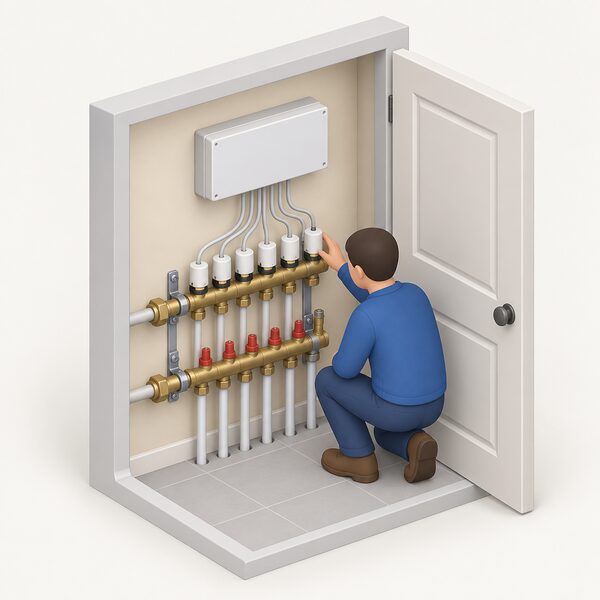
Compatibility is the step that decides whether the system can be fitted at all, and it has three parts: the heat source, the valves, and the wiring centre.
For heaters the maker does not list, the instruction is explicit: contact Genius Hub with the make and model so that compatibility can be checked2. That applies particularly to storage heaters, where the charging behaviour and the control input vary between models and ranges. Nothing should be assumed from a similar unit.
For radiator valves, the wider market rule is the constraint. Independent guidance states that most smart radiator valves will not work with another manufacturer's smart thermostat and connecting device, so the valves and the hub need to come from the same system15. A household with existing smart TRVs from another brand should expect to replace them, or to run the two systems separately.
For underfloor, the wiring centre is the interface. NICEIC notes that underfloor heating is often installed in combination with a heat pump and works with all types of heating systems6, so the control choice follows the heat source and the manifold rather than the floor construction. Genius Hub states that its Powered Room Thermostat is suitable only for electric underfloor heating2, which is a specific pairing rather than a general purpose room thermostat. The manifold and wiring centre side is covered in underfloor heating controls.
Installation: electrician, DIY and rented homes
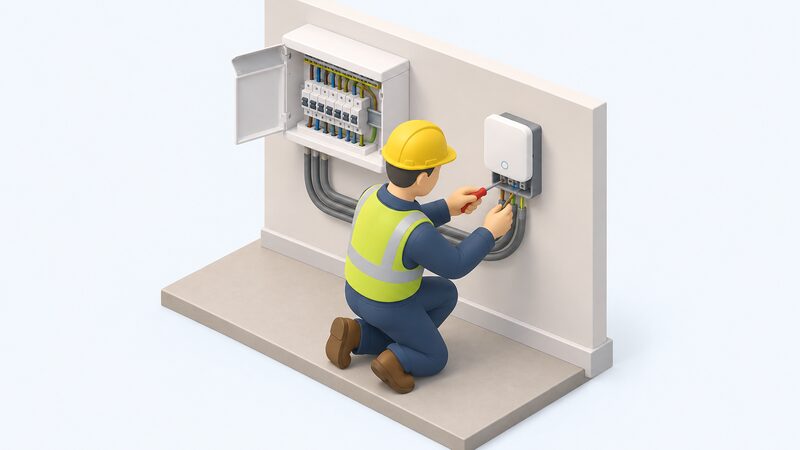
The maker's position on installation is permissive but qualified. Genius Hub states that it advises using a qualified electrician to do any electrical work in the property, while describing the kit as possible for a DIYer to install if they are electrically competent2. Those two statements sit together: the low-voltage and plug-in parts are within reach of a competent householder, and anything involving fixed wiring is not.
Official guidance points the same way. It recommends hiring an installer who is registered with a competent person scheme, who can self-certify that the work meets the required standards13. That route avoids a separate building regulations application for the electrical work. Where a household connects its own generation, independent guidance states that this must be done by a qualified professional16, which is a useful marker of where the DIY boundary sits in a home energy system.
For landlords, the standard is firmer. Electrical Safety First recommends landlords use a qualified electrician, competent in electrical installation safety inspections, who is registered with a competent person scheme14. Registered technicians can be found through trade registers such as OFTEC's search, which covers installation work as well as commissioning, servicing, design, inspections and repair17, and through the Energy Saving Trust's renewables installer finder18.
In a rented property, the maker states that a householder may have to check with their landlord, depending on the terms of the contract2. That is the whole of the published position. Any change to wiring, valves or heaters is a modification to the landlord's property, so the tenancy terms govern what is permitted. The rented-sector picture is covered in heating controls in rented homes.
Reported savings and how it compares with Nest, Hive and Tado
The savings figures in this market come from different methods and are not directly comparable. Genius Hub states that people generally save between 42% and 64% when installing the system onto existing heating systems2. That is a maker's claim, and it is far above the independent figures for comparable products.
Independent reporting puts the competing claims in context. tado says a household can save up to 31% a year using its smart heating, and Google says that Google Nest users in the UK have saved between 8.4% and 16.5% a year3. A study by tado found that its users saved an average of 22% on their energy bills thanks to their scheduling features19. Those are three different numbers from three different sources, and the gap between a claim and a measured average is the point.
The wider evidence on controls and savings is mixed. BEAMA cites immediate energy bill savings through greater storage efficiency as a benefit of the technology20. A hybrid heating demonstration project found that households reduced their actual gas consumption by 75%, much higher than the 55% calculated gas savings21. Against that, the Warm Homes Nest scheme in Wales has modelled average bill savings of £595 per year for 2023 to 202422 and £300 per year for 2021 to 202222, with more modest savings achieved in urbanised areas such as Newport (£184) and Denbighshire (£202)23. The scheme's standard service was estimated to save households around £570 per year in 2024 to 202524.
The honest reading is that zoning saves where there are rooms that would otherwise be heated unused, and the saving scales with how much of the house is normally empty. A household already heating only the rooms it uses has less to gain. The evidence base is set out in do heating controls save money, and the comparison pages for the main alternatives are at Nest vs Hive, tado vs Hive and tado vs Nest.
Where the system has limits
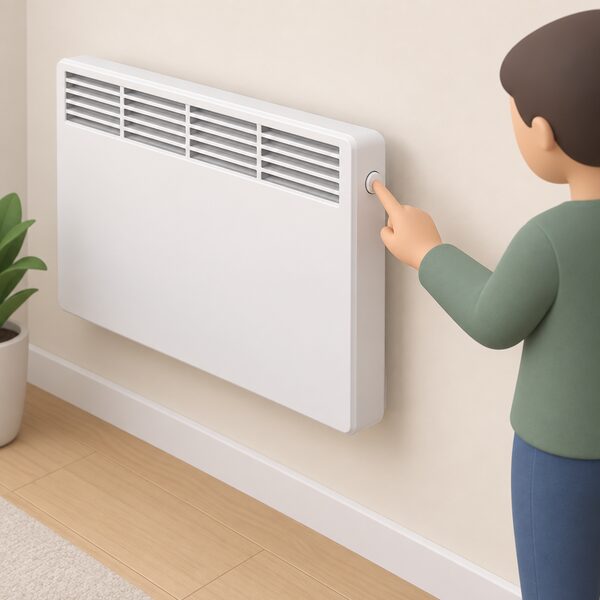
Three limits are worth stating before any purchase. The first is that zoning is a control layer: it changes when heat is delivered, not how it is generated, so a gas boiler still runs on gas and a storage heater still charges on its tariff. The second is that the breadth of supported devices is a maker's list, and anything not on it needs a compatibility check by make and model2. The third is that the longest schedules and the remote features depend on the hub, the app and a home network, while local control at the heaters can be preserved with a press-to-boost button2.
There is also a documentation point. Genius Hub published a known bug list for its V6 Beta app on 6 December 2024, a second version on 11 December 2024, and an update on 17 February 2025. A household buying into a beta app should expect that behaviour to change. The general questions of app dependence and product support are covered in smart heating control security and data and smart thermostat subscriptions.
For a household weighing independence, the position is this. Genius Hub keeps the zoning logic and the local switching in the home, and it can drive electric heaters directly, which is more than most smart thermostats manage. What remains is a dependence on the manufacturer's hub and app for scheduling and remote access, on a home network for anything off-site, and on the compatibility of each heater in the house. The fuel and the grid connection are unchanged. The wider context is in heating controls.
Sources24 cited
- The Genius Hub App, Genius Hub, 2025-11-13
- Electric Heating, Genius Hub, 2026-07-17
- Smart thermostats: can you save what the companies claim, Which?, 2021-12-22
- Thermostats and heating controls, Energy Saving Trust, 2026-02-10
- Electric space heating, BEAMA, 2026-09-19
- Underfloor heating system, NICEIC, 2026-09-17
- RDSAP Conventions v12, BRE Group, 2025-05-15
- No cost and low cost energy saving advice, Low Carbon Hub, 2026-08-05
- Behind meter energy systems guidance, Welsh Government, 2026-06-29
- Building Standards Technical Handbook, Domestic (April 2026), Scottish Government, 2026-03
- Approved Document L, Volume 1: Dwellings, HM Government, 2026
- Householder planning consent, Planning Portal, 2026-09-17
- Do I need building regulations approval for alterations to or installation of electrics, Planning Portal, 2026
- Millions of social renters to be protected from electrical faults as new laws come into force, Electrical Safety First, 2026-09-19
- Best smart radiator valves, Which?, 2026-09
- Emergency power cuts, Electricity North West, 2026-09-19
- Find an OFTEC registered technician, OFTEC, 2026-09-17
- Renewables Installer Finder, Energy Saving Trust, 2024-01-04
- The best way to run your central heating to save money, ivie, 2026-09-20
- What should I do? Accelerating heat electrification by providing customer choice, BEAMA, 2025-09-22
- The Future of the Gas Network: Recommendations for Hybrid Heating, Cadent Gas, 2025-04
- Tackling fuel poverty: priority actions, Welsh Government, 2023-04
- Outcome summary: tackling fuel poverty 2020 to 2035, Welsh Government, 2021-03-02
- Warm Homes Nest scheme annual report 2024 to 2025, Welsh Government, 2024-10-01