In this guide
GEO, or Green Energy Options, is a UK-based energy analytics company. It is the firm behind the Appliance Tracker used by one mobile energy app, and it is the company the Data Communications Company has worked with on the SeeZero home energy management system, which uses automation and intelligence to take effort out of greener choices1. GEO's name also appears as the operator of Core4Grid, described as run by "energy smart specialist, geo"3.
For a household, the practical question is what a GEO energy monitor does that a smart meter and its in-home display do not. The answer is narrower than the branding suggests. A home energy monitor mainly tracks electricity use, is usually bought privately at your own cost, and does not automatically send meter readings to an energy supplier4. A smart meter, by contrast, can be installed by your energy supplier at no extra cost and does that job itself5.
GEO: the company behind the home energy monitor
GEO is best understood as a supplier-facing analytics business rather than a consumer brand with a shopfront. Its Appliance Tracker is run as a third-party service inside another company's app, described as run by "a third-party, UK-based energy analytics company called GEO (Green Energy Options)"1. That placement matters: the household meets GEO's software through an energy app, not through a GEO-branded retail product.
The company's more recent work is in home energy management. The DCC, which runs the smart metering communications network, states it is "currently working with Green Energy Options (GEO) on its SeeZero home energy management system", and describes the purpose as taking away "a lot of the effort for consumers wanting to make greener choices" through automation and intelligence2. That is a shift from display hardware towards automated control.
GEO's name has also appeared in the flexibility and storage side of the market. It is identified as the operator behind Core4Grid, an energy smart specialist3, and it appears in a 2018 newsletter item about OVO launching a home energy storage product8. Those are older or adjacent activities rather than current household products, and they show a company working across monitoring, aggregation and control rather than selling one box.
For a household, the independence question is straightforward. A GEO monitor or app gives visibility of electricity use, but the data path runs through a supplier's app, a manufacturer's platform or an aggregator. The measurement is local; the service around it is not.
What a GEO energy monitor does
A home energy monitor measures electricity consumption in the home and presents it, usually in near real time. Independent guidance is clear that the scope is electricity: "You can only get energy monitors for electricity, not for gas"7. That single limit shapes everything else, because gas heating and hot water, the largest share of most UK household energy bills, sit outside what a monitor of this kind can see.
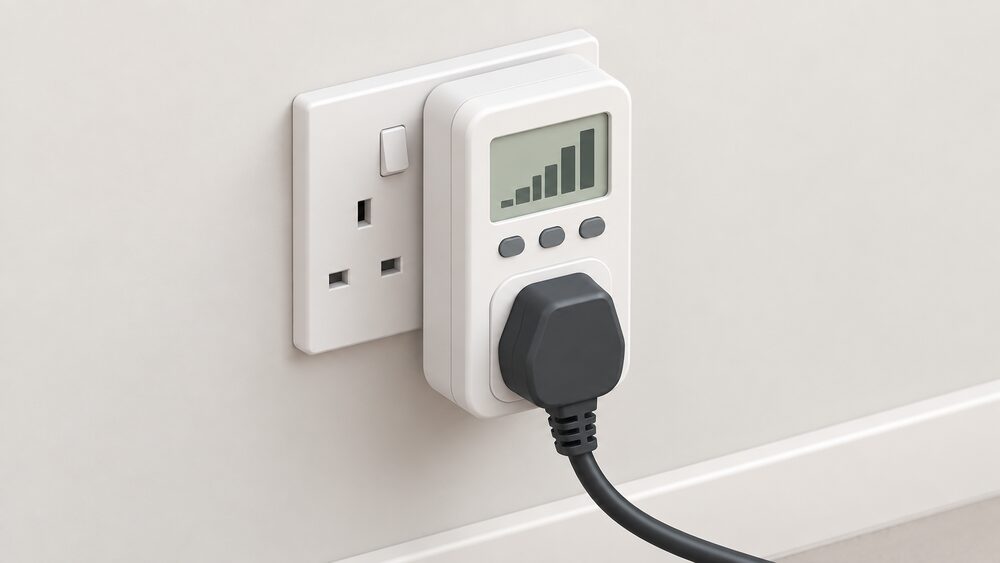
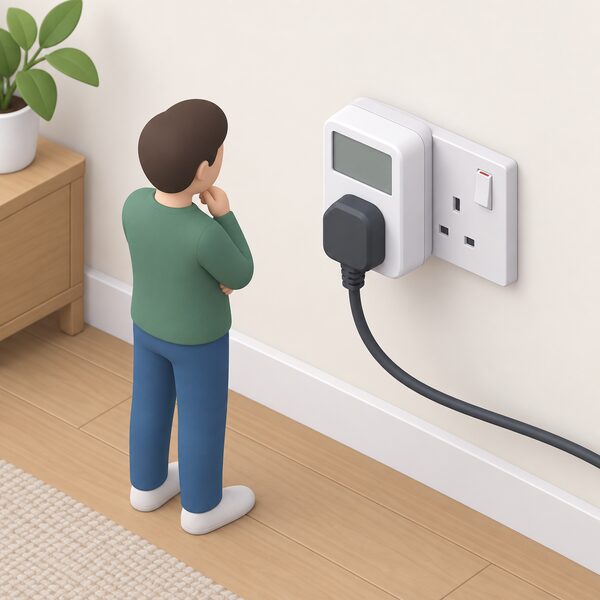
The measurement method for the simplest type is direct. The monitor plugs into a wall socket and the appliance plugs into the monitor; to measure several devices at once, each device goes into an extension lead and the lead goes into the monitor7. That gives an accurate reading for whatever is plugged in, and nothing else. Whole-house versions use a different method, sensing current on the supply cables, and are covered in more detail under home energy monitors.
What a monitor cannot do is the part households most often assume it can. Independent guidance states plainly that a home energy monitor "does not replace a smart meter because it cannot au"tomatically send meter readings to your energy supplier4. Energy monitors and smart thermostats are "not linked to your energy accounts and don't send any information to your energy suppliers"9. A monitor is a private measuring instrument, not a metering point.
"No. A home energy monitor can help you track electricity use, but it does not replace a smart meter because it cannot au"
Built-in energy monitoring: what GEO-DRY offers
Built-in monitoring means the sensing and display sit inside the product rather than arriving as separate accessories. The advantage is fewer parts and fewer failure points; the trade-off is that the specification is fixed at purchase.
Independent testing advice on what to look for in a monitor is a useful benchmark for any built-in design. Which? recommends "proper calibration that pr"oduces consistent readings, a built-in display, and the ability to input your energy unit price directly into the monitor7. A built-in display matters because it removes the phone from the loop: the figure is visible on the device itself.
GEO's hardware in this space includes the Energy Meter, which carries a "Local LCD display, RS485 communication"10. The local LCD is the on-device readout; RS485 is a wired communications standard used to pass data to other equipment rather than to a cloud service. That combination points to installation in a system rather than a plug-in consumer gadget.
The wider GEO product family has moved towards management rather than display. SeeZero is described as a home energy management system whose automation and intelligence take away effort for consumers wanting greener choices2. Monitoring is the input to that automation, not the end product.
What the display shows and how to read it
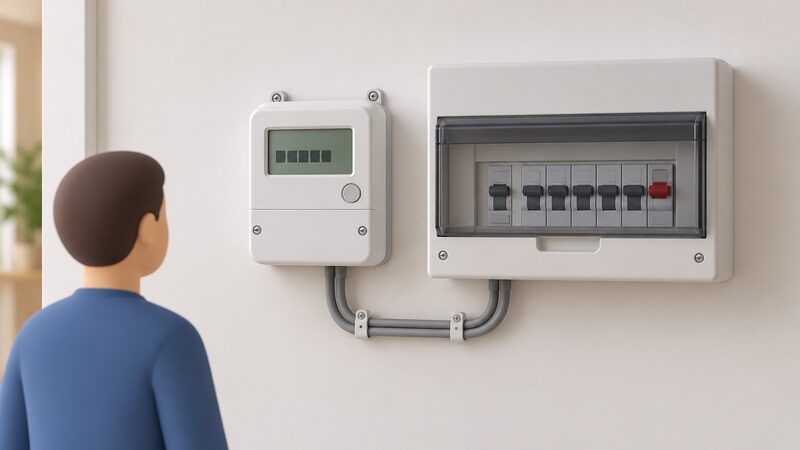
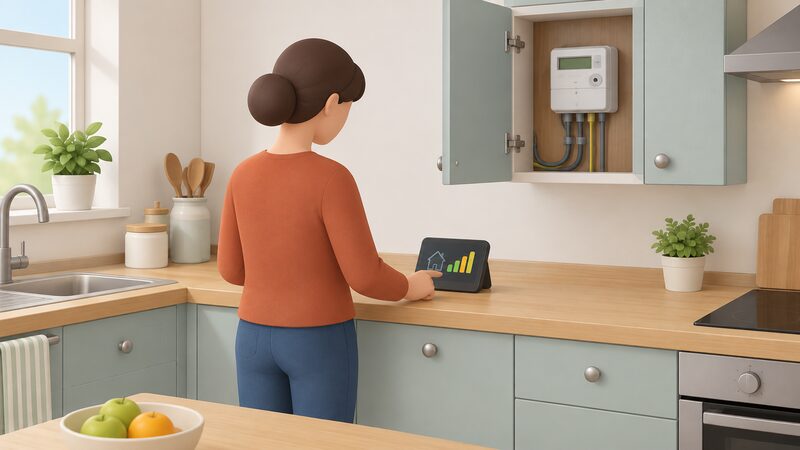
An in-home display of the kind supplied with a smart meter shows "how much electricity and gas you're using, in near-real time" and what it costs at your unit rates11. It breaks that down by period: "how much gas and electricity you use and how much you spend on energy for each hour, week and month"12. It also gives "updates about how much electricity you use, as you use it"12.
The features are consistent across sources. An in-home display is "a separate wireless touchscreen device that provides users with historical and current energy use in near real-t"ime, including costs, tariff details and prepayment information9. Users can "see your historical energy use", "set a budget", "show meter readings" and "see your tariff information"13. The display shows energy use and cost on a daily, weekly or monthly basis14.
| What the display shows | Detail | Source |
|---|---|---|
| Live use | Electricity and gas in near real time | 11 |
| Cost | Spend at your unit rates | 11 |
| Periods | Hour, week, month | 12 |
| History | Historical energy use | 13 |
| Budget | Set a spending budget | 13 |
| Tariff | Tariff information | 13 |
Reading it well means watching for steps rather than averages. A whole-house figure that jumps when a heating element or motor starts tells you a large load is running, even without naming it. The display is a feedback loop, and its value depends on what the household does with the number.
Where the monitor fits in a home energy setup
A standalone monitor sits alongside, not instead of, the metering and communications already in the home. Smart meters do not need home wi-fi to work, and the in-home display is not connected to the internet either, so they function in homes without broadband15. Sending a meter reading does not require an internet connection, because smart meters use the DCC's secure, standalone network6. A household with a smart meter therefore does not need to submit meter readings at all16.
That architecture is the reference point for any add-on monitor. A plug-in monitor is "not included in the programme", and is usually purchased separately, with a few suppliers giving one free on specific tariffs as the exception rather than the norm7. Smart meters themselves "don't work through your internet connection, they use their own secure system to connect to your supplier a"nd the display17.
Where a monitor adds something is granularity and speed. A smart meter monitor shows electricity and gas use and cost in real time13, and near real time data lets a household see exactly how much energy is being used18. A third-party monitor may offer more detailed electricity insights depending on the system4. For households building a wider setup, the choices are set out under home energy management systems and smart plugs and appliance monitoring.
Cost, installation and running considerations
The cost picture splits cleanly between the two device types. A smart meter and its in-home display can be installed by your energy supplier at no extra cost5, and the DCC repeats that "You can get a smart meter installed by your energy supplier at no extra cost"6. A standalone monitor is different: "Again, you may have to pay for this device, and the installation"5. Home energy monitors are "usually bought privately at your own cost, and some may need to be set up by an electrician"4.
Prices for the simplest monitors are low. Cheap energy monitors can be found for less than £10, though Which? advises checking that a cheap model has all the recommended features before buying7. Running costs are less predictable: "Some wireless energy monitoring devices may also require subscription apps or additional accessories depending on the ma"nufacturer4. That is the recurring cost risk in this category, and it is covered further under app subscriptions and cloud dependence.
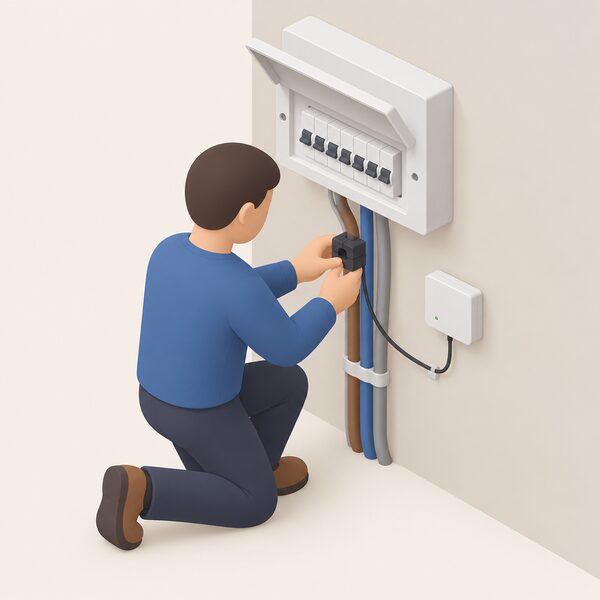
Installation depends on the device. A plug-in monitor needs no tools. A whole-house monitor that senses current on supply cables, or a meter wired into a system over RS48510, is electrical work. Independent guidance notes that some monitoring devices may need to be set up by an electrician4.
How monitoring supports household energy independence
Monitoring contributes to independence in one specific way: it replaces estimated consumption with measured consumption. A household that knows what it uses, and when, can size a solar array, a battery or a heat pump against real data rather than a rule of thumb. That is the same logic behind using energy data to size a system.
The limits are as important as the benefit. A home energy monitor "mainly tracks electricity use in your home, b"ecause gas is outside its scope4. Some third-party monitors "may offer more detailed electricity insights, depending on the system"4, but the fuel boundary does not move. A household heating with gas therefore sees only part of its energy picture, however good the electricity data.
There is also a behavioural caveat that applies to every monitor. Independent guidance warns that seller or manufacturer claims that a monitor saves energy and cuts bills should be treated with scepticism, and that "Simply buying and plugging in an energy monitor won't automatically reduce your bills"7. Smart meters do not reduce energy bills automatically either, though they can help carers understand usage patterns more clearly15. The device supplies information; the reduction comes from what is done with it.
For a household pursuing independence, the honest position is that a monitor is an instrument, not a supply. It does not generate, store or shift a single unit of energy. It changes what the household knows, and knowledge is the precondition for every other decision about smart meters and energy independence.
Limitations of a standalone energy monitor
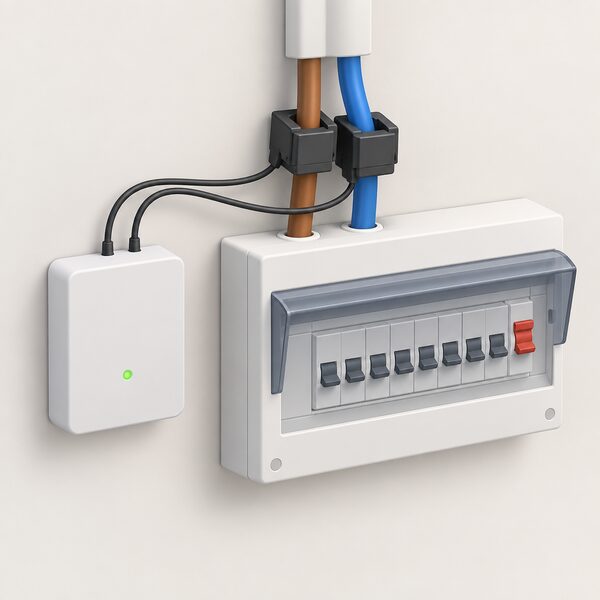
The first limit is fuel. Electricity only, not gas7. The second is metering status: a monitor is not linked to your energy accounts and sends nothing to your supplier9, so it cannot replace a smart meter or remove the need for one. The third is that it does not name appliances. A whole-house reading shows a step when a large load starts, but identifying which appliance caused it needs a plug-in monitor on that socket or circuit-level sensing.
The fourth limit is the export side, which matters to households with generation. Feed-in Tariff export payments cannot be made where individual total installed capacities on a site are greater than 30kW and no export meter is present22, and deemed export eligibility requires installations of 30 kilowatts or less without an export meter fitted23. Those thresholds sit far above a domestic array, but they show that metering arrangements, not monitors, govern payments. More detail is under export metering and export limitation.
The fifth limit is support. If a monitor supplied with a smart meter stops working, "If yours stops working, it won't affect your smart meter"11. That is reassuring for metering and unhelpful for the monitor: the household loses the display without losing the meter, and replacement is a supplier or manufacturer matter. Ofgem directs problems with a faulty meter or poor customer service to the energy supplier18, and unresolved complaints to the Energy Ombudsman24. For households in Northern Ireland, NI Energy Advice can be reached at nienergyadvice@nihe.gov.uk25.
Sources25 cited
- Appliance Tracker FAQs, Uswitch, 2026-09-20
- How smart can a smart meter be in the connected home, Smart DCC, 2024
- PAS 1878 and PAS 1879, Flexi-Orb, 2021-08-17
- Smart meters vs home energy monitors, Smart Energy GB, 2026-08-17
- Do I already have a smart meter, Smart Energy GB, 2026-03-16
- How to get a smart meter, Smart DCC, 2026
- Are energy monitors the best way to measure your power usage, Which?, 2026-03-31
- RECC Newsletter April 2018, RECC, 2018-04
- How do you know if you have a smart meter, Smart DCC, 2026
- Energy Meter, Deye, 2026-09-17
- Smart meter installation, Which?, 2026-02-26
- What is a smart meter: easy read, Smart Energy GB, 2026-03-16
- How to use your smart meter data, Which?, 2026-07-14
- Understanding smart meters, National Energy Action, 2026-04-21
- Smart meters and carers, Smart Energy GB, 2026-08-19
- Get help with your smart meter, Ofgem, 2026-09-17
- How do smart meters save energy, Smart DCC, 2026
- Complain about your energy supplier or network operator, Ofgem, 2026
- Optimised Retrofit Programme 3 guidance 2022 to 2025, Welsh Government, 2022-10-25
- Energy Company Obligation: homeowners and tenants, Ofgem, 2026-09-17
- ECO4 Flex and GBIS Flex information document, Ceredigion County Council, 2025-11
- FIT Guidance for Licensed Electricity Suppliers V17.1, Ofgem, 2024-09-06
- Key terms explained: Feed-in Tariffs, Ofgem, 2026-09-17
- Complain about your energy supplier, Ofgem, 2026
- NI Energy Advice, Northern Ireland Housing Executive, 2026-09-17