
In this answer
Short answer
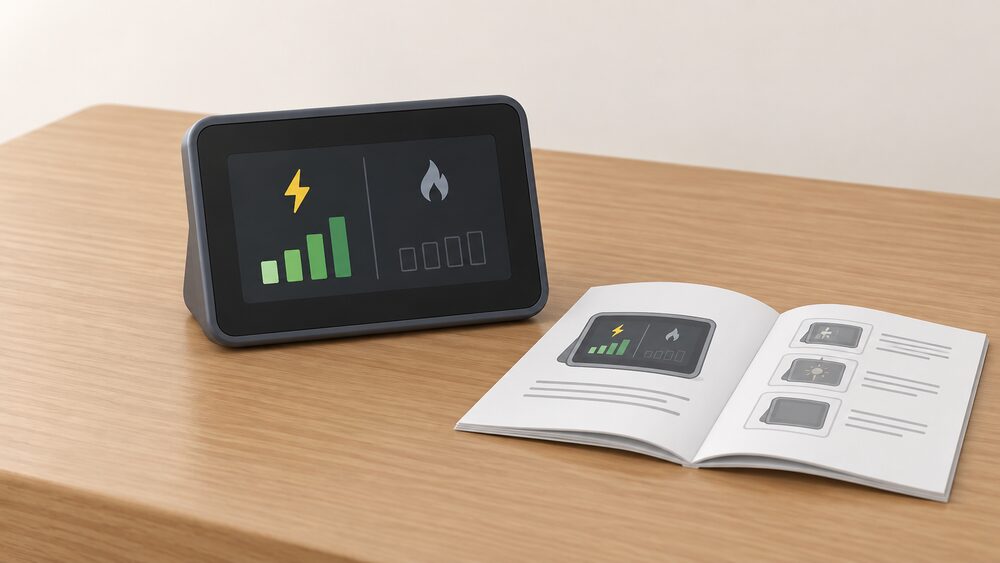
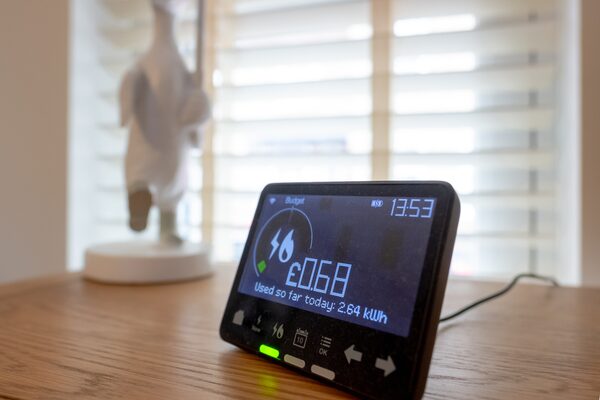
An in-home display (IHD) is a small portable screen that connects wirelessly to your gas and electricity smart meters, showing in near real time how much of each fuel you are using and what it costs1. When the electricity figure is there but the gas figure is not, the display itself is rarely the fault. The two readings travel by different routes and at different speeds.
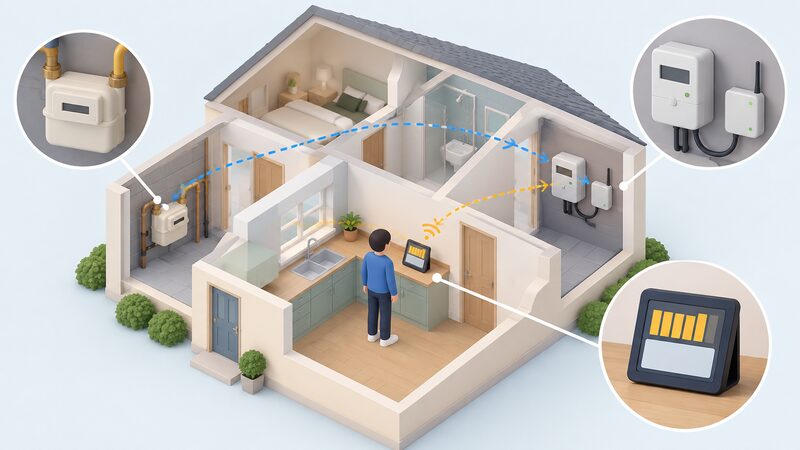
Electricity usage is updated every 10 seconds and gas usage every half an hour3. Gas readings are usually relayed through the electricity smart meter rather than sent directly to the national smart meter network, and the communications hub that carries them is typically situated within or near the electricity meter4. If the gas meter is too far from that hub, it may not be able to communicate with it, and the gas figure never arrives5.
Why an IHD shows electricity but no gas: the short answer
The display is a receiver, not a meter. It shows energy bought from the supplier, and it cannot record information itself; it simply displays data from your smart meter3. That distinction matters, because a missing gas figure tells you something about the chain between the gas meter and the display, not about the display's own health.
The two fuels are not treated equally in the system. Electricity data is generated at the electricity meter, which is where the communications hub normally sits, so the path to the display is short. Gas data has to cross from the gas meter to that hub first. Where the crossing fails, the display keeps showing electricity and simply has nothing to show for gas.
There is also a timing difference that can look like a fault. Gas usage refreshes every half an hour, so a display checked immediately after a shower or a heating cycle may not have caught up3. A gas figure that appears late is normal; a gas figure that never appears is not.
Some homes will never show gas at all, and that is correct rather than broken. Homes that do not have a gas supply from the main grid will not have a gas smart meter, so there is no gas reading to display2. If the property is heated by oil, LPG or electricity, the absence of a gas figure on the display is expected.
How gas data reaches the display: the meter-to-IHD chain
The chain has four links: the gas meter, the communications hub, the electricity meter and the display. The gas smart meter usually sends readings via the electricity smart meter in your home, rather than directly to the national smart meter network4. The hub, which is typically situated within or near the electricity meter, is the point where the home's meters meet the wider network5.
The display sits at the end of that chain and does one job. It monitors and displays your energy use in near real time, and it shows gas and electricity use in pounds and pence9. It does not need wifi to work, and it does not need your broadband connection2. That is worth stating plainly, because a household troubleshooting a missing gas reading often starts by checking the router, which is not part of the path.
Because the display is paired to the meters in a specific property, it is not a portable device in the sense of moving with you. Guidance is to leave the display behind when moving house, because it is paired with the meter in that property and will not normally work in a different property6. A display carried to a new address will not pick up the new home's gas meter.
"The communications hub is typically situated within or near to the electricity meter. If the gas meter is too far away i"
Common causes: signal distance, pairing and meter communication
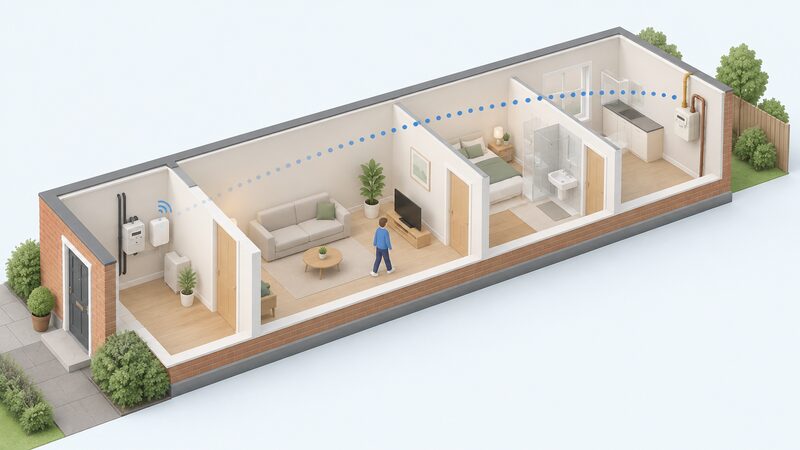
Distance is the best-known cause. If the gas meter is too far from the communications hub, it may not be able to communicate with it5. This is a structural problem rather than a settings problem: in flats, in larger houses, and where the gas meter sits in an outbuilding or a basement far from the electricity intake, the radio link between the two can simply fail to hold.
The industry recognised this and developed a solution to the problem of meter signals not reaching in-home displays in properties such as flats, deployed from July 20235. That means a household reporting the fault now is reporting something the system has an answer for, even if the answer has to be applied by the supplier.
Pairing is the second cause. The display is commissioned to the meters, and the pairing is not something a household can redo from the screen. Where a meter has been exchanged, or where a display has been replaced, the pairing has to be re-established from the supplier's side.
Meter communication is the third. A gas meter that has lost its link to the hub, or that has not yet been commissioned onto the network, will not feed the display. The display will keep showing electricity throughout, because the electricity path is unaffected.
What you can check yourself before contacting your supplier
The safe checks are the ones that involve looking, not touching. Confirm first that the property has a mains gas supply at all, since homes without one will not have a gas smart meter2. Confirm that the gas meter is a smart meter rather than an older unit, and note where it sits relative to the electricity meter.
Then check the display's own documentation. Your IHD's user guide can help you understand how it works and fix common problems10. Because each energy supplier may provide different models, the guide has to match the display you have9. A guide for a different model will describe screens and menus that are not on your device.
It is also worth separating a display problem from a billing problem. Your in-home display is for information only, and you will still receive regular energy bills in the same way as before, accurate without manual meter readings11. A missing gas figure on the screen does not by itself mean the supplier has lost the gas reading, and it does not change what you are charged.
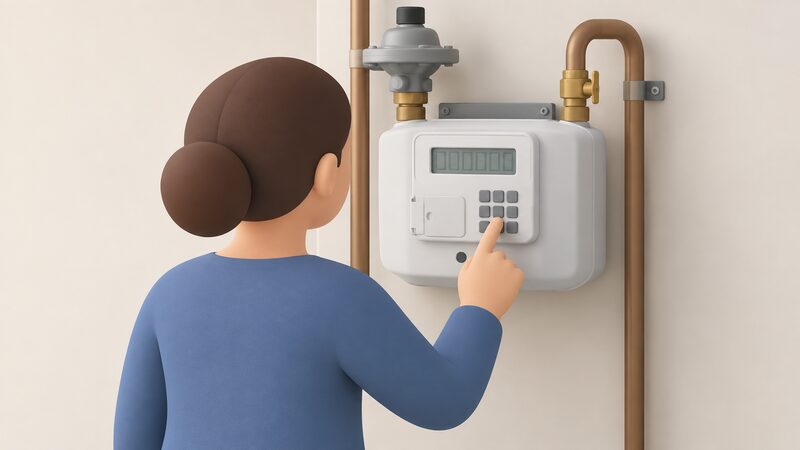
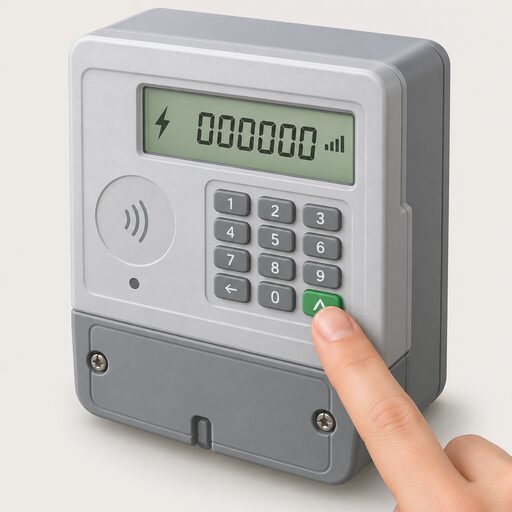
If the gas meter itself needs reading, a gas smart meter with a keypad can be read by pressing 9, seeing 'VOLUME', and waiting until it changes to numbers followed by 'M3'12. That gives the household the gas figure independently of the display.
Replacement options: the voluntary IHD replacement principles and supplier schemes
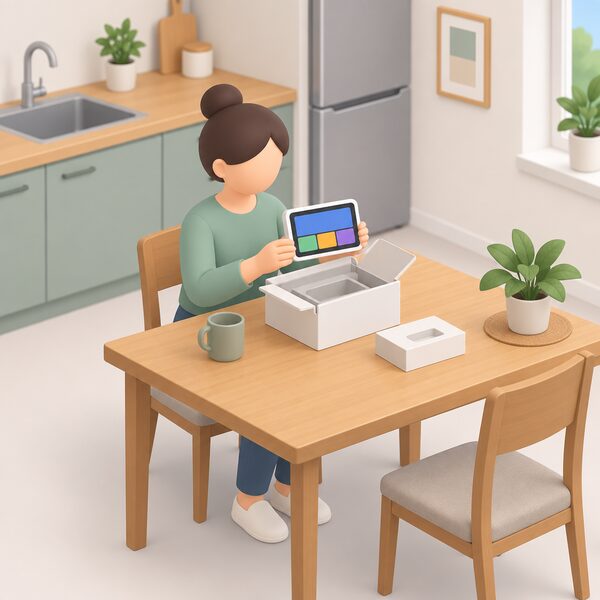
Replacement is not automatic. If your installation was within the last 12 months, your supplier may replace the display free of charge, and accidental damage charges may sometimes apply6. Beyond that window, what a household gets depends on the supplier's own policy and on whether they have signed the voluntary principles.
The Smart meter In-Home Display voluntary replacement principles were first published on GOV.UK on 23 February 2024, and the supplier list was updated on 20 May 2024 to add British Gas and EDF7. The list is maintained on GOV.UK and is not fixed, so the current signatories are the ones to check.
There is a separate track for households that need a different kind of display. Accessible in-home displays, with a larger display, easier to use buttons and audio options, are available from some energy suppliers for people with sight impairment, dexterity problems or memory loss13. The accessible in-home display is being offered at no extra cost to selected customers, but is not yet available with every supplier14.
On the manufacturing side, Chameleon Technology launched an IHD replacement service in April 2022, offering the ivie Bud with direct fulfilment and remote pairing, avoiding an engineer's home visit, and announced in July 2023 that it had delivered its 10 millionth in-home display5. Whether that route is open to a given household depends on the supplier arrangement rather than on the maker alone.
Where to get help: supplier guides and support pages
The first stop is the display's own user guide, and Citizens Advice maintains a directory of user guides for smart meter in-home displays10. Each supplier also publishes a support page for its display, and these are updated: ScottishPower last updated its In-Home Display support guide on 10 August 20265.
If the supplier's own process does not resolve it, the complaint route is formal. A household can ask for someone to come to the house to read the meter every three months if they cannot read it themselves15. Beyond the supplier, Citizens Advice publishes guidance on getting help with an energy problem16.
For a household that does not know who the supplier is, the Find My Supplier website is the quickest way to find out, and the gas supplier can also be found through the gas supplier online service17. The MPRN, the gas supply point reference, can be found on your gas bill or by using the Find My Supplier search tool18.
In Northern Ireland the advice route differs. NI Energy Advice offers independent and impartial energy advice to domestic householders in Northern Ireland, plus referrals to energy grants and other sources of help16. Where a household is considering removing the gas supply altogether, the effect is that you will no longer pay for gas usage or standing charges19.
What this means for energy independence
An in-home display is a convenience, not a control point. It shows what the meters have already recorded, and it cannot record information itself3. A household that loses the gas figure has lost a display of data, not access to the gas supply, and not the meter's own record of consumption.
The dependence the display represents is real but narrow. It depends on the supplier to commission and pair it, on the communications hub to carry the gas data, and on the electricity meter to relay it. None of those links is under the household's control, and none can be repaired from the display's own menus.
The practical independence available is in the meter itself. A gas smart meter with a keypad can be read directly, giving the household the consumption figure without the display12. Suppliers must also provide for meter reading where a household cannot read the meter, with a visit every three months15. That keeps the household's own record of gas use intact even when the screen is blank.
Sources19 cited
- Fixing problems with your smart meter's in-home display, Citizens Advice
- Smart meters and wifi: does a smart meter need wifi, Smart Energy GB
- Data access and privacy, Smart Energy GB
- How do smart meters work, Smart Energy GB
- Smart meters, Energy Ombudsman
- Smart Energy GB FAQs, Smart Energy GB
- The Warm Home Discount (England and Wales) Regulations 2026, legislation.gov.uk
- Smart meter costs: are smart meters free, Smart Energy GB
- What is a smart meter, Smart Energy GB
- Find the user guide for your smart meter's in-home display, Citizens Advice
- Switching supplier, tariffs and bills, Smart Energy GB
- How can I read a smart gas meter, Smart Energy GB
- Understanding smart meters, National Energy Action
- The accessible in-home display, Smart Energy GB
- How do I make a complaint to my energy supplier, Centre for Sustainable Energy
- Get help with an energy problem, Citizens Advice
- Moving house gas and electricity guide, Uswitch
- Who is my gas and electricity supplier, Confused.com
- Disconnecting from the gas network, IGEM
 In-Home DisplaysWhat does the little screen that came with a smart meter actually tell you, and what can you do when it stops working?
 Get a Reading From a Smart MeterHow to bring up a meter reading on a smart electricity or gas meter when a manual reading is still needed, and the difference between the meter itself and the in-home display.
 Take a Meter ReadingWhich numbers do you actually read on a gas or electricity meter, and which ones do you ignore?
 How a Smart Meter WorksHow a British smart meter measures gas and electricity, how the in-home display and the DCC's secure network fit together, what data leaves the house, what it costs, and where smart mode goes wrong.
 Reading an Energy BillA line-by-line walk through a domestic gas and electricity bill: unit rate, standing charge, kWh consumption, meter readings, tariff name and balance, plus the 12-month back billing limit and the guaranteed standards payments that apply when a supplier or network operator gets it wrong.
 Meter Readings and EstimatesWhy is my energy bill estimated, and how often should my meter be read?