In this guide
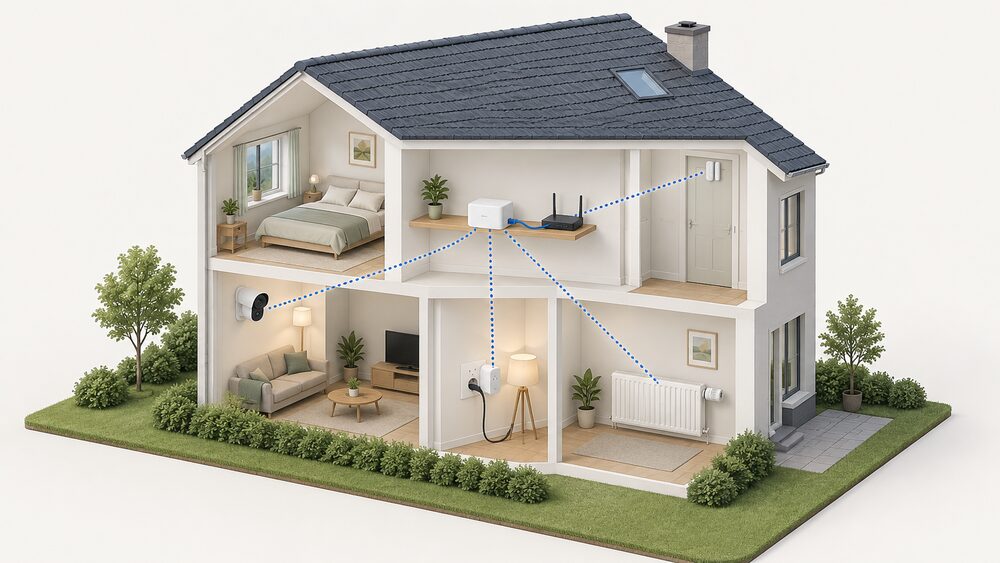
Bosch Smart Home is a consumer smart-home range from Bosch, sold in the UK through the Bosch Smart Home brand and supported by the Bosch Smart Home Controller. It is a different line from the Bosch trade heating controls sold under the Worcester Bosch banner, and the two are documented separately. The system covers heating, lighting, shutters, plugs, door and window contacts, cameras and alarms, all coordinated by a controller that talks to devices over Zigbee1.
The controller is the pivot of the whole system. Bosch states that a Bosch Smart Home controller II is still needed to use the devices in Matter Smart Home systems, and that the controller II is automatically also a Matter Bridge, so many devices can run simultaneously in the Bosch system and a preferred Matter system3. That is the clearest statement of what the range does for a household: it gives one local hub that can also hand devices to a wider ecosystem, rather than locking them to a single app.
The dependence is equally clear. Setup needs an internet connection, remote access needs a network route out, and the app has a documented minimum version that moves with controller driver updates. Bosch's own support pages set out the conditions, and they are worth reading before buying rather than after4.
What Bosch Smart Home is and what it controls
The range is a set of battery and mains devices that report to, and are driven by, the Smart Home Controller. Bosch's own compatibility lists name the pieces: Radiator Thermostat II, Door/Window Contact II and II Plus, Room Thermostat II and Room Thermostat II 230V, Universal Switch II, Light/Shutter Control II, Dimmer, Relay, Outdoor Siren, Twinguard, Motion Detector, Twist, Water Detector and additional Smart plug compact units1. The Smart plug compact extends the range of Radiator Thermostat II, Light/Shutter Control I, Smoke Detector II and Door/Window Contact II, and automatically extends the range between the controller and LEDVANCE smart lights, a water leak detector and further smart plugs2.
Control is grouped rather than device by device. Bosch lists devices, scenarios, heating, lights, shutters, smart plugs and window and door status as controllable through the app, and the System App covers cross-domain use cases with Bosch and integrated non-Bosch products, with special functions in separate apps7. The Smart plug compact can be used without the controller, but plugging in the plug is then the only available function, which is a fair summary of what the hub adds1.
For a household, the practical point is that this is a control layer, not a generation technology. It schedules and zones what is already installed. The wider subject of what a hub does for a home's energy use is covered in smart home hubs and controllers, and the radio choices behind it in Zigbee, Matter, Thread and KNX.
The Smart Home Controller: the system's hub
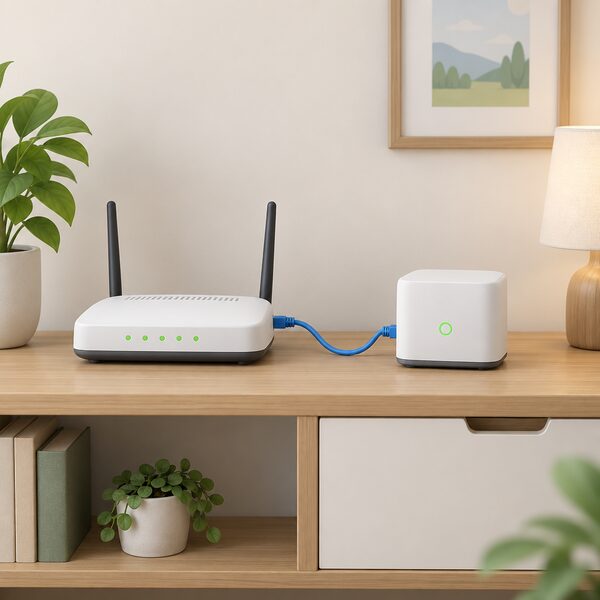
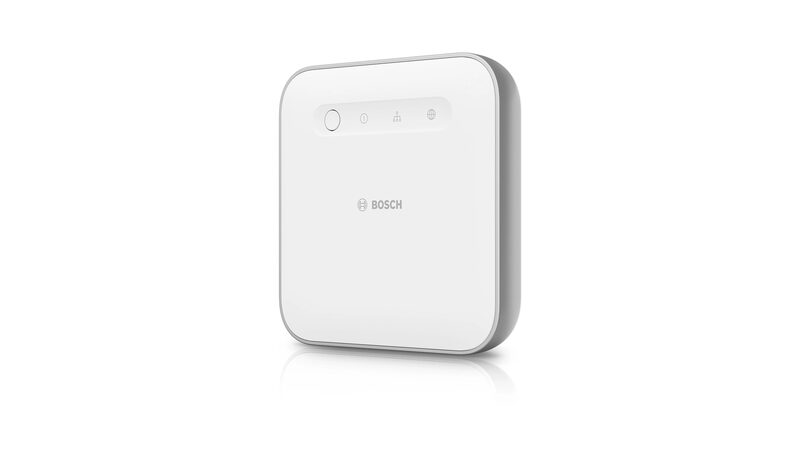
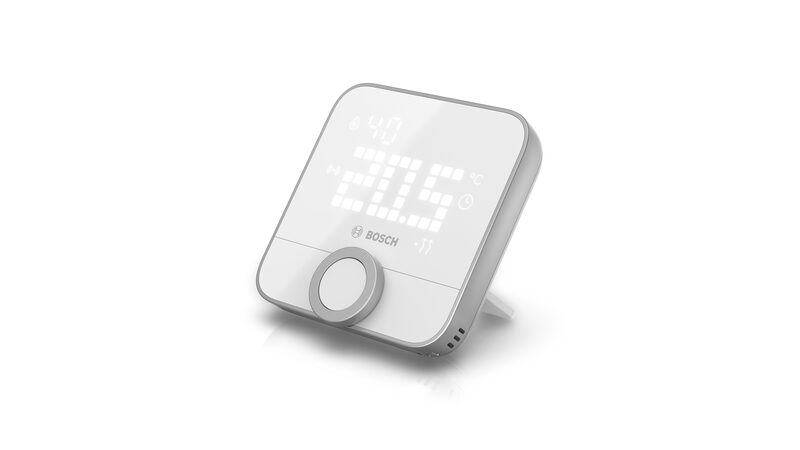
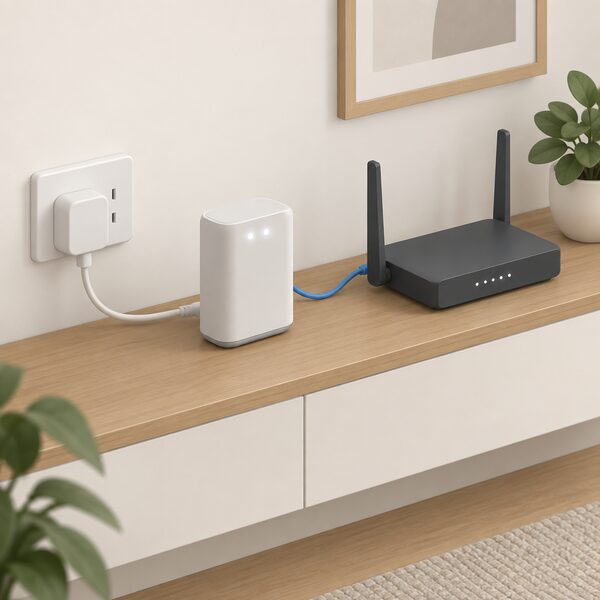
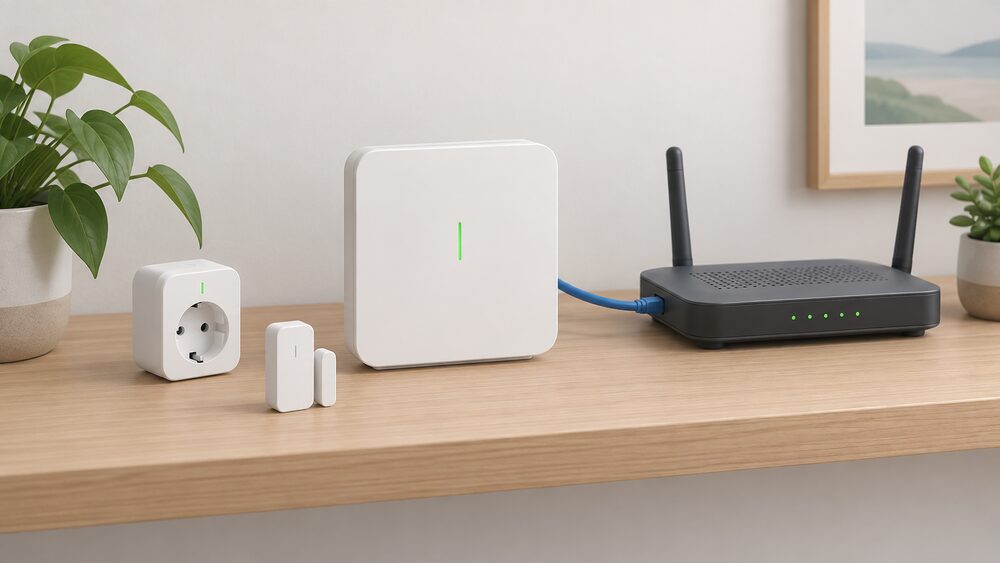
The controller is the piece that decides whether the rest of the range works. Bosch states that the controller is necessary to integrate the room thermostat into the Smart Home system, and that the Room thermostat II requires the Bosch Smart Home System to be used at all8. The Controller II connects to the router by LAN cable, and Bosch states plainly that a direct connection via WLAN is not possible4. That single constraint shapes where the controller can live in a house.
Setup is not offline. Bosch states that for initial setup the controller II requires an active internet connection to download important software updates4. Once running, the controller uses the Zigbee wireless standard to communicate with Bosch Smart Home [+M] devices, and [+M] devices can be paired via Zigbee with Bluetooth enabled on the mobile device during pairing2. Bosch also documents a migration path: paired products and automations or scenarios transfer to a new controller II through "More", then "System", then "Transfer system data", with data restoration taking approximately 10 minutes4.
The controller is also the point at which the system reaches outside itself. Bosch states that because the controller II is automatically also a Matter Bridge, many devices can be used simultaneously in the Bosch Smart Home system and a preferred Matter system3. That is a genuine reduction in lock-in compared with a hub that only speaks its own protocol, though it does not remove the controller from the chain.
Cameras and connected devices in the range
Cameras sit alongside the sensors and actuators rather than inside the heating logic. Bosch states that Bosch Smart Cameras controlled through the Bosch Smart Home App must be on the same local network as the Smart Home Controller, and that at least 10 Mbps download and 2 Mbps upload is needed to use all features without restrictions5. That is a home broadband requirement, not a mobile one, and it is the figure to check before adding cameras to a system that already works.
The device list is broad and mostly low power. The Smart plug compact uses the ZigBee 3.0 wireless protocol, has a switch for manual operation, and can be controlled through Alexa, Google Assistant and Apple HomeKit, though partner integration requires the Bosch Smart Home Controller and App1. The Smart plug Plus adds power metering and the integration of electric heaters, which the compact model does not support: Bosch states that integration of electric heaters is not possible on the compact2. Where the compact is set to the intended use "Heating", Bosch lists towel warmers, electric heaters, radiant heaters and infrared heaters as controllable device types, with a Room thermostat II required2.
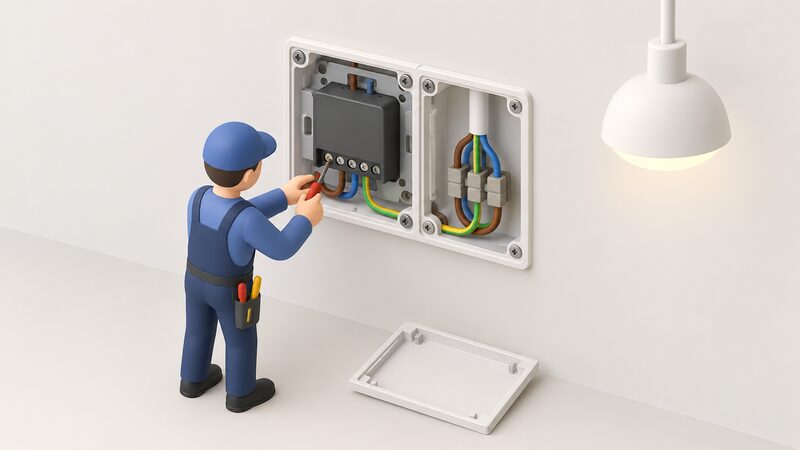
The Relay extends the system into fixed wiring. Bosch states that the relay uses ZigBee 3.0 and also serves as a range extender for additional ZigBee 3.0 devices, that it can be used outdoors in a suitable protective housing such as IP66, and that its pulse control activates an impulse relay with a current pulse adjustable between 0.5, 1 or 2 seconds, for uses such as stairwell lighting10. Bosch also states that scenario support for the relay has not yet been implemented at system level and is planned for a later update, so a buyer should treat that function as pending rather than present10.
Compatibility: Matter, Philips Hue and voice assistants
Bosch Smart Home sits inside the cross-manufacturer Matter standard rather than outside it. Bosch states that many manufacturers get their smart helpers ready for Matter via a software update, and that Bosch Smart Home is no exception3. Devices marked [+M] support the Matter standard via Thread and can still be paired with the Bosch Smart Home Controller via Zigbee; using them in a Matter system requires a Thread Border Router and a Matter controller2. The controller II's role as a Matter Bridge is what lets a device appear in both systems at once3.
Philips Hue is handled through the controller. Bosch states that after updating the Smart Home Controller to version 10.30 in early October 2025, the Philips Hue Bridge Pro can be connected via the pairing assistant6. That is a bridge-to-bridge integration rather than direct pairing of Hue bulbs to the Bosch controller. The underlying protocol is shared ground: the Smart plug compact uses ZigBee 3.0, and the Zigbee Alliance describes Zigbee as the full-stack, secure, reliable and market-proven solution used by a majority of large smart home ecosystem providers, naming Amazon's Echo Plus, Samsung SmartThings and Signify, which owns Philips Hue1.
Voice control is documented for the plug and for the wider system. Bosch states that the Smart plug compact can be controlled via Alexa, Google Assistant and Apple HomeKit, requiring the controller and app, and that the Door/Window Contact II integrates into Apple HomeKit, Amazon and Google Home on the same basis2. Bosch also documents a workaround: a Door/Window Contact II can monitor the state of doors or windows and display it in Apple HomeKit, suggested where relay pulse mode needs a reliable status report10.
For a household, the compatibility position is that Bosch devices can be handed to a Matter system, but the Bosch controller remains the thing that makes them work in the first place. The wider comparison of hub approaches is at Bosch Smart Home vs Homematic IP.
Energy saving: what the system claims and what it depends on
Bosch's own claim is conditional and worth quoting in full. The company states that if you only adjust your home for comfort when it is actually being used, you can reduce your energy consumption, depending on usage, the building and connected devices7. That is a statement about behaviour and zoning, not a guaranteed percentage, and Bosch attaches the dependency to it.
The mechanism is room-by-room control. Bosch states that devices such as the Bosch EasyControl and smart radiator thermostats give full control over what temperature you want in each individual room, and that the EasyControl is a smart connected thermostat which makes it easy to control your heating and hot water whilst saving energy13. The Bosch Smart Individual Room Thermostat offers multi-zone control for heating systems with underfloor and/or radiators, and can be set up to control individual rooms or multiple heating zones15. The Room thermostat II 230V can be connected to water-based underfloor heating systems provided actuators are used17.
What the system cannot do is generate or store anything. It shifts and trims demand; it does not change the fuel. Independent guidance is consistent that savings are scenario-based: the Energy Saving Trust states that all savings shown are scenario-based and that actual outcomes depend on your home, system performance and choice of tariff18. Official guidance for self-build homes advises installing smart systems that control lighting, heating and cooling based on occupancy and time of day19. Smart Energy GB describes the wider smart energy system as able to shift energy usage away from traditional peak times, which are currently reliant on fossil fuel energy, and make more use of renewables20.
"If you only adjust your home for comfort when it is actually being used, you can reduce your energy consumption, depending on usage, the building and connected devices."
Two limits are documented in the app itself. Bosch states that the Bosch Smart Home App does not currently display historical data for the Room thermostat II and Room thermostat II 230V, and that the "fast heating" function in the app is designed for the smart radiator thermostats and does not work with the Room thermostat II 230V17. A household expecting a full history of room temperatures from these thermostats will not get one from the app as it stands.
App support and controller updates: what owners need to keep working
This is the part of the system that changes without the hardware changing, and Bosch documents the cut-offs. From the December 2025 driver update, the Smart Home Controller and Smart Home Controller II can only be used with Bosch Smart Home app version 10.13, released in January 2023, or newer6. Bosch also states that Amazon Alexa, Google Home and Mercedes MBUX require an update to release 10.21.26. Support for iOS 15 ended with the November 2024 release, and the current stated minimum is iOS 15.5 or higher, with beta versions of iOS and Android not supported6. On Android, Bosch lists installed Google Play services as a requirement6.
Older app versions are not bricked, but they stop moving. Bosch states that continued use of the existing app on a device is assured, but that no further updates will be received6. Bosch also states that the Smart Home Cloud could no longer be used for the Smart Home Controller and Controller II with versions lower than 10.21.2 from the end of June 2024, which is the point at which an out-of-date controller loses its cloud functions6. The October 2025 release carried new terms of use6.
Firmware on the devices is a separate matter. Bosch states that updates for the Smart plug compact must be performed manually, with a notification in the MessageCenter of the Bosch Smart Home App when one is available1. Bosch also states that Bosch Smart Home only provides the updates for the Bosch Smart Home [+M] devices, so the update route runs through the manufacturer rather than a third party2.
Remote access has its own conditions. Bosch states that the controller must have activated remote access or be connected to your own Wi-Fi network, be powered and connected to the router, with the top two LEDs continuously lit white5. For the app's remote login, the minimum mobile requirement is two signal bars and an EDGE connection, indicated by an "E" next to the reception bars5. A password reset only works if the corresponding device was already paired with the Smart Home Controller and is connected to the home network5. Operating the app on a tablet is possible, though Bosch states the application itself is optimised for mobile phones5.
The dependence this creates is the honest answer to what the system costs a household in independence. Local control continues, but remote scheduling, energy monitoring, camera viewing and diagnostics run through a home broadband connection, Bosch's cloud and a manufacturer's app whose minimum version is set by the maker. The general pattern is set out in app subscriptions and cloud dependence, and the controller itself has its own page at Bosch Smart Home Controller.
Bosch heating controls sold under the Worcester Bosch banner
Bosch's UK heating controls are documented separately from the consumer smart-home range, and the distinction matters when buying. The Bosch EasyControl is described as a smart connected thermostat which makes it easy to control your heating and hot water whilst saving energy, with domestic hot water and central heating programmable, monitorable and controllable via the app, and software integration with Amazon Alexa and IFTTT devices14. The Bosch Smart Individual Room Thermostat is listed as internet connected, offering multi-zone control for heating systems with underfloor and/or radiators16.
These are the controls a household is most likely to meet through a heating installer, and they sit alongside the wider Bosch smart-home devices rather than replacing them. Bosch's own heating advice notes that devices such as the EasyControl and smart radiator thermostats give full control over the temperature in each individual room13. For a household weighing the two routes, the practical question is whether the priority is heating and hot water control through a boiler, or a broader device network across lighting, shutters, plugs and sensors. The two overlap at the room thermostat, and the controller requirement applies to the smart-home side8.
Where the range has limits
Three limits are documented rather than inferred. The first is the controller's network link: a LAN cable to the router, with no direct WLAN connection possible, which fixes the controller's position in the home4. The second is the app's data handling: no historical data for the Room thermostat II and Room thermostat II 230V, and no "fast heating" function on the 230V model17. The third is the update chain: device firmware for the smart plug compact is manual, and updates for [+M] devices come only from Bosch Smart Home1.
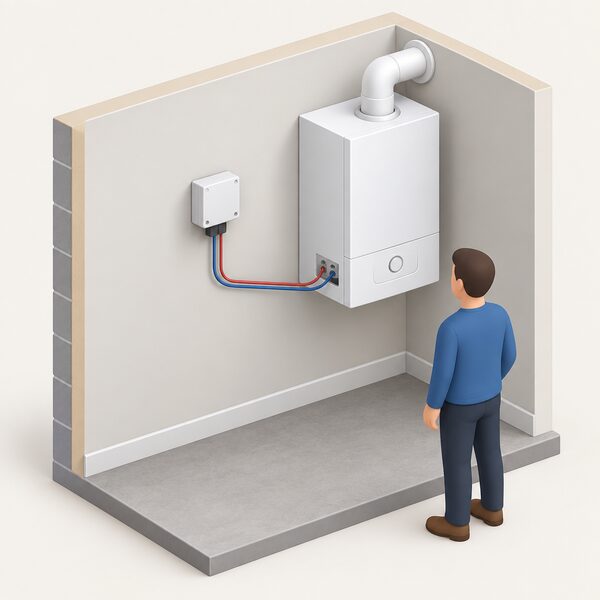
There is also a documented gap in the relay's scenario support, which Bosch states has not yet been implemented at system level and is planned for a later update10. A household planning automations around the relay should treat that as pending. The relay's heating role has its own conditions: Bosch states that the boiler must have a potential-free input enabling external control through the relay, that the purpose "Central heating" must be selected in device management, and that rooms must have Radiator Thermostats II or Room Thermostats II 230V set up in the app10. Central heating control through the Room thermostat II 230V requires the Bosch Smart Home Controller, the thermostat configured with heating device type "Central heating" connected to the heat generator, and radiator and room thermostats II connected to the system17.
None of this is unusual for a hub-based system, and the Matter Bridge role is a real counterweight to lock-in3. But the range's independence is bounded by the controller, the cloud and the app version, and those are set by the manufacturer rather than the household.
Sources21 cited
- Smart plug compact help, Bosch Smart Home, 2026
- Smart plug compact M help, Bosch Smart Home, 2026
- Matter standard compatibility, Bosch Smart Home, 2026
- Smart Home Controller II help, Bosch Smart Home, 2026
- Help with our apps, Bosch Smart Home, 2026
- Technical requirements for using the system, Bosch Smart Home, 2026
- BMW compatibility, Bosch Smart Home, 2026
- Room thermostat help, Bosch Smart Home, 2026
- Room thermostat II help, Bosch Smart Home, 2026
- Relay help, Bosch Smart Home, 2026
- Making home energy management work for consumers, Energy Systems Catapult, 2026
- Door/Window Contact II help, Bosch Smart Home, 2026
- Zigbee solutions, Connectivity Standards Alliance, 2026
- Bosch EasyControl (professional), Worcester Bosch, 2026
- Bosch Smart Individual Room Thermostat (professional), Worcester Bosch, 2026
- Bosch Smart Individual Room Thermostat, Worcester Bosch, 2026
- Room thermostat II 230V help, Bosch Smart Home, 2026
- Renewable technologies: what really cuts energy bills, Energy Saving Trust, 2026
- Self-build homes sustainability, Planning Portal, 2026
- A smarter future: the smart energy system revolution, Smart Energy GB, 2026
- Best sleeping temperature, Worcester Bosch, 2026
 Bosch Smart Home ControllerWondering what the Bosch Smart Home Controller actually does, whether you need one, and what happens if you do not have it?