
In this guide
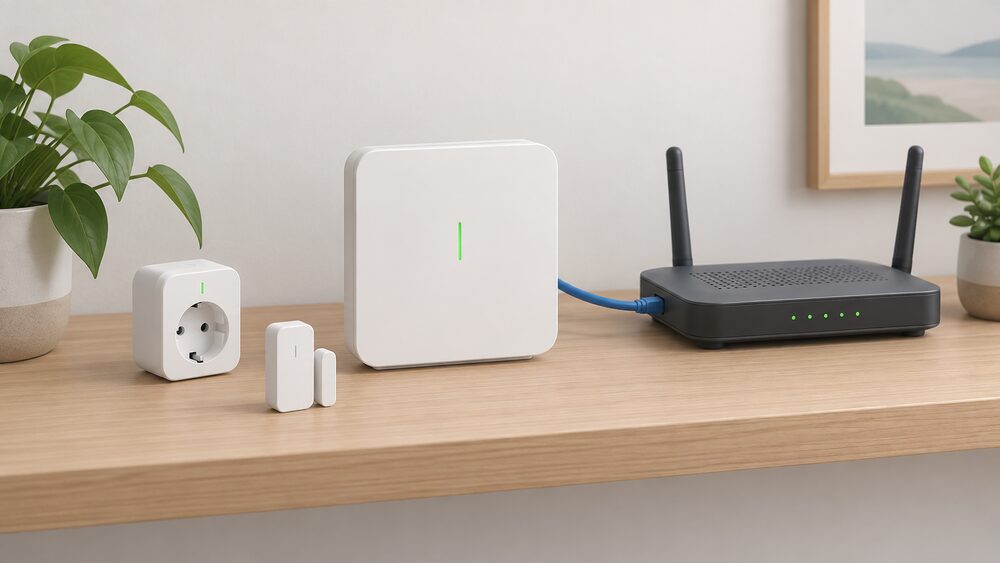
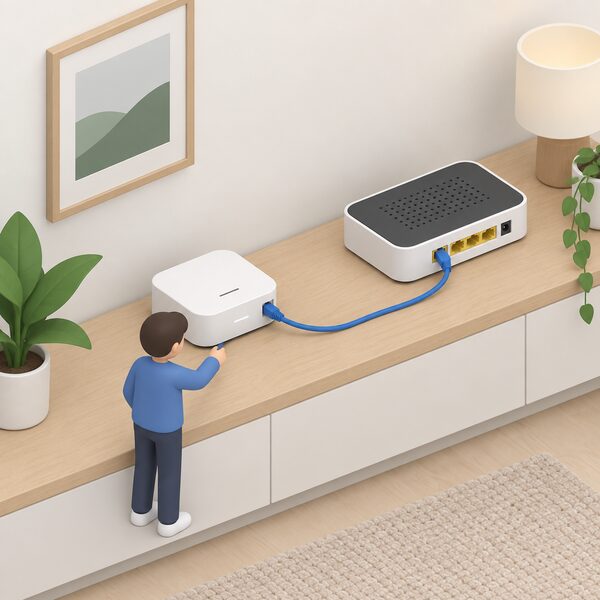
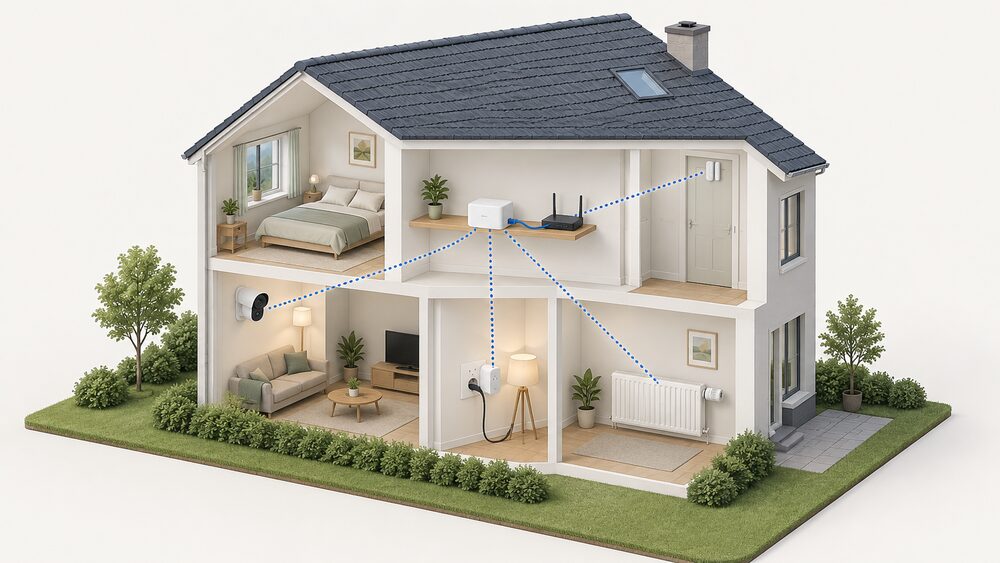
The Bosch Smart Home Controller is the box that turns a collection of Bosch smart devices into one system. It connects to your router by LAN cable, talks to devices over Zigbee, and is what the Bosch Smart Home App on your phone actually reaches. Without it, most Bosch Smart Home devices either do not work at all or work in a much reduced way1.
It is not a smart meter, and it does not read your meter. It is a heating and home control hub, and its energy relevance is that it schedules heating room by room and switches plugs on and off. Bosch states that adjusting the home for comfort only when it is in use can reduce energy consumption, depending on usage, the building and the connected devices3.
Two things are worth knowing before buying. The controller needs a live internet connection for initial setup, and the app depends on Bosch's cloud for remote access2. And the longest useful life of the app depends on Bosch's update policy, not on the hardware: from the December 2025 driver update, the controller can only be used with app version 10.13 or newer4.
What the controller does in your system
The controller is the hub of the system. It pairs with Bosch Smart Home devices over Zigbee, holds the automations and scenarios, and provides the link between those devices and the app. Bosch describes the Controller II as automatically also a Matter Bridge, which means many devices can be used at the same time in the Bosch Smart Home system and in a Matter system of your choosing7.
That bridge role matters for anyone who wants to avoid being locked to one maker's app. Devices in the Bosch Smart Home [+M] line can be integrated directly into a Matter system without a Bosch controller at all, and can also be run through a Bosch controller, with switching between the two possible at any time7. For older devices, a radio stick lets the Controller II control first generation Bosch Smart Home products1.
Some devices will not work without a controller at all. The Relay can only be used in combination with the Bosch Smart Home Controller or Controller II, and the Smoke Alarm II can only be used with the controller in the Smart Home system1. The Relay can be operated offline before a controller is set up, factory set to ON/OFF mode for an ON/OFF switch, but that is a temporary state rather than a way to run the system8.
Setup is not instant. The controller needs an active internet connection for initial setup to download software updates, and that first update can take up to 30 minutes depending on the available bandwidth2. Moving an existing installation to a Controller II takes an average of 5 to 10 minutes for the update before data transfer, and paired products and automations migrate through the app under More, then System, then Transfer system data2.
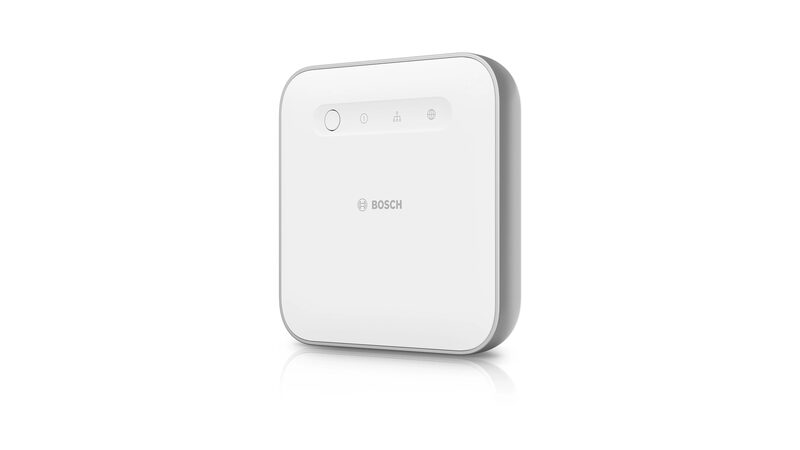
Controllable functions: heating, lights, shutters, plugs and door status
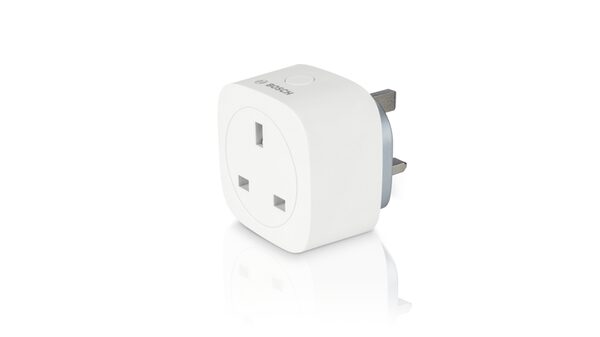
The system covers more than heating. Bosch lists devices, scenarios, heating, lights, shutters, smart plugs and window and door status among the things that can be controlled3. The Smart plug extends the wireless range of the Universal Switch, Shutter Control, Light Control, Door/Window Contact, Radiator Thermostat, Room Thermostat, Room Thermostat Underfloor Heating and Smoke Detector, so a plug is not only a switch but a way of reaching devices in a distant room9.
The Door/Window Contact detects open windows and doors and transmits their status to the app. It can trigger an automatic lowering of radiator thermostat temperature and form part of the security system, though Bosch states that a controller and Smart Radiator Thermostats are strictly required for that automated temperature reduction10.
Plugs carry their own functions. The Smart plug Plus features power metering as well as the integration of electric heaters, and the Smart plug compact also features a power metering function, saving energy consumption data every 30 minutes9. The compact model has a switch for manual operation, and its maximum switching power of 3680W must not be exceeded, with a Room thermostat additionally required for electric heating devices5.
| Device | What it adds | Controller needed |
|---|---|---|
| Smart plug Plus | Power metering, electric heater integration9 | Yes for app control |
| Smart plug compact | Power metering every 30 minutes, manual switch5 | Yes for app control |
| Door/Window Contact | Open/closed status, triggers radiator reduction10 | Yes for automation |
| Relay | Controls one circuit at a time8 | Yes1 |
| Smoke Alarm II | Alarm in the Smart Home system1 | Yes1 |
Why the room thermostat needs the controller
The room thermostat is the clearest example of the controller being compulsory rather than optional. Bosch states plainly that the controller is necessary to integrate the room thermostat into your Smart Home system11. The Room thermostat II 230 V can be operated without the controller for basic functions, but some advanced functions are not available, and the product listing says it can only be used in combination with the controller12.
The battery-powered Room thermostat II has no switching actuator or relay of its own. It can only send information to other smart devices wirelessly through the controller, and it requires the Bosch Smart Home System to work at all13. It can be placed anywhere in the room rather than on the radiator, and it can control up to six radiators in one room simultaneously and centrally, or up to six devices directly, including radiator thermostats or intermediate plugs11.
For central heating control, Bosch sets out the full requirement: a controller, the Room thermostat II 230V configured with the heating device type set to Central heating and connected to the heat generator, and radiator and room thermostats II connected to the system12. The 230V model has its own switching actuator to control climate systems with wired control, and can be used as a floor sensor to measure temperature elsewhere, such as at floor level12.
There is a compatibility limit worth noting. The Room thermostat II 230V is not compatible with Bosch EasyControl, and Bosch states a connection is currently not possible for technical reasons12. The battery Room thermostat II and the first generation radiator thermostat are also not fully compatible: both can be paired with the controller, but full functionality is not guaranteed13.
Energy saving: comfort only when the home is in use
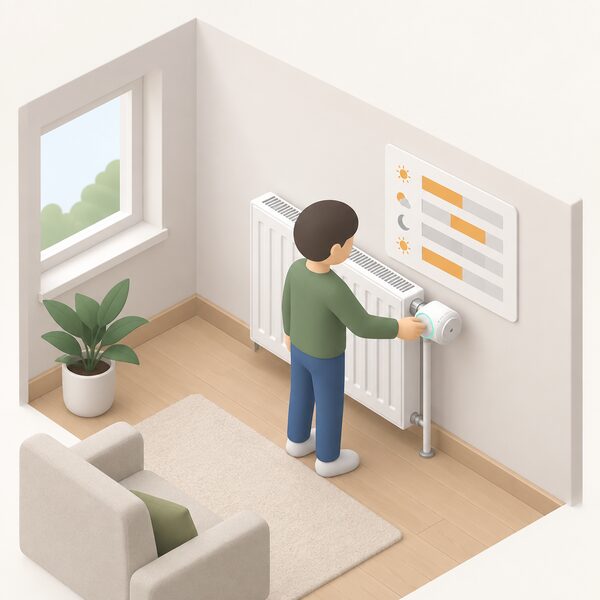
The energy case for a controller rests on scheduling and zoning rather than on any single clever feature. Bosch's own claim is conditional: adjusting the home for comfort only when it is actually being used can reduce energy consumption, depending on usage, the building and connected devices3. That is a maker's claim, and the conditions attached to it are doing real work.
Independent guidance is more cautious. Smart Energy GB states that the energy-saving benefit of a smart thermostat may be limited if the heating is already well controlled, the home is poorly insulated, the thermostat is not set up correctly, features are unused, or heating habits stay the same15. The same logic applies to a controller: the hardware enables scheduling, but the saving comes from the schedule.
Smart plugs have their own limits. The Centre for Sustainable Energy notes that appliances such as tumble driers, washing machines and dishwashers often do not start their cycles just when power is delivered, so a smart plug would only be able to monitor power consumption rather than shift the load16. Smart Energy GB puts the condition bluntly: a smart plug only saves electricity if it stops you using more power than the plug itself uses17.
Where the system does add something is in linking heating to occupancy and to generation. Bosch's app includes a climate symbol for excess heat, where solar energy available from the energy manager is used for heating6. Official guidance for self-build homes recommends installing smart systems that control lighting, heating and cooling based on occupancy and time of day18.
App, voice control and Matter integration
The app is the everyday interface. It is free, available in the Apple App Store and Google Play Store, and covers cross-domain use cases with Bosch and integrated non-Bosch products and basic functions, with special functions in separate apps6. Operating it on a tablet is possible, though Bosch notes the application itself is optimised for mobile phones6.
Voice control runs through the controller. The Smart plug compact can be controlled via Alexa, Google Assistant and Apple HomeKit, but this requires the Bosch Smart Home Controller and App for partner integration9. Bosch lists control of Bosch Smart Home from a BMW through voice assistants, using the car's microphones without picking up a smartphone3. Control of Bosch Smart Home devices became available in Mercedes-Benz passenger car models with the MBUX voice assistant from March 20183.
Matter is the more significant development for independence. The Controller II is automatically also a Matter Bridge, so many devices can be used simultaneously in the Bosch Smart Home system and a preferred Matter system7. Devices in the [+M] line support Matter via Thread and can still be paired with the controller via Zigbee, though using them with a Matter controller brings higher battery consumption because Matter 1.1 does not support a standby mode5. A Matter system also needs a Thread Border Router and a Matter controller5.
"Because the Smart Home controller II is automatically also a Matter Bridge, you can use many devices simultaneously in the Bosch Smart Home system and your preferred Matter system."
Controller versions: same functions, different updates
Bosch states that all controllers have the same functions19. The differences between the first generation controller and the Controller II are in data handling and recovery rather than in what the system can do day to day.
Data recovery is the practical distinction. Moving from a first generation controller to the same first generation controller supports recovery, but moving to a different first generation controller does not recover Zigbee devices. Moving from a first generation controller to a Controller II does work, and moving between Controller IIs works in both directions, but moving from a Controller II back to a first generation controller does not recover Zigbee devices2.
The Controller II also adds the Matter Bridge role and works with first generation devices through a radio stick1. It connects to the router by LAN cable only, with no direct WLAN connection possible, and the router must be able to assign it an IPv4 address, as IPv6 is not supported2.
Updates are the other difference, and they are not optional. Bosch Smart Home only provides the updates for the Bosch Smart Home [+M] devices, and firmware updates for the Smart plug compact must be performed manually, with a notification in the app's MessageCenter when one is available5. The controller's own update before data transfer takes an average of 5 to 10 minutes2.
Cost, app requirements and where to find the MAC address
The app is free and there is no subscription attached to it6. Bosch EasyControl is sold including the free EasyControl app with no subscription needed14. The Smart Home Camera App is also free in both app stores6. The cost of the system is therefore in the hardware and in the broadband connection, not in a monthly fee.
The connection requirements are specific. For initial setup the Controller II requires an active internet connection to download important software updates2. To use all features without restrictions, Bosch advises at least 10 Mbps download and 2 Mbps upload6. Remote access to the app needs a minimum of two signal bars and an EDGE connection, indicated by an E next to the reception bars6. Cameras controlled through the app must be on the same local network as the controller6.
The MAC address question follows from the connection method. Because the controller connects by LAN cable and the router must assign it an IPv4 address, the address appears in the router's list of connected devices rather than in the app2. Bosch's troubleshooting for a controller that will not connect points to the same place: remote access activated or connected to your own Wi-Fi network, the controller powered and connected to the router, and the top two LEDs continuously lit white6.
Password resets have a similar dependency. A reset only works if the corresponding device was already paired with the Smart Home Controller and is connected to the home network6.
What owning a controller means for household energy independence
A Bosch Smart Home Controller gives a household genuine local control over heating and appliances, and it does so independently of the boiler. Home Energy Scotland's guidance is that heating controls can be upgraded or installed independently of your boiler, which means the controller decision does not have to wait for a boiler replacement20.
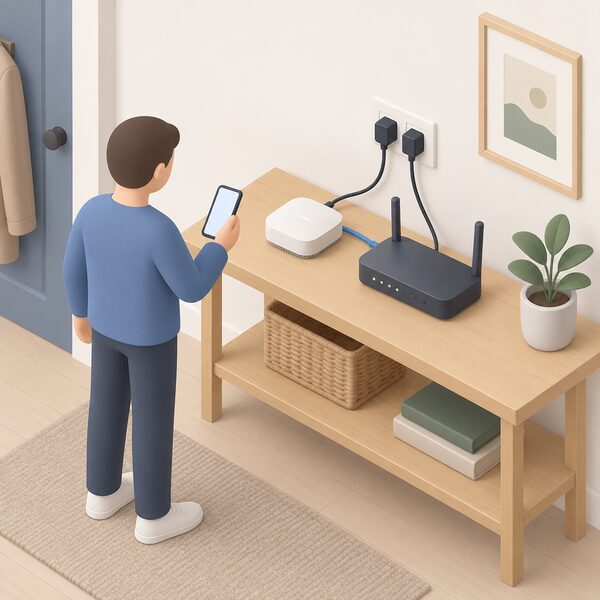
The dependence it creates is real and worth stating plainly. The controller needs a router, a broadband connection and a live internet connection for setup2. Remote access, voice control through Alexa, Google Assistant or Apple HomeKit, and control from a BMW or Mercedes all run through Bosch's cloud and a Bosch account9. Local control at the device continues without the internet, but the app's remote functions do not.
The update record is the sharper limit. Support for iOS 15 ended with the November 2024 release, and the app continues to work on such a device but receives no further updates4. From the December 2025 driver update, the controller and Controller II can only be used with app version 10.13 or newer, and using Amazon Alexa, Google Home or Mercedes MBUX requires an update to release 10.21.24. Bosch also states that from the end of June 2024 the Smart Home Cloud could no longer be used with controller versions below 10.21.24. An independent review of Worcester Bosch's smart controller notes the company said it will get two years of support21.
Matter is the partial answer to that dependence. Because the Controller II is also a Matter Bridge, and [+M] devices can be run directly in a Matter system without a Bosch controller, a household can keep the devices working in another ecosystem if the Bosch app route changes7. That is a meaningful hedge, though it depends on the devices being [+M] models and on a Thread Border Router being present5.
The regulatory backdrop supports the direction of travel. Approved Document L requires that for heating systems in new dwellings, or when a heat generator such as a boiler is replaced in an existing dwelling, each room should be provided with thermostatic room controls able to separately adapt the heating output in each room served22. Scotland's building standards technical handbook was updated in July 2025 to address a SAP 10.2 compliance calculation issue for new homes connecting to a heat network24. The controller is one way of meeting a room-by-room control requirement, not the only one.
For a household weighing this up, the honest position is that a Bosch Smart Home Controller buys convenience, zoning and a route into Matter, at the cost of a broadband connection, a Bosch account and a dependence on Bosch's update schedule. It does not reduce dependence on the gas grid or on an electricity supplier, and it does not read your meter. Smart meter data, which does put consumption in front of you, comes from a different system entirely25.
Sources26 cited
- Product overview, Bosch Smart Home, 2026
- Smart Home Controller II help, Bosch Smart Home, 2026
- BMW compatibility, Bosch Smart Home, 2026
- Technical requirements for using the system, Bosch Smart Home, 2026
- Smart plug compact M help, Bosch Smart Home, 2026
- Help with our apps, Bosch Smart Home, 2026
- Matter standard compatibility, Bosch Smart Home, 2026
- Relay help, Bosch Smart Home, 2026
- Smart plug compact help, Bosch Smart Home, 2026
- Door/window contact help, Bosch Smart Home, 2026
- Room thermostat help, Bosch Smart Home, 2026
- Room thermostat II 230 V help, Bosch Smart Home, 2026
- Room thermostat II help, Bosch Smart Home, 2026
- Bosch EasyControl, Worcester Bosch, 2026
- What is a smart thermostat, Smart Energy GB, 2026
- Smart plugs advice, Centre for Sustainable Energy, 2025
- What are smart plugs and do energy saving plugs work, Smart Energy GB, 2026
- Self-build homes sustainability, Planning Portal, 2026
- Home Plus help, Bosch Smart Home, 2026
- Thermostats and heating controls, Home Energy Scotland, 2026
- Best smart radiator valves, Which?, 2026
- Approved Document L Volume 1, HM Government, 2021
- Approved Document L Volume 1, Wales, Welsh Government, 2026
- Building standards technical handbook January 2025: domestic, Scottish Government, 2025
- Smart meters and decarbonisation, Smart DCC, 2026
- Second annual progress report on the roll-out of smart meters, HM Government, 2013
 Bosch Smart HomeBosch Smart Home covers heating, lighting, cameras and alarms, all run through one controller.