
In this guide
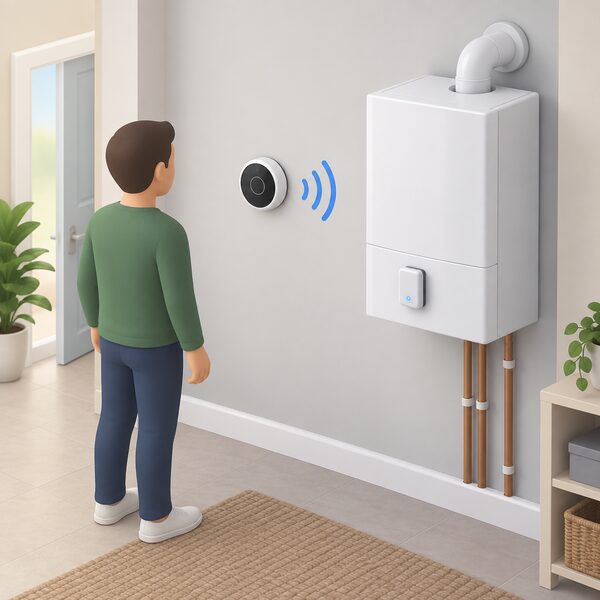
The Ideal Halo Combi RF is a wireless programmable room thermostat made by Ideal Heating and designed specifically to work with Ideal boilers1. It is the radio frequency member of the Halo Combi line: a battery control that talks to a Smart Interface plugged into the front of the boiler, so no wiring runs between the thermostat and the heating system1.
For a household, the practical points are these. It holds up to 6 heating schedules per day, which is the flexibility that stands in for a night setback feature the Halo range does not have3. It provides load compensation, which Ideal describes as easy Boiler Plus compliance1. It carries a 2 year warranty, available when registered within 30 days of installation and serviced annually1. And it is not a universal control: it is built for Ideal boilers, so it is a choice made at the same time as the boiler, not a retrofit onto another brand1.
What the Halo Combi RF is, and where it sits in the Halo range
Ideal Heating sells the Halo Combi RF as a wireless programmable room thermostat that provides simple and easy heating control1. It is one of several controls in the Halo family, and the family divides by system type rather than by quality. The Halo Combi RF and the Halo Combi Wi-Fi serve combi boilers; the Halo Heat and System RF and Halo Heat and System Wi-Fi serve heat and system boilers, and the latter comes with a Smart Wiring Centre that connects wirelessly to the Smart Interface6. The Halo Lite RF is a single zone combi programmable room thermostat aimed at landlords and tenants8.
The distinction that matters most to a buyer is between the RF and Wi-Fi versions of the same combi control. The Halo Combi RF is a radio frequency thermostat: it pairs wirelessly with the boiler interface and runs its schedule locally. The Halo Combi Wi-Fi works with your Ideal boiler to allow flexible control of your heating with the intuitive Halo app, which can be connected to your smart devices9. Ideal describes the Halo Wi-Fi as a smart control with automation and optimisation11. The RF model is the simpler of the two, and the one that does not depend on a home network to run its schedule.
There is also a 2-Zone upgrade kit, an add-on that lets the Halo range run a two zone system, upgrading either the Halo Combi RF or the Halo Combi Wi-Fi with one simple kit12. That is the route to zone control within the Halo ecosystem rather than a separate manufacturer's zoning package.
Compatibility: designed specifically for Ideal boilers
The Halo Combi RF is designed specifically to work with your Ideal boiler, and Ideal states the same for the Halo Combi Wi-Fi5. This is not a control that can be moved onto another maker's appliance. The Halo Combi is available for all Logic and Vogue combi boiler ranges2, and the wider Halo smart programmable room thermostat range is listed as compatible with the Logic MAX Combi and the Logic MAX System boiler14.
The pattern runs across Ideal's control catalogue. The company describes its thermostats, timers and accessories as covering the full range of Ideal boilers and heat pumps16, and its accessories as designed to work with its entire range of boilers17. The Logic2 Combi, for instance, fulfils Boiler Plus requirements for replacement combis when combined with Halo, which has enhanced load compensation18. The Ideal System Filter is suitable for use with all Ideal boilers19.
For a household, that means the Halo Combi RF is a decision taken with the boiler, not after it. A home with an Ideal combi already installed can add the control, because the Smart Interface plugs into the front of the boiler and the thermostat pairs to it. A home with a boiler from another manufacturer cannot, and would need a control built for that appliance. The compatibility question is therefore answered by the badge on the boiler, not by the thermostat's features.
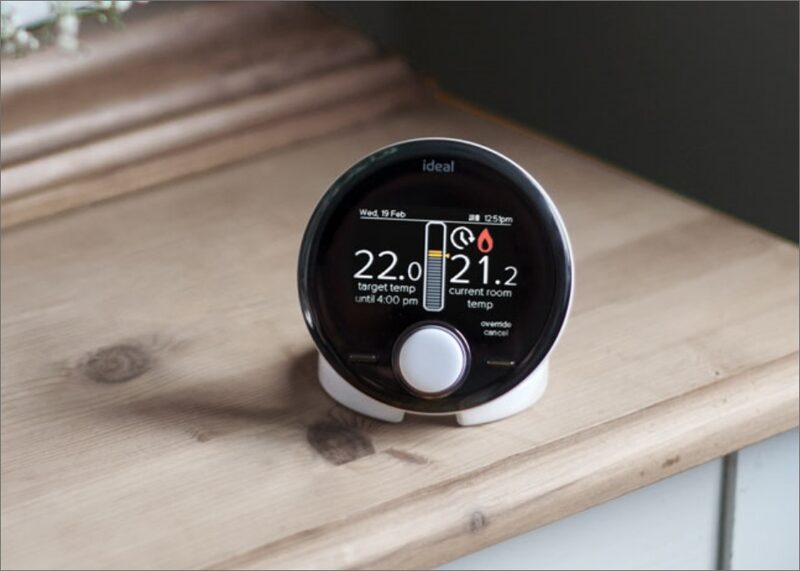
Scheduling and control: up to 6 heating schedules a day
The headline scheduling figure is 6. Ideal's support guidance states that you can have up to 6 heating events per day in your schedule3, and the product page describes setting up to 6 heating schedules per day1. The same figure appears across the range: the Halo Lite RF datasheet lists easy to set heating schedules with up to 6 events per day20, and the Halo Heat and System RF is sold with an easily adjustable schedule to fit with your lifestyle6.
The reason the figure matters is that the Halo range has no night setback feature. Ideal states plainly that currently there is no Night Set Back feature on the Ideal Halo, and that the 6 heating schedules per day allow additional on periods with a lower setpoint to compensate4. In other words, the extra schedule slots are the mechanism by which a household builds a gentler overnight or daytime temperature into the programme, rather than a dedicated setback mode doing it automatically.
Alongside the schedule, the Halo Combi RF carries override, plus hours, fault notifications, holiday mode and child lock1. Override and plus hours are the everyday controls: a temporary boost or an early finish without rewriting the programme. Holiday mode suspends the schedule while the house is empty. Fault notifications surface boiler faults on the thermostat rather than leaving them to be discovered at the appliance. Child lock prevents the schedule being altered at the wall.
The control interface is a large, clear, colour screen1, and the related Halo Lite RF uses a dial and buttons20. The screen and the schedule depth together are what separate the Halo line from a basic single setpoint thermostat.
Boiler Plus compliance through load compensation
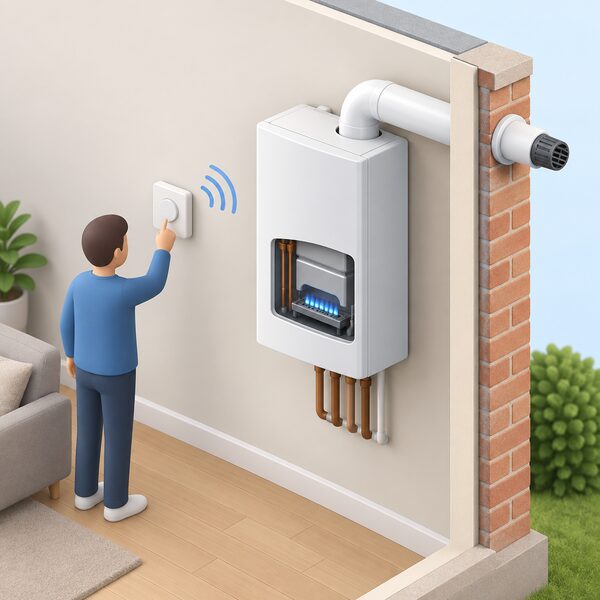
Load compensation is the technical heart of the Halo Combi RF's claim to efficiency. Ideal states that load compensation provides easy Boiler Plus compliance1, and describes the Halo as working seamlessly with an Ideal boiler to provide enhanced load compensation, an energy efficient measure recognised by the Boiler Plus legislation21. The Halo RF thermostat provides load compensation, and the Halo Lite RF datasheet lists Boiler Plus as yes, enhanced load compensation11.
What load compensation does is modulate the boiler's output in step with the difference between the room temperature and the setpoint, rather than firing at a fixed rate and cycling. That is the mechanism Boiler Plus recognises as an energy efficiency measure. The Logic2 Combi page makes the link explicit for replacement installations: combined with Halo, which has enhanced load compensation, it fulfils Boiler Plus requirements for replacement combis18.
"Load compensation provides easy Boiler Plus compliance"
The distinction between the Halo models is worth noting here. The Halo Combi Wi-Fi classifies as a smart control with automation and optimisation, a separate energy efficiency measure listed under Boiler Plus22. The RF model's route to compliance is load compensation. Both are recognised measures, but they are different measures, and a household choosing between the two is choosing which one the installation will rely on.
For energy independence, load compensation is a modest but real gain: it reduces gas consumption for the same comfort by running the boiler closer to its condensing range. It does not change the fuel. The home remains on the gas grid and on a gas supplier, and the control's contribution is to use less of that gas. More on the mechanism is at load compensation and modulation, and the regulatory background at Building Regulations for heating controls.
Installation: plug, pair and play, with no wiring
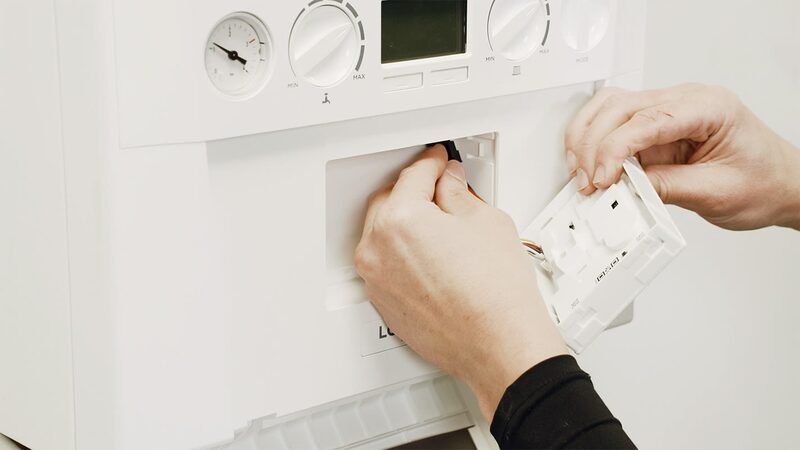
The Halo Combi RF is sold on the simplicity of its installation. Ideal describes it as fast and simple to install with no wiring, simply plug, pair and play1. The Smart Interface plugs direct into the front of the boiler, and the thermostat pairs to it out of the box1. Ideal's dedicated page on the subject lists what is avoided: no hardwiring needed, no electrician required, no need to measure up and trim individual wires, and no need to drill a receiver into a wall or cupboard2.
That last point is the practical difference from a conventional wireless thermostat, which usually needs a receiver box mounted near the boiler or in an airing cupboard and wired into the heating circuit. On the combi version of the Halo, the interface goes into the boiler front and the radio link does the rest. The Halo Heat and System RF takes a different route, coming with an innovative Smart Wiring Centre with wireless connection to the Smart Interface6, because a system boiler installation has more to connect.
The related Halo Lite RF is described as fast and simple to install with out of the box pairing8, and the Halo Lite as quick and easy installation with out of the box setup23. The 2-Zone upgrade kit uses automatic device setup13.
Smart home control, and what the Wi-Fi version adds
The Halo Combi RF is described as smart home compatible and able to be controlled with Amazon Alexa or Google Home4. That is the voice control layer. The Wi-Fi version of the same control goes further: the Halo Combi Wi-Fi works with your Ideal boiler to allow flexible control of your heating with the intuitive Halo app, which can be connected to your smart devices9, and it connects directly from the Smart Interface to home Wi-Fi with no additional gateway9.
The wider Halo family shows the same split. The Halo Heat and System 2-Zone Extension is smart home compatible for heating and hot water with Amazon Alexa or Google Home24, and the Halo Heat and System Wi-Fi comes with the Smart Wiring Centre and the same wireless interface link7. The Halo Air Wi-Fi can be connected through smart home devices like Amazon Alexa and Google Home25.
This is where the dependence question sits most clearly. The RF model runs its schedule locally, on the thermostat, paired to the boiler. Voice control and app features depend on the Wi-Fi version, a home broadband connection, Ideal's app and Ideal's servers. A household that wants the schedule to keep running through a broadband outage is better served by the RF arrangement; a household that wants remote scheduling and energy monitoring is looking at the Wi-Fi model. The trade is local resilience against remote convenience, and it is the same trade described at heating controls and energy independence.
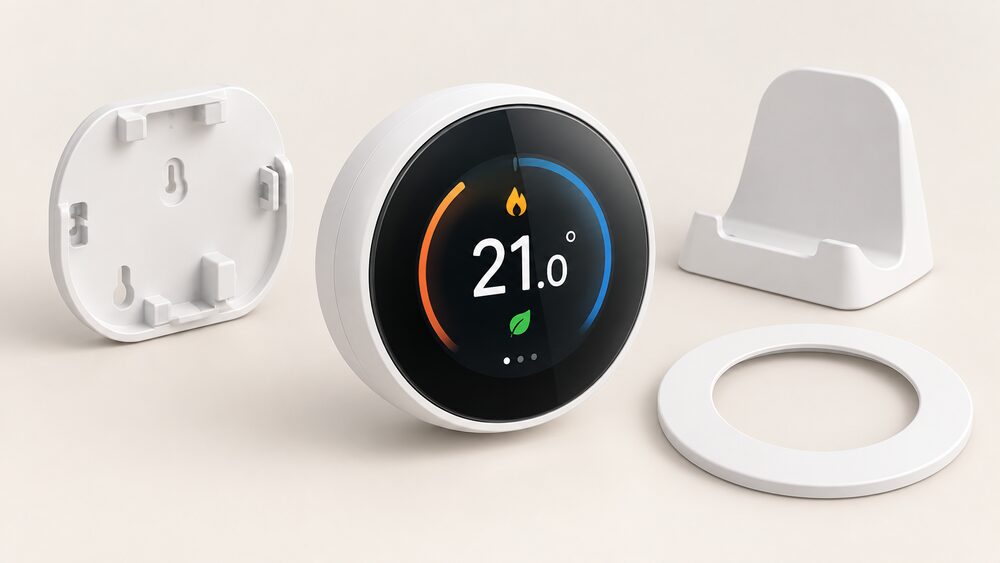
What's in the box and mounting options

The Halo Combi RF ships with a wall bracket, a desk stand and a trim plate in the box4. That combination gives three mounting outcomes from one product: screwed to a wall on the bracket, stood on a desk or shelf on the stand, or fitted over an existing wall position with the trim plate covering the marks.
The related models confirm the pattern. The Halo Lite RF datasheet lists a wall mounting bracket supplied, a desk stand supplied and a trim plate supplied, all as yes20. The Halo Combi 2-Zone upgrade lists wall mounted or desk mounted and a desk stand supplied13. The Halo Air is described as compact and contemporary design27.
Desk mounting matters more than it sounds. A wireless thermostat's reading is only as good as its position, and a control that can be moved without an electrician makes it easier to place the sensor where the household actually spends its evenings rather than where the old wired thermostat was fixed. The trim plate exists for the case where the new control replaces an older one in the same spot. More on siting is at room thermostats explained.
Warranty: 2 years, registration and servicing conditions
The Halo Combi RF carries a 2 year warranty, available when registered within 30 days of installation and serviced annually, with terms and conditions applying1. The same terms run across the range: the Halo Lite RF datasheet states 2 years warranty as standard, terms and service applies20, the Halo Heat and System RF carries a 2 year warranty on the same registration and servicing conditions6, and the Halo Combi Wi-Fi, Halo Combi 2-Zone upgrade and Halo Heat and System Wi-Fi all repeat the wording9. The Halo Air RF is listed with a 2 year parts and labour warranty available when registered within 30 days of installation26.
Two conditions do the work. The first is the 30 day registration window, which starts at installation. The second is annual servicing, which continues for the life of the warranty. Miss either and the cover is affected, so the registration paperwork and the service record are as much part of the product as the thermostat itself.
Registration and support run through Ideal Heating's homeowner channels, and the company offers Smart Support from Ideal Customer Service on the Wi-Fi models9. For the wider picture on control warranties and what voids them, see does DIY thermostat installation affect my warranty.
Frost protection and the limits of the control
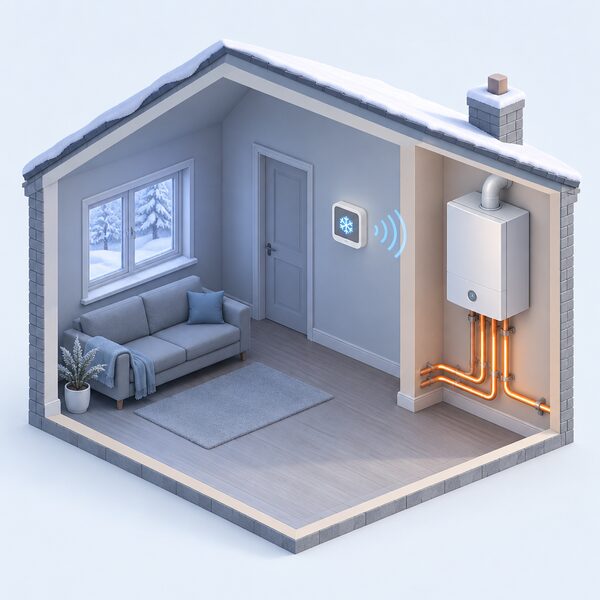
Frost protection is present across the Ideal control range. The Halo Lite RF datasheet lists frost protection for winter boiler and system protection, with an off mode that retains frost protection and a default of 5C20. The Halo Lite is described as having frost protection to ensure protection of the system in cold weather23, and the Ideal RF Electronic Thermostat lists built in frost protection28.
What that protects is the boiler and the system, not the fabric of the house. A frost stat in a control brings the heating on to keep pipework and the appliance above freezing; it is not a substitute for a household being present, and it does not protect a property that has been drained down or left unheated for a long period. The Halo Combi RF's own product page does not list frost protection among its features, so a household relying on that function should confirm it with Ideal or the installer rather than assume it from the range.
The other limits are structural. The control is made for Ideal boilers, so it does not travel to another brand. It is made in the UK, which Ideal states for its products generally1. It is a heating control, not a fuel change: it modulates a gas boiler and reduces the gas burned, but the home stays on the gas grid and on a supplier. And the RF model's independence is real but narrow, covering the schedule and the room temperature, while the boiler itself, the gas supply and the ignition and pumping electricity remain external dependencies.
Sources29 cited
- Halo Combi RF product page, Ideal Heating, 2026-09-17
- No hardwiring needed, Ideal Heating, 2026
- Halo Combi consumer brochure, Ideal Heating, 2020-12-15
- Halo Combi consumer brochure (2).pdf?u=https%3A%2F%2Fassets.ctfassets.net%2Fsj902orc9wh4%2F49bwpbaX3ZN6RMOT5Yv1pj%2F93feed0b82bb3cd96a4169bc4508c5d5%2FIB00263-Halo-Combi-Consumer-Brochure__2_.pdf), Ideal Heating, 2020-12-15
- Using your Halo thermostat, Ideal Heating, 2026-09-17
- Halo Lite RF installer datasheet, Ideal Heating, 2026-09-17
- Halo Lite RF product page, Ideal Heating, 2026-09-17
- Halo Combi Wi-Fi product page, Ideal Heating, 2026-09-17
- Halo Combi 2-Zone upgrade product page, Ideal Heating, 2026-09-17
- Halo Combi 2-Zone spec sheet, Ideal Heating, 2026-09-17
- Halo Heat and System RF product page, Ideal Heating, 2026-09-17
- Halo Heat and System Wi-Fi product page, Ideal Heating, 2026-09-17
- Halo Lite product page, Ideal Heating, 2026-09-17
- RF Electronic Thermostat product page, Ideal Heating, 2026-09-17
- Wireless thermostats: all you need to know, Ideal Heating, 2026
- Boiler Plus installer support, Ideal Heating, 2026-09-17
- Heating controls, Ideal Heating, 2026-09-17
- Heating system accessories, Ideal Heating, 2026-09-17
- Logic MAX Combi product page, Ideal Heating, 2026-09-17
- Logic MAX System product page, Ideal Heating, 2026-09-17
- Logic2 Combi product page, Ideal Heating, 2026-09-17
- How to upgrade to a combi boiler, Ideal Heating, 2026
- Boiler thermostats: a complete guide, Ideal Heating, 2026-09-17
- Ideal Heating homeowners, Ideal Heating, 2026
- Halo 2 product page, Ideal Heating, 2026
- Halo Air product page, Ideal Heating, 2026-09-17
- Ideal Heat Pump Range brochure, Ideal Heating, 2023-06-20
- Ideal System Filter product page, Ideal Heating, 2026-09-17
- Halo Lite RF quick start guide, Ideal Heating, 2023-08-09
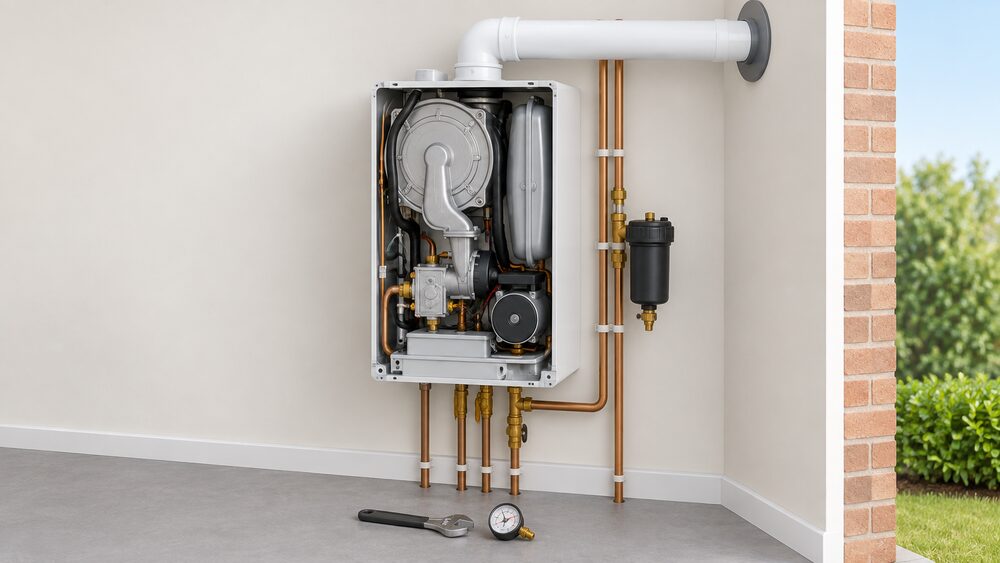 Ideal boilersIdeal Heating has built boilers in the UK since 1906.
 Ideal Heating Logic Air heat pumpsThinking about an Ideal Heating Logic Air heat pump for your home?
 Ideal Logic Air heat pumpHow much does an Ideal Logic Air heat pump cost to run, how noisy is it, and does it come with a hot water cylinder?
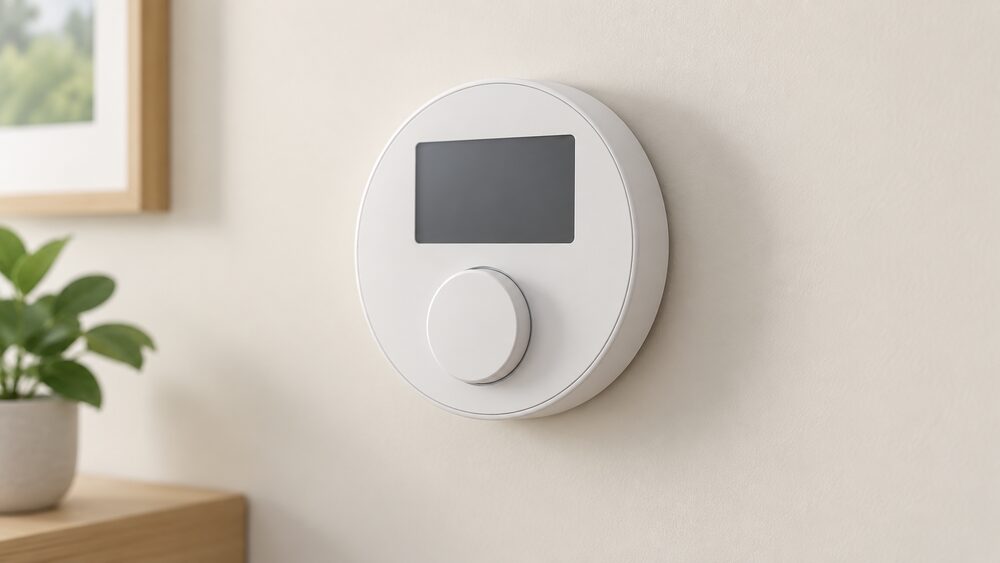 Ideal Heating Controls and ThermostatsWhich Ideal thermostat fits your boiler?
 Ideal Heating boilers and heat pumpsIdeal Heating is a Hull-based manufacturer founded in 1906 whose boilers heat 1 in 4 UK homes, with warranties from 2 to 12 years, the Logic Air heat pump range and a £60m shift to low carbon production.