
In this comparison
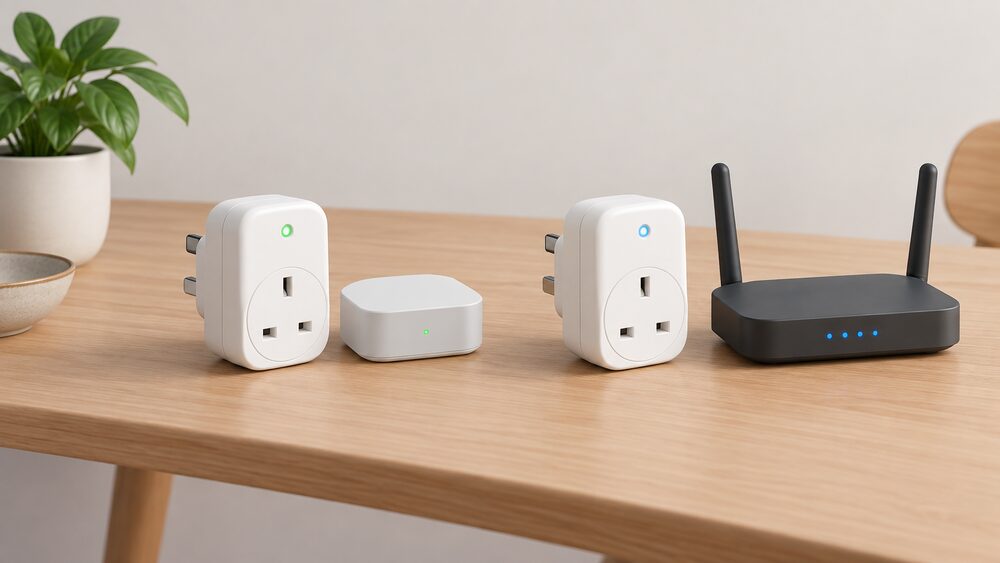
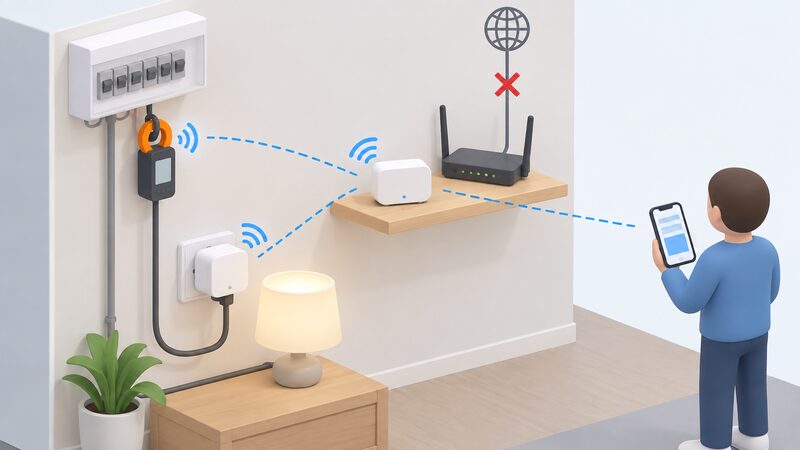
A Zigbee energy monitor talks to a small local network, usually through a hub, and keeps working when the broadband drops. A WiFi energy monitor talks straight to your router and your supplier's or maker's cloud, and stops showing live data when either fails. That single difference drives most of the rest: range, battery life, how many devices a network can carry, and how much of your energy data stays in the house.
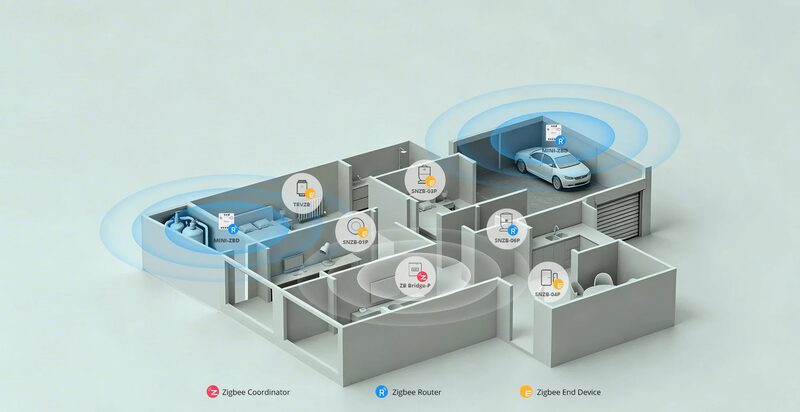
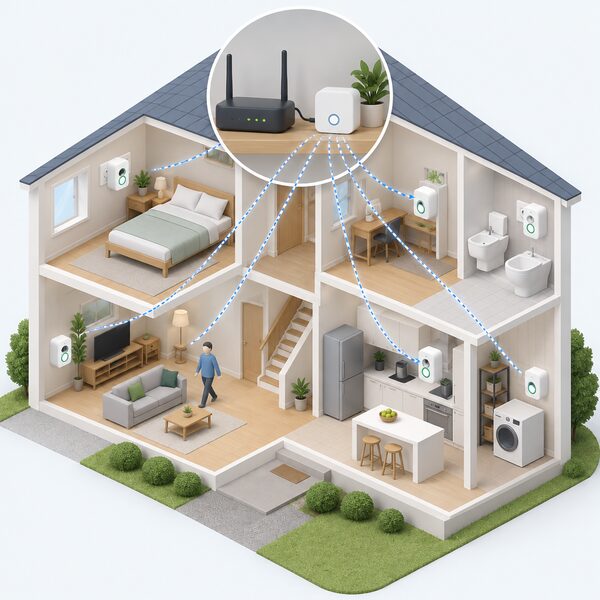
The choice is not about which radio is faster. Energy monitoring is a trickle of small numbers, and both protocols carry it comfortably. It is about what sits between the sensor and the screen, and who controls that link. Zigbee is a mesh: mains-powered devices relay for each other, so coverage grows as you add kit. WiFi is a star: every device reaches one router, and the router reaches the internet.
Prices for the hardware are modest. Which? reports that cheap plug-in energy monitors can be found for less than £10, while warning that a monitor on its own will not cut a bill1. The protocol decision matters more than the price, because it decides what the monitor can do in five years' time.
Zigbee and WiFi at a glance: the short answer
Zigbee is a low-power mesh protocol. Devices form their own network, a coordinator or hub manages it, and mains-powered nodes pass messages onward. The Connectivity Standards Alliance, which owns the standard, describes Zigbee as an IoT wireless protocol market leader with over 1 billion chipsets sold worldwide2. It operates in unlicensed bands at 2.4GHz globally, 915MHz in the Americas and 868MHz in Europe2. A monitor built on it reports through that local network.
WiFi is the network your broadband router already runs. A WiFi energy monitor joins it like any other connected device and sends readings to a cloud service, which the app then reads. Shelly describes a Wi-Fi-operated energy meter that monitors two circuits on the same phase or individually5. Emporia lists a smart plug on Wi-Fi 2.4GHz 802.11b/g/n6. There is no separate coordinator, because the router is one.
The practical split follows from that. Zigbee needs a hub but survives an internet outage. WiFi needs no hub but depends on the router and the cloud. Which? notes that some wireless energy monitoring devices may also require subscription apps or additional accessories depending on the manufacturer, a point that applies to either protocol7.
For a household, the question is what the monitor is for. A plug-in unit moved from appliance to appliance for a few days at a time works on either. A permanent whole-home monitor feeding automations, tariff switching or solar diversion is where the protocol starts to matter.
How each protocol connects your monitor to your data
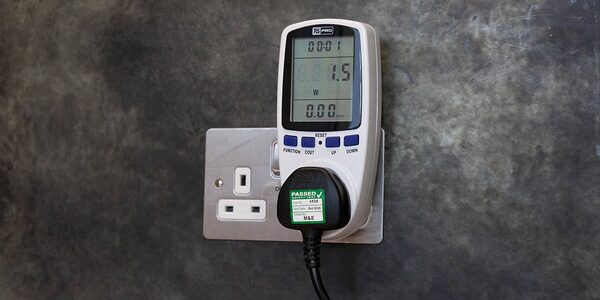
A plug-in energy monitor sits between the socket and the appliance. Which? describes the method: plug the monitor into the wall socket and the appliance into the monitor, and for multiple devices plug them into an extension lead and plug the lead into the monitor1. The same guidance notes that a device need only be left plugged in for a few days to assess typical usage, then the monitor can be switched to another device, so one unit covers a house over time1.
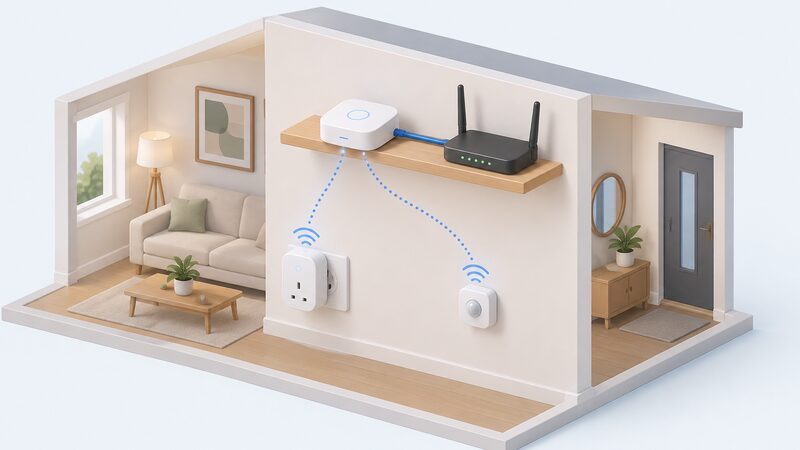
What changes between protocols is the next hop. On Zigbee, the plug joins a mesh coordinated by a hub. SONOFF states that its Zigbee smart plug requires a Zigbee hub, naming the ZBBridge-P and ZBBridge-U8. Its DIN rail Zigbee switch carries the same requirement9. Chameleon Technology describes its Energy Clamp as a wireless Zigbee 3.0-enabled sensor, ideal for measuring current draw where there is no suitable plug, and says it pairs with any Zigbee hub10.
On WiFi, the plug joins the router directly. myenergi's harvi is a battery-free device that gathers data on generation and consumption for a fully wireless setup with no hardwired connections, and it streamlines energy management alongside the company's zappi and eddi products12. The data path runs from device to router to cloud to app.
Both routes end in an app. SONOFF reports real-time and historical consumption through its app with history by hour, day and month8. The ivie app shows daily, weekly, monthly and even yearly energy use14. The difference is where the data rests on the way.
Range and mesh: where Zigbee pulls ahead
Zigbee's headline advantage is that coverage improves as devices are added. The Connectivity Standards Alliance gives transmission distances of 10 to 100 metres, depending on power output and environmental characteristics2. That range is wide because it is a physical limit, not a product specification: brick, foil-backed plasterboard and metal appliances all absorb 2.4GHz energy.
A mesh changes the arithmetic. Drayton describes its Wiser kit as a separate devices network with Zigbee mesh technology15. Bosch's Matter guidance explains the principle for Thread, a comparable mesh: range and density increase with each added node16. Zigbee works the same way, so a mains-powered smart plug in a hallway can carry a message from a monitor in a garage.
WiFi has no such relay. Every device reaches the router on its own, and the router's reach is fixed. The Hive Hub, which bridges Zigbee devices to broadband, keeps tech connected up to 10 metres away, which the maker describes as big enough for most homes3. That is a hub figure rather than a WiFi one, but it shows the order of magnitude a single central point covers.
The mesh also carries a cost. A Zigbee network depends on its coordinator being present and powered. If the hub is unplugged, the devices keep their last state but stop reporting. WiFi has the mirror-image weakness: no hub to lose, but a single point of failure at the router.
Bandwidth, cloud dependence and local control
Neither protocol is short of bandwidth for energy data. Zigbee's raw throughput is 100kbs at 868MHz across 63 channels, and 500kbs at 915 to 921MHz across 27 channels2. A power reading every few seconds is a fraction of that. The real difference is what happens when the internet is unavailable.
SONOFF states that Zigbee local control works even when the internet is down, with local processing for privacy and security8. The same page is precise about the limits: if the device disconnects from the Zigbee gateway the timer will not take effect, but if the gateway itself loses internet access the timer still works8. The local network is the thing that must hold.
That distinction matters for a household's independence. A Zigbee monitor with local automations keeps switching loads, logging history and running schedules through a broadband outage. A WiFi monitor loses its app view and any cloud-side automation at the same moment. The device may still measure, but nothing reaches the household.
Cloud dependence also brings a longer-term risk. A monitor whose history lives only in a maker's cloud is tied to that company's continued operation and to its app remaining available. Which? warns that some wireless energy monitoring devices may require subscription apps or additional accessories depending on the manufacturer7. Local control is the alternative, and it is a property of the protocol and the platform, not of the sensor.
"Reliable operation even when the internet is down"
Power use and battery life
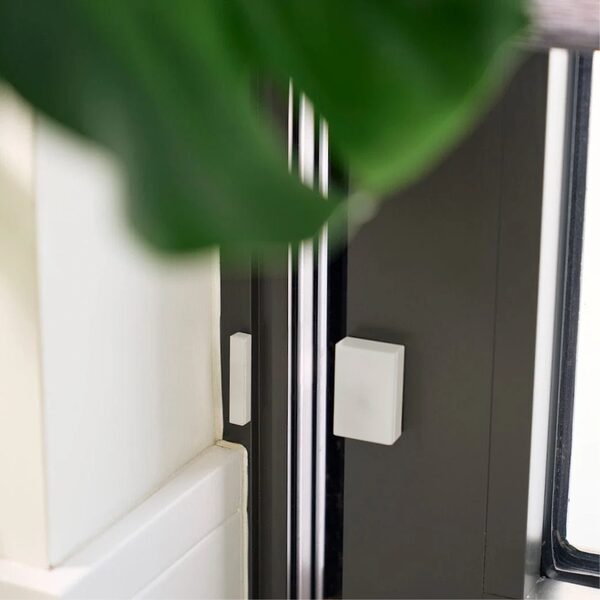
Zigbee was designed for devices that cannot afford a mains cable. Its low-power design is why sensors run for years on a coin cell, and why the protocol suits door and window contacts, temperature sensors and TRVs. Salus lists a window and door sensor that connects via a Zigbee network17. Drayton sells a temperature and humidity sensor on Zigbee at 2.4GHz, IEEE802.15.418.
WiFi is the opposite trade. A WiFi radio holds a live association with the router and draws far more current, which is why WiFi sensors are usually mains-powered or need frequent charging. Emporia's smart plug runs on Wi-Fi 2.4GHz 802.11b/g/n and is a mains device6. myenergi notes that its devices connect on 2.4GHz Wi-Fi only, not 5GHz, a constraint that affects placement and router settings rather than power4.
For energy monitoring specifically, most hardware is mains-powered anyway, because a clamp or a metering plug needs a supply. Battery life is therefore less of a deciding factor than it is for sensors. Where it does bite is in the wider system: a Zigbee mesh wants mains-powered nodes to relay, and battery devices do not relay. A house full of battery Zigbee sensors and no mains nodes has a weaker mesh than the device count suggests.
The energy the monitor itself consumes is small in either case, and no measured figure for it is published. What can be said is that a Zigbee sensor's radio budget is a fraction of a WiFi device's, which is the reason the protocol exists in the form it does.
Hubs, bridges and what sits in between
A Zigbee monitor almost always needs something in the middle. SONOFF states that its Zigbee smart plug requires a hub, and its DIN rail switch says the same8. Chameleon's Energy Clamp pairs with any Zigbee hub11. The hub is the coordinator: it holds the network keys, routes messages and bridges to the internet.
Hubs vary in what they carry. The Hive Hub connects by Ethernet to the broadband router and also supports Wi-Fi and Zigbee3. Drayton's second generation HubR runs Wi-Fi at 2.4GHz, IEEE802.11 b/g/n and Zigbee at 2.4GHz, IEEE802.15.4, transmitting at +17dBm on Wi-Fi and +12dBm on Zigbee19. Those figures show a hub doing two jobs at once: a WiFi link upward to the cloud and a Zigbee link downward to devices.
Bridging is the newer pattern. Drayton states that its second generation hub links existing Wiser Zigbee devices, including thermostats, sensors and plugs, into any Matter ecosystem20. Bosch explains the general mechanism: Matter runs on Thread and WLAN, both IP-based, or a bridge can translate signals from a manufacturer standard such as Zigbee into the Matter IP standard16. That is how a Zigbee device appears in a platform that does not speak Zigbee natively.
Interoperability with smart home platforms
Zigbee's platform support is broad. The Connectivity Standards Alliance states the protocol is used by a majority of large smart home ecosystem providers, naming Amazon's Echo Plus, Samsung SmartThings and Signify's Philips Hue21. That breadth is why a Zigbee monitor is more likely to slot into an existing setup than a proprietary WiFi device.
Home Assistant is the platform most often named for local energy monitoring. Chameleon states its Energy Clamp is compatible with a Home Assistant Zigbee 3.0 hub10. SONOFF states its Zigbee TRVs work with ZHA and Zigbee2MQTT with no cloud account required, and that local schedules, automations and temperature control still work as long as Home Assistant and the Zigbee network remain online22. That is the clearest statement of what local control buys: the automations survive an internet outage.
Voice assistants are supported on both sides. Emporia's monitoring smart plug is compatible with Amazon Alexa and Google Home Assistant6. Drayton's temperature and humidity sensor works with Amazon Alexa and Google Assistant18. Voice control is a convenience layer, not a data path, and it depends on the cloud in either case.
Matter is the direction of travel. The Connectivity Standards Alliance describes Zigbee and Matter as different technologies with a similar underlying data model, expected to co-exist, with bridging specified in Matter2. Zigbee PRO 2023 added security enhancements, coexistence of Zigbee and Zigbee Smart Energy devices, SubGHz support for North American and EU markets, and device onboarding and control via Bluetooth Low Energy2. Zigbee Direct brings Zigbee and Bluetooth Low Energy together so a phone or tablet can interact with the network directly2.
For a household, the practical reading is that Zigbee hardware bought now is not stranded. It can be bridged into Matter platforms, and it can be driven locally by Home Assistant. A WiFi monitor's interoperability depends on the maker's cloud and its app, which is a different kind of commitment.
Where each protocol falls short
Zigbee's weaknesses are the mirror of its strengths. It needs a coordinator, and the coordinator is a single point of failure. It shares the 2.4GHz band with WiFi, though the standard is built to cope: Zigbee has access to 16 separate 5MHz channels in the 2.4GHz band and uses an IEEE 802.15.4 defined CSMA-CA protocol that reduces the probability of interfering with other users2. Zigbee also operates in Sub-GHz bands, which sidesteps the crowded space entirely21.
WiFi's weaknesses are dependence and scale. Electrical Safety First advises checking for a strong Wi-Fi and internet connection, because limited bandwidth may struggle to support multiple devices23. Every added WiFi device competes for router capacity and airtime, and every one of them stops reporting when the broadband does. A WiFi monitor is also tied to its maker's cloud for history and app access.
Neither protocol is a route to full independence. A Zigbee monitor keeps working locally, but the hub, the app and often the platform are still supplied by a manufacturer, and the electricity it measures still arrives from the grid through a supplier. What Zigbee changes is the failure mode: the household keeps its own data and its own automations when the connection drops.
Choosing between them in practice
The decision usually comes down to what the monitor has to do. A plug-in unit used to survey appliances over a few days works on either protocol, and Which? notes that cheap models can be found for less than £101. A permanent installation feeding automations, solar diversion or tariff response is where the local network earns its place.
Where a household already runs a Zigbee hub, adding a monitor is incremental. Drayton states that no replacement is needed if you have a Wiser Hub 2nd Generation and compatible Wiser Zigbee devices, so existing hardware carries on20. Where the house runs on WiFi alone, a WiFi monitor avoids buying a hub but accepts the cloud dependency.
Switching later is limited by the hardware. The Connectivity Standards Alliance states Zigbee was developed to be backwards and forward compatible, which covers devices within the Zigbee family rather than a change of radio2. Some newer hardware carries both: Shelly lists an energy meter with Wi-Fi 6, Bluetooth, Zigbee and Matter5. A monitor sold as WiFi-only cannot be converted by a firmware update.
For the wider picture, home energy monitors covers clamp, circuit and whole-house options, and home energy device protocols sets Zigbee alongside Matter, Thread and KNX. Where the aim is keeping data in the house, local data access and Modbus explains the alternatives, and app subscriptions and cloud dependence sets out what a cloud tie means over time. Households starting from the meter itself may find consumer access devices the better first step.
Sources23 cited
- Are energy monitors the best way to measure your power usage?, Which?, 2026
- Zigbee FAQ, Connectivity Standards Alliance, 2026
- Hive Hub, Hive, 2026
- Device Wi-Fi setup, myenergi, 2026
- Energy metering, Shelly, 2026
- Emporia Smart Plug home energy monitoring outlets, Emporia Energy, 2026
- Smart meters vs home energy monitors, Smart Energy GB, 2026
- SONOFF iPlug Zigbee Smart Plug S60 Series, SONOFF, 2026
- SONOFF Basic DIN Rail Zigbee Smart Switch, SONOFF, 2026
- Energy Clamp FAQ, Chameleon Technology, 2026
- Chameleon launches wireless CT clamp, Chameleon Technology, 2026
- myenergi connectivity, myenergi, 2026
- myenergi products, myenergi, 2026
- ivie smart meter app benefits, ivie, 2024
- Wiser 2nd Generation sensor kit, Drayton Controls, 2026
- Matter standard compatibility, Bosch Smart Home, 2026
- SW600 Window/Door Sensor, Salus Controls, 2026
- Wiser Temperature and Humidity Sensor, Drayton Controls, 2026
- Wiser Multi-Zone Kit 1, 2nd Generation, Drayton Controls, 2026
- Wiser and Matter, Drayton Controls, 2026
- Zigbee, Connectivity Standards Alliance, 2026
- Zigbee TRVs for Home Assistant, SONOFF, 2026
- Smart homes safety advice, Electrical Safety First, 2026
 Home Energy MonitorsWhich home energy monitor suits your house, and what will it actually show you?
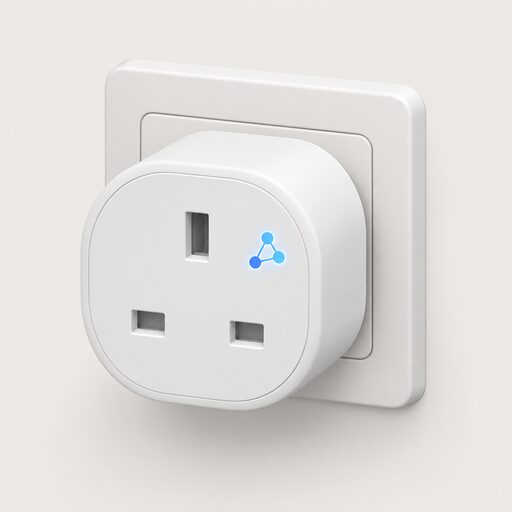 Zigbee, Matter and ThreadWhich smart plugs, meters and heating controls will still work together in ten years, and what happens to them when your broadband goes down?
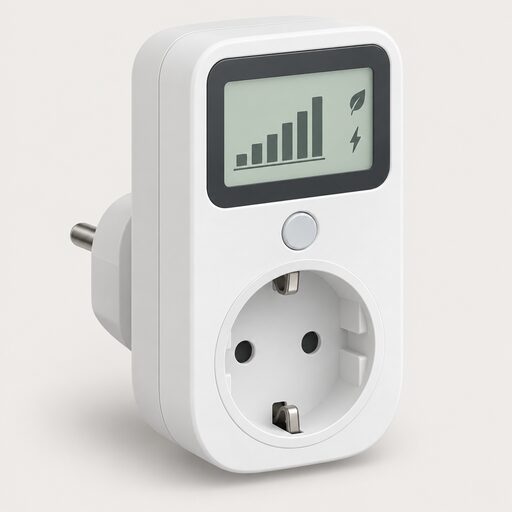 HEMS and Monitoring CostsWhat does a home energy monitor cost to buy and run?
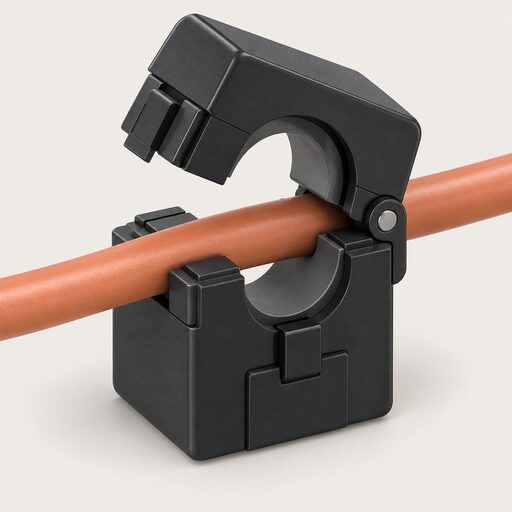 Current Transformers and SensorsA clamp monitor measures the current in your cables, while a P1 module reads your smart meter instead.
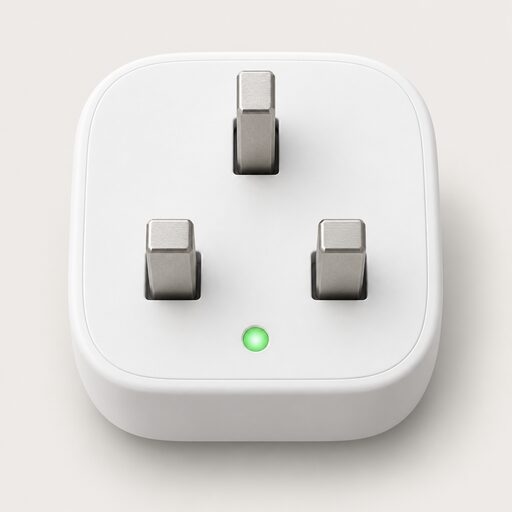 Smart Plugs and MonitoringWhich appliances are worth putting a smart plug on, and will it really show you what each one costs to run?
 Which Tariffs Your Meter AllowsHow meter type decides which energy tariffs a household can access, from single-rate and two-rate meters to smart, prepay and restricted configurations, and the constraints faced by flats, rented homes and homes without a working smart connection.